

Build AI Agents via Conversation: Three Entry Points on Alibaba Cloud AgentCore
This article explains how to create AI agents on Alibaba Cloud AgentCore using the AC Manage Skill from three environments — local Codex, hosted AgentCore agents, and self-deployed high-code agents — detailing permission models, deployment steps, and verification methods.
Reading font
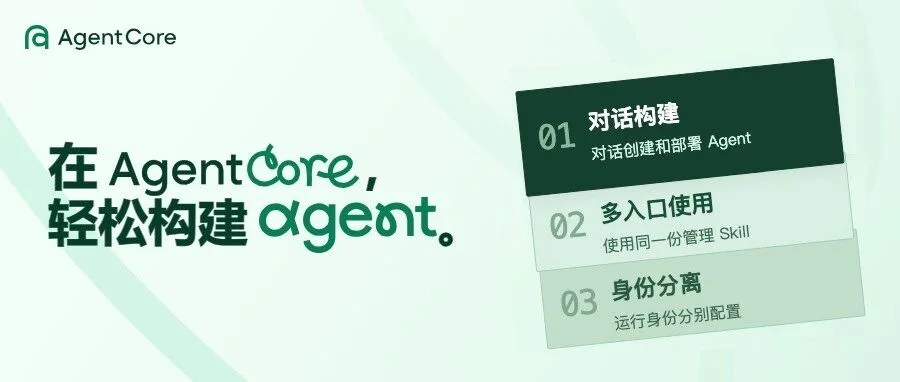
The article introduces a conversational approach to building agents on Alibaba Cloud AgentCore using the AC Manage Skill. Instead of manual console operations, developers equip an existing agent with the skill and a credentialed identity, then instruct it to create new agents directly from the chat interface.
Why Let an Agent Build Agents
Manual agent creation involves fragmented steps: opening the console, selecting models, filling configurations, writing code, packaging dependencies, deploying, and debugging. These steps — reading docs, running commands, inspecting errors, iterating — are exactly what agents excel at. The only missing pieces are a skill that knows how to operate AgentCore and an identity with permissions.
Three Entry Points
1. Local Codex
Install the AC Manage Skill locally, start a Codex session, specify the CLI profile and target workspace. The agent verifies the workspace name, account, and region before executing. Developers can first run the agent locally, validate it, then deploy the same code to the cloud — all within the same conversation.
AC Manage Skill installation: https://help.aliyun.com/zh/agentcore/agentcore-management-skill
2. AgentCore Hosted Agent
Use an existing hosted agent. Bind two assets:
Skill: Import and publish AC Manage Skill in the target workspace, then bind it to the agent's Skill tab. The agent installs missing CLI tools per the skill's instructions.
Identity: Create two environment-variable credentials in Credential Management storing an AK/SK pair with access to the target workspace, bind them to the agent's Credential tab, save and publish.
Afterward, send requirements directly — no local installation needed.
Manage credentials: https://help.aliyun.com/zh/agentcore/manage-credentials
Bind assets to agent: https://help.aliyun.com/zh/agentcore/manage-agents
3. Self-Deployed High-Code Agent on AgentCore
A high-code agent (e.g., built with AgentScope) already running on AgentCore can create managed agents or deploy new high-code agents in its workspace — agents building agents, closing the loop. It uses its execution role to assume temporary credentials, avoiding long-lived keys. Adding permissions to the role extends capabilities without code changes.
Integration requires adding the AgentCore high-code Python SDK, loading the AC Manage Skill, and exposing the command-execution tool to the agent. Implementation details and sample code are in the appendix.
High-code SDK guide: https://help.aliyun.com/zh/agentcore/agentcore-python-sdk-user-guide
Permission Model: Two Distinct Identities
The critical distinction is between the creator identity (who can create) and the runtime identity (what the new agent can do).
Creator identity: Local Codex uses the chosen CLI profile; hosted agent uses the bound AK/SK RAM identity; self-deployed agent uses its execution role. This identity needs permissions to read models, upload code, create agents, and query deployment results.
Runtime identity: Specified via roleArn in the create-custom-agent request. It determines the new agent's access to workspace models, skills, MCPs, etc. Creator permissions do not transfer to the new agent.
Verification: after deployment, invoke the new agent's endpoint ( POST /v1/chat/completions) to confirm its own permissions work.
High-code agent execution role config: https://help.aliyun.com/zh/agentcore/use-high-code-agent-to-execute-roles
Identity Mapping
Local Codex → Chosen CLI profile
AgentCore Hosted Agent → Bound AK/SK RAM identity
Self-Deployed High-Code Agent → Its own execution role
The runtime role is passed in create-custom-agent via roleArn. For example, to let the new agent query its workspace name, attach agentcore:GetWorkspace permission to that role.
Preparing the Execution Role for High-Code Agents
Trust principal: workload.agentidentity.aliyuncs.com with conditions allowing the new agent's workload to assume the role.
Attach managed policies: AliyunAgentIdentityDataGetCredentialAccess and AliyunAgentCoreFullAccess (per current official guide).
Grant additional workspace-specific permissions for models, MCPs, or skills the new agent will use.
Note: AliyunAgentCoreFullAccess grants full AgentCore resource management across the account; the workspace ID in the deployment request only sets the deployment target, not the permission boundary.
Execution role & authorization steps: https://help.aliyun.com/zh/agentcore/use-high-code-agent-to-execute-roles
AgentCore permission policies & scope: https://help.aliyun.com/zh/agentcore/configure-agentcore-permissions-for-ram-users
High-Code Agent Deployment Checklist
Creator identity needs agentcore:GetAgentCodePackageUploadUrl and agentcore:CreateCustomAgent permissions.
Code package (ZIP) must include AgentScope and dependencies, with main.py at the root.
Service must listen on 0.0.0.0:8080 and implement GET /healthz and POST /v1/chat/completions, delegating to the AgentScope agent.
Upload ZIP to the obtained URL, use returned sourceUri to create the agent.
Provide execution role ARN, matching Python runtime, start command ( python main.py), port, and routing.
High-code deployment guide: https://help.aliyun.com/zh/agentcore/high-code-agent-deployment-guide
CreateCustomAgent API: https://api.aliyun.com/api/AgentCore/2026-08-04/CreateCustomAgent
Appendix: Obtaining STS and Invoking CLI from Application Code
Python SDK 0.1.8 example showing how to get temporary credentials via ResourceSTSProvider, inject them into a subprocess environment, and run aliyun CLI commands (e.g., sts GetCallerIdentity, workspace queries, agent creation). The snippet uses ManagedRuntimeSource to resolve the runtime endpoint and service-account tokens.
import os
import subprocess
from agentcore.auth.resource_sts import HIGH_CODE_SDK_PURPOSE, ResourceSTSProvider
from agentcore.runtime.startup import ManagedRuntimeSource

async def run_cli(*args):
    source = ManagedRuntimeSource(None, env_path=None, control_plane_endpoint=None)
    runtime = await source.resolve()
    provider = ResourceSTSProvider(runtime.controller_endpoint, runtime.agent_sa_tokens)
    try:
        sts = await provider.get(HIGH_CODE_SDK_PURPOSE)
        env = {
            **os.environ,
            "ALIBABA_CLOUD_ACCESS_KEY_ID": sts.access_key_id,
            "ALIBABA_CLOUD_ACCESS_KEY_SECRET": sts.access_key_secret,
            "ALIBABA_CLOUD_SECURITY_TOKEN": sts.security_token,
            "ALIBABA_CLOUD_IGNORE_PROFILE": "TRUE",
            "ALIBABA_CLOUD_REGION_ID": "cn-hangzhou",
        }
        return subprocess.run(
            ["aliyun", *args], env=env, check=True, capture_output=True, text=True
        )
    finally:
        await provider.aclose()
CLI credential environment variables: https://help.aliyun.com/zh/cli/environment-variables
Acceptance Verification Fields
High-code agent role: after publishing, call get-custom-agent and verify data.roleArn matches the provided ARN; the corresponding sandbox should be in RUNNING state.
Chat endpoint: authenticate per endpoint configuration, send POST /v1/chat/completions, expect HTTP 200 with choices[0].message.content as the model response.
Tool invocation: inspect tool execution records, not just final answer text, to confirm tools were actually called.
For questions about attribution, corrections or content rights, please contactand we will review it promptly.