

Google Antigravity's 5 Updates in 9 Days: Orchestrator, /btw, SSH & MCP Apps
After a Black Friday deal, Google's Antigravity AI coding assistant released five updates in nine days, adding automatic model orchestration between Gemini 4 Neon and Hydrogen, a /btw side-thread for read-only queries, native SSH remote development with auto-resume, and MCP Apps with interactive UIs, addressing key developer pain points.
Reading font

Black Friday Deal and Rapid Update Cadence
The author purchased a Google AI Pro annual subscription (5 TB cloud storage) for $99.99 during Black Friday, down from $199.99. Initially prepared for the Antigravity client to gather dust, they were surprised when Antigravity lead Varun Mohan posted two optimization updates on X in the early hours of November 25. The first announced a 50% reduction in unnecessary approval prompts in Auto mode. The second revealed AGY harness improvements: a 12% drop in per-task quota consumption and a 17% speedup when running Gemini 4 Neon. These updates were part of a nine-day, five-version sprint from v2.32.2 to v2.35.1 (November 16–24), each targeting a specific friction point in AI-assisted coding.
1. Automatic Model Orchestration with Orchestrator
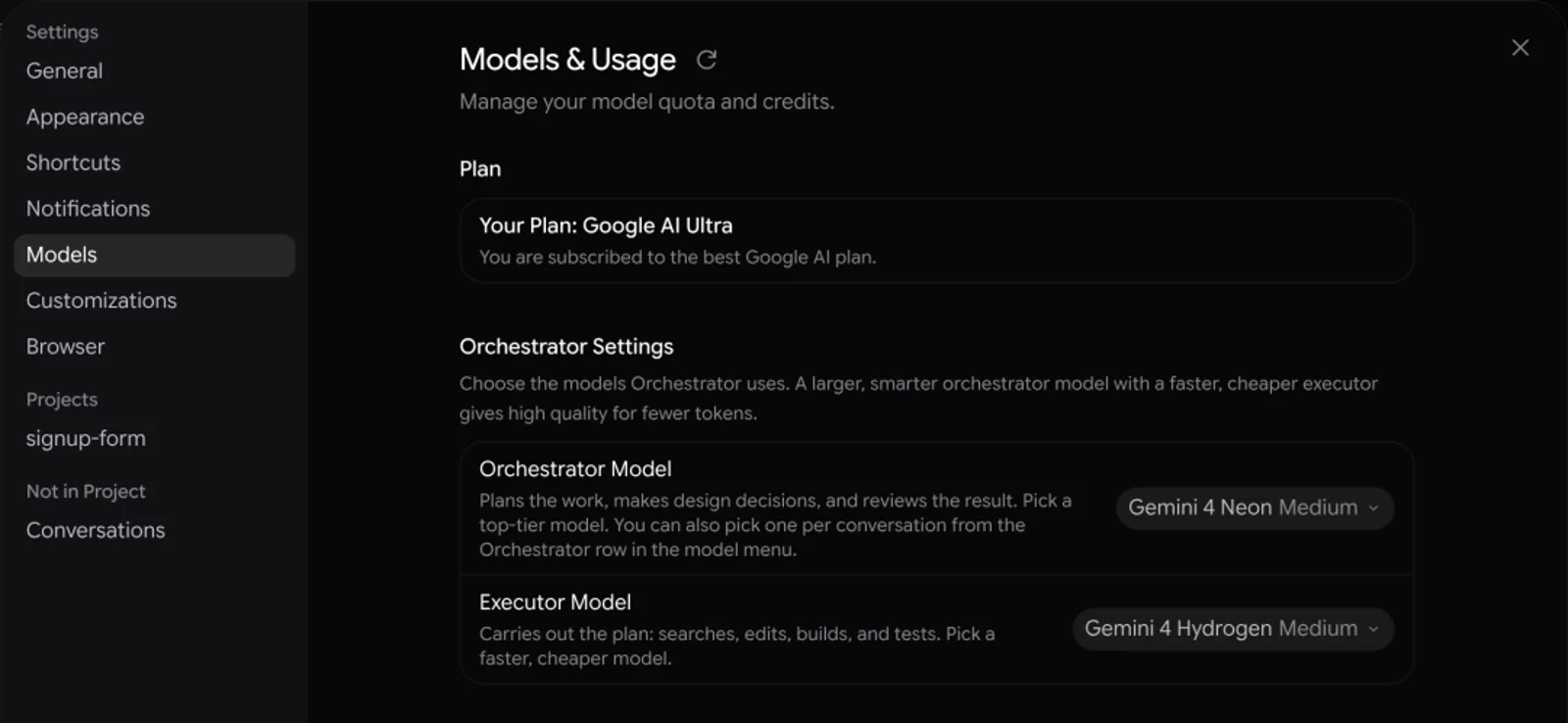
Developers often waste expensive flagship-model quota on mechanical tasks like dependency upgrades, test generation, and build runs. Version 2.34.0 introduced the Orchestrator, which pairs Gemini 4 Neon (flagship) with the lighter Hydrogen model in a single session. Neon handles architecture design and complex debugging at the default High tier, where its per-task cost is 32% lower than the Carbon flagship. When the work shifts to routine code changes, package updates, or test execution, Orchestrator automatically delegates to Hydrogen. If Hydrogen errors or stalls, control returns to Neon for diagnosis and plan correction before continuing. This eliminates manual model switching and cuts both quota consumption and idle wait time, especially in frontend and full-stack projects that involve dozens of tool-call rounds.
2. /btw Side-Thread for Read-Only Queries
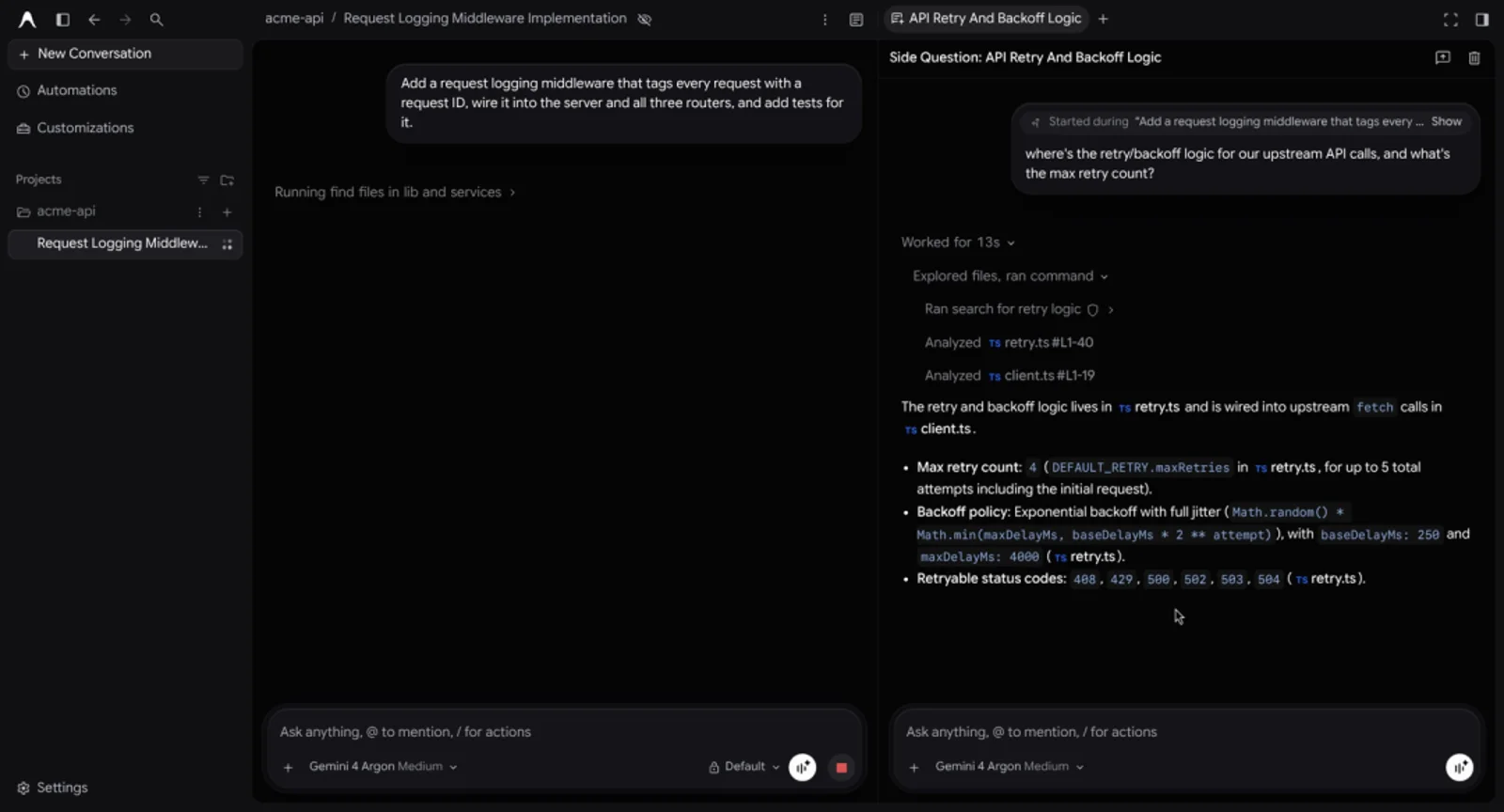
Heavy terminal-agent users frequently need to inspect a config file or investigate a warning while the main agent is mid-task. Previously this required either waiting for completion or interrupting and losing context. Starting with v2.32.2, Antigravity added a /btw command that opens a read-only side-thread tab. Subsequent versions (v2.33.0, v2.34.0) completed the interaction: the main thread continues uninterrupted while the developer runs multi-turn read-only queries in the sidebar — browsing files, searching the workspace, executing read-only commands — without touching the main thread's state. In the built-in terminal, selecting an error log and pressing Cmd+E (macOS) or Ctrl+E (Windows/Linux) launches a side-thread investigation. Useful findings can be injected back into the main conversation with one click.
3. Native SSH Remote Development with Auto-Resume
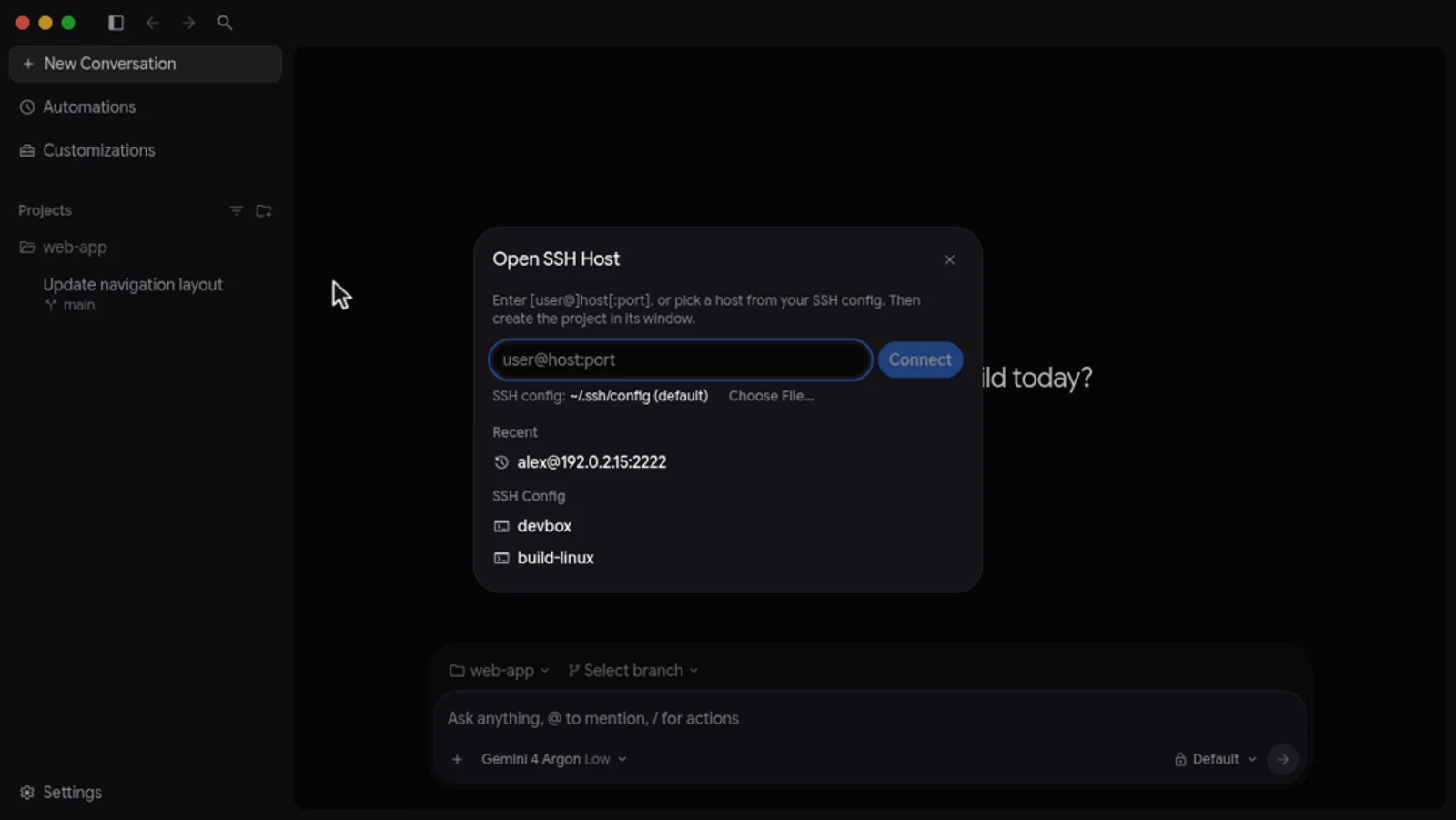
Backend and full-stack engineers often work on remote Linux machines. Version 2.33.0 added native SSH support: Antigravity reads the local ~/.ssh/config, connects to a 64-bit Linux host, and automatically installs the remote service. The project directory, Git worktrees, terminal, and the working Agent all run on the remote machine, so closing the laptop lid leaves the task running on the server. A long-standing complaint — client upgrades or restarts killing active sessions — was addressed in v2.35.1: the app now auto-resumes the active session on reopen. Version 2.35.0 also removed the 500-entry local history cap, defaulting to unlimited retention.
4. MCP Apps and Local Session API for Extensibility
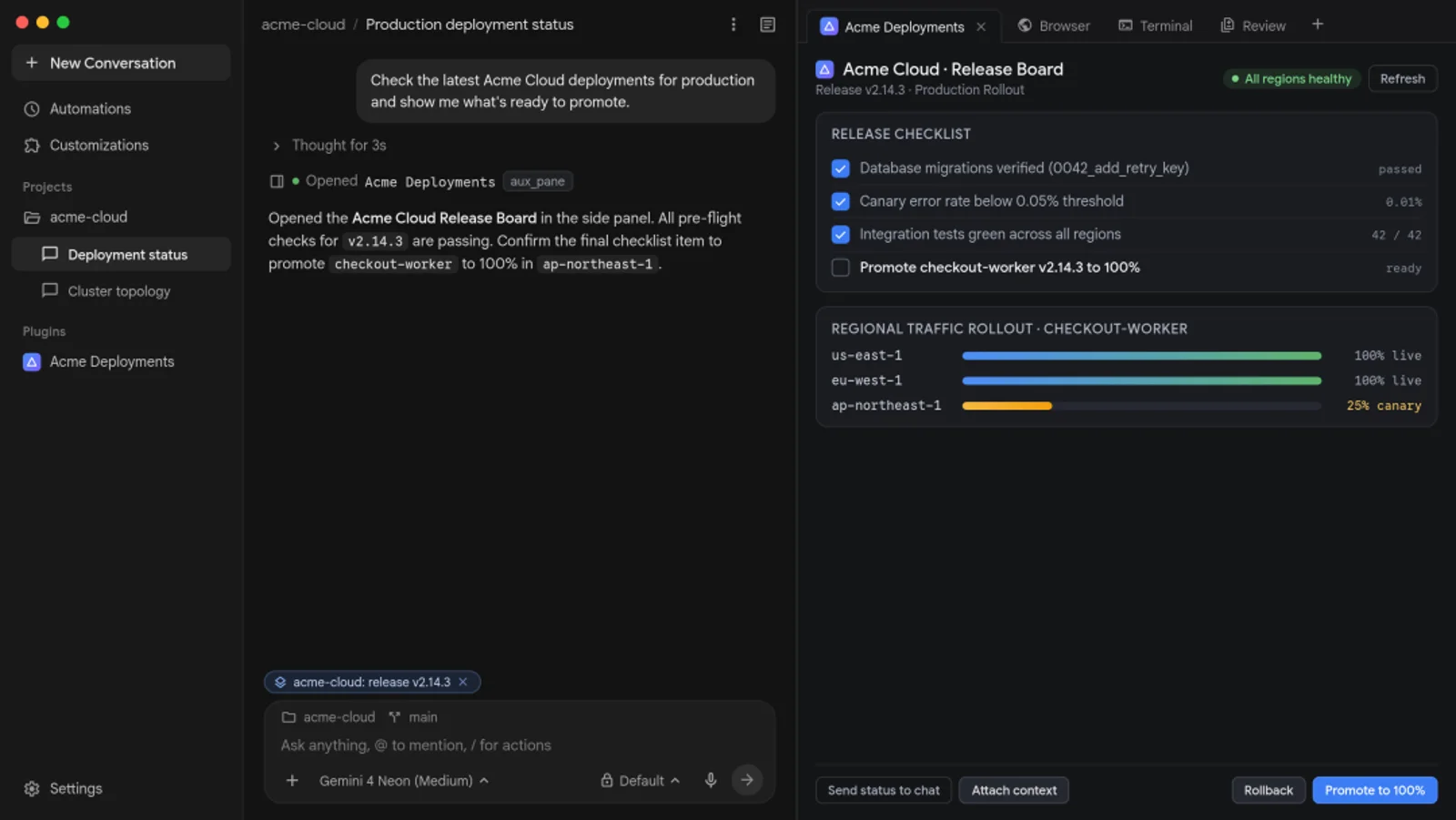
Earlier MCP (Model Context Protocol) integrations could only return plain text or JSON, cramming complex configurations, charts, and code reviews into the chat stream. Version 2.34.0 opened MCP Apps to personal paid subscribers, and v2.35.1 allows clicking a plugin link in an Agent reply to expand an interactive right sidebar. Frontend and Node.js developers can build HTML/JavaScript UIs for MCP tools, turning command-line output into clickable, editable side-panel applications. Version 2.35.0 also exposed a built-in Conversation Management API, enabling external scripts and automation to create, query, and archive local sessions programmatically.
Caveats and Recommendation
Early-version latency impressions persist, and community complaints about memory usage and context control in large repositories continue. Orchestrator and MCP Apps are currently gated behind paid and enterprise tiers. Developers already deeply invested in Claude Code or Cursor need not switch immediately. However, for those who secured the Black Friday annual plan — or who uninstalled after earlier frustrations — the nine-day optimization wave makes Antigravity worth re-evaluating, especially for long-running SSH tasks that would otherwise burn primary-model quota.
For questions about attribution, corrections or content rights, please contactand we will review it promptly.