

HylaPocket: Pocket-Sized Terminal Access via Tailcat Relay Without VPN
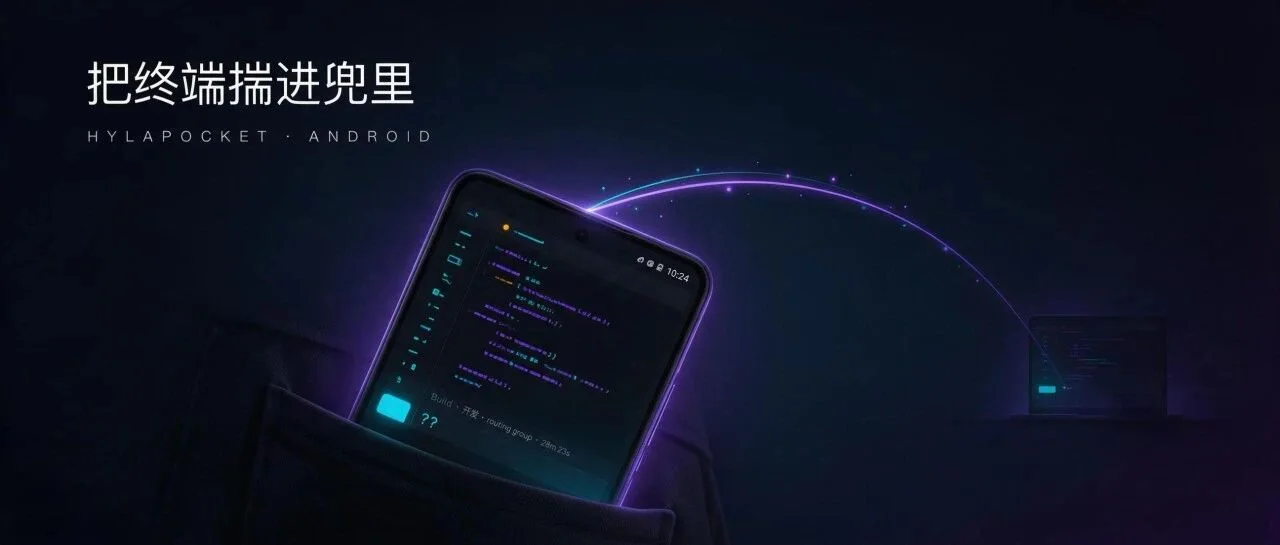
HylaPocket is an Android client for the Hyla terminal that lets developers access persistent terminal sessions remotely via Tailcat relay without VPN or port forwarding, rendering true terminal byte streams using Ghostty's VT library and syncing pane sizes between phone and desktop.
Reading font
What Is HylaPocket
Hyla is a terminal designed for coding agents; its sessions live in a background hylad process so closing the window does not end the session. HylaPocket is the Android client for Hyla: it lists all sessions on the machine and the panes inside each session, letting you view and type into them from a phone.
The author built HylaPocket after referencing rexpocket (by leizhiyuan), using AI assistance to generate the Android app. The goal was to eliminate the need for a separate tool ( paseo) previously used for mobile access, because Hyla's UI framework mygo (GPUI-based) does not yet support mobile.
Three Handy Features
No Port Forwarding, No VPN
The phone connects to hylad 's tailcat relay. The host generates a Tailcat pairing code and QR code; the QR code contains an encrypted address and password, bypassing the public internet, routers, and any account registration. On the same LAN you can also use a direct tcp://192.168.x.x:7473?token=… connection. The pairing code is effectively the machine's key — anyone with it can access all sessions; if leaked, regenerate a new one.
It Is a Terminal, Not a Remote Desktop
Remote desktop streams compressed screen pixels, causing blurry fonts and input lag. HylaPocket receives the terminal's raw byte stream and re-renders it on the phone using Ghostty's VT library (compiled as libghostty_jni.so). Colors, wide characters, and cursor shapes match the desktop exactly. A dedicated key row provides Esc, Tab, Ctrl, Alt, and arrow keys, so Ctrl+C works despite the lack of a physical keyboard.
A screenshot in the article shows an agent progress line — Build · 开发 · routing group · 28m 23s — confirming that both desktop and phone see the same live output.
Pane Size Syncs Back
A pane has a single size. When the phone opens a pane, it takes ownership and resizes the pane to the phone's screen width (the program inside thinks it is in a ~40-column window). Returning to the desktop and pressing a key makes the desktop reclaim the size. A recent fix ensures that leaving the pane on the phone (closing the app or switching sessions) automatically restores the desktop size instead of leaving it stuck at the phone width.
Getting Started
Install Hyla on your computer from https://github.com/smallnest/hyla/releases. In settings, enable Tailcat listening to obtain a pairing code (QR code shown in the article).
Install HylaPocket from https://github.com/smallnest/hyla-pocket/releases. On launch, use the QR code from step 1 to pair.
Both ends sync; you can now access your Hyla sessions from the phone.
Final Thoughts
HylaPocket addresses the need to check task completion, agent confirmation prompts, or command errors while away from the computer. It is not suited for writing code, reviewing diffs, or editing files on the phone — those remain desktop tasks. Currently only Android is supported; iOS would need community effort.
References
Hyla: https://hyla.rpcx.io rexpocket:
https://github.com/leizhiyuan/rexpocketFor questions about attribution, corrections or content rights, please contactand we will review it promptly.