

CPU Cache Deep Dive: Lines, Levels, Mapping & Code Optimization
This article explains CPU cache fundamentals including cache lines, multi-level hierarchy (L1/L2/L3), direct-mapped cache placement with tags and valid bits, and demonstrates cache-friendly programming techniques such as optimizing memory access patterns, loop structure, struct alignment, and compiler optimizations to improve cache hit rates.
Reading font
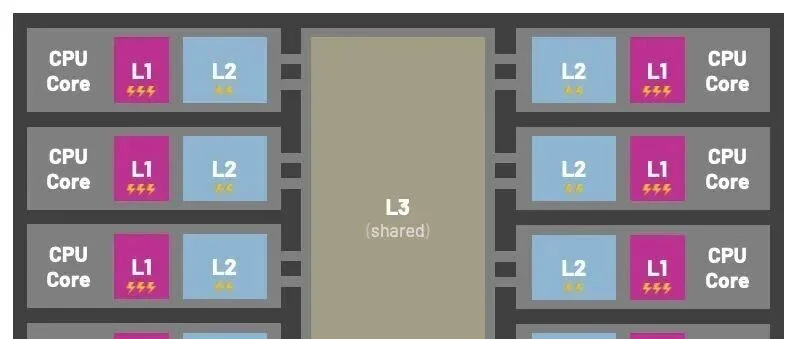
CPU cache is a critical concept every programmer must master. It acts as a double-edged sword: understanding it makes programming easier, while ignorance can lead to tricky performance issues.
RAM and Cache Lines
RAM (Random Access Memory) is volatile temporary storage organized as a large addressable space. When the CPU accesses memory, it loads not just a single byte but a contiguous block called a cache line (also cache block). Typical cache line sizes are 32, 64, or 128 bytes. The cache stores both the data and its corresponding memory address.
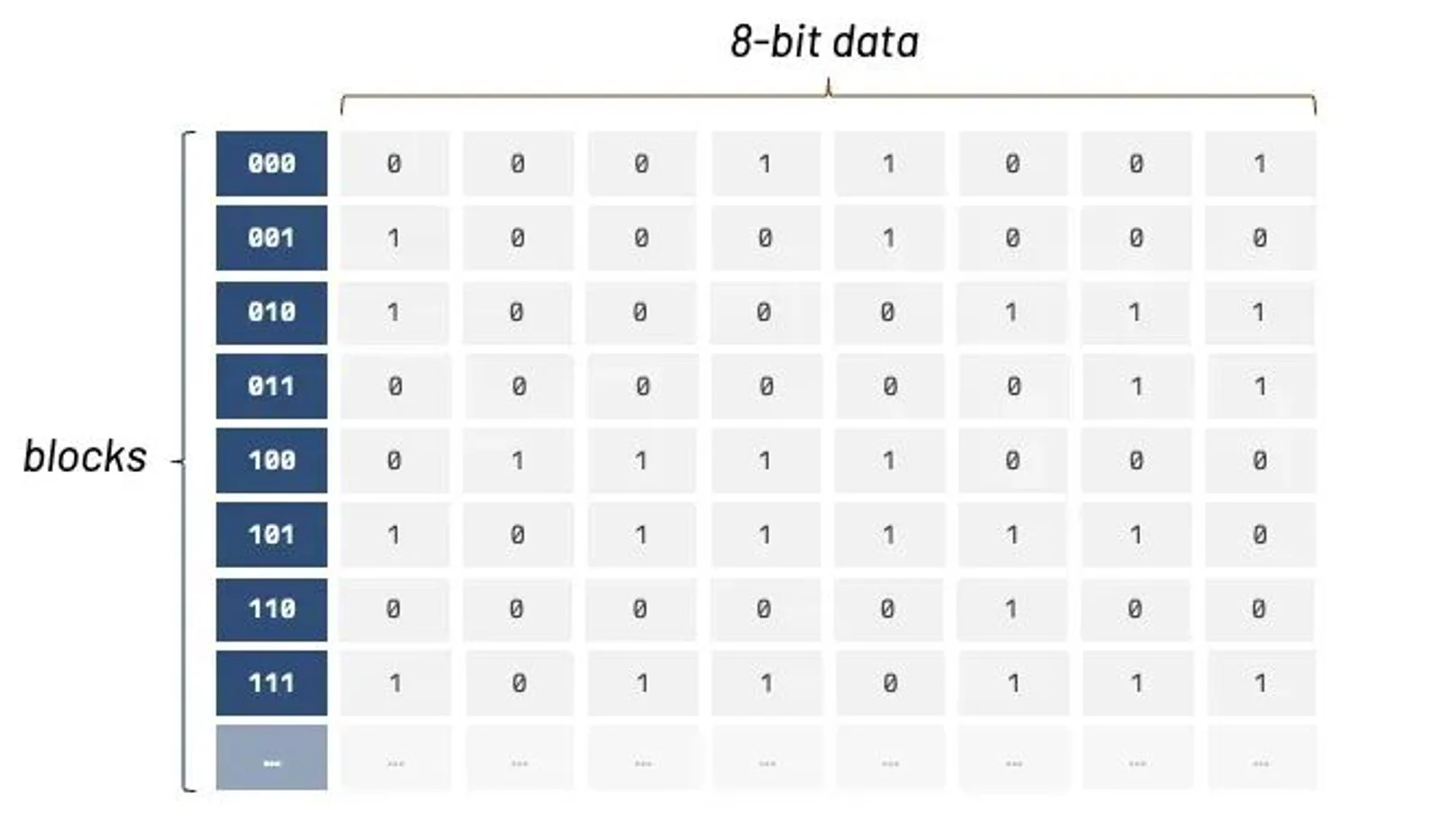
Cache Hit and Miss
On a memory access, the CPU first checks the cache. A cache hit occurs when the data is found; a cache miss forces a fetch from lower-level cache or main memory. Programmers should maximize hits and minimize misses.
Why Cache Exists: The CPU-RAM Speed Gap
Early CPUs (e.g., 80386) had no cache because CPU and RAM speeds were similar. As CPU speeds outpaced RAM, the gap widened. Cache—a small, fast memory inside the CPU—bridges this gap by holding frequently accessed data.
Multi-Level Cache Hierarchy
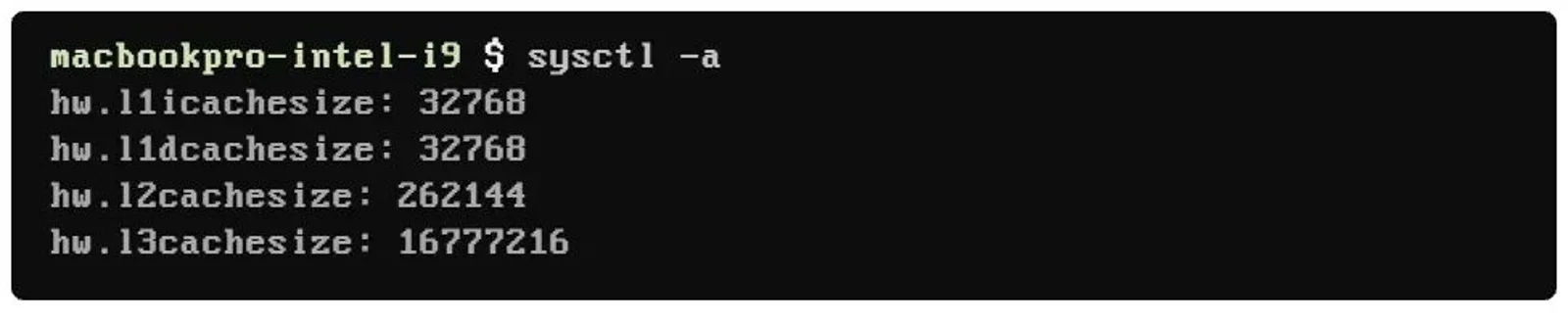
Modern CPUs use multi-level caches: L1 (smallest, fastest), L2 (larger, slower), L3 (largest, slowest), and sometimes L4. Typical access latencies: L1 ~3 CPU cycles, L2 ~10 cycles, RAM ~250 cycles. Tools like CPU-Z (Windows), sysctl (macOS), and lscpu (Linux) reveal cache sizes and line sizes.
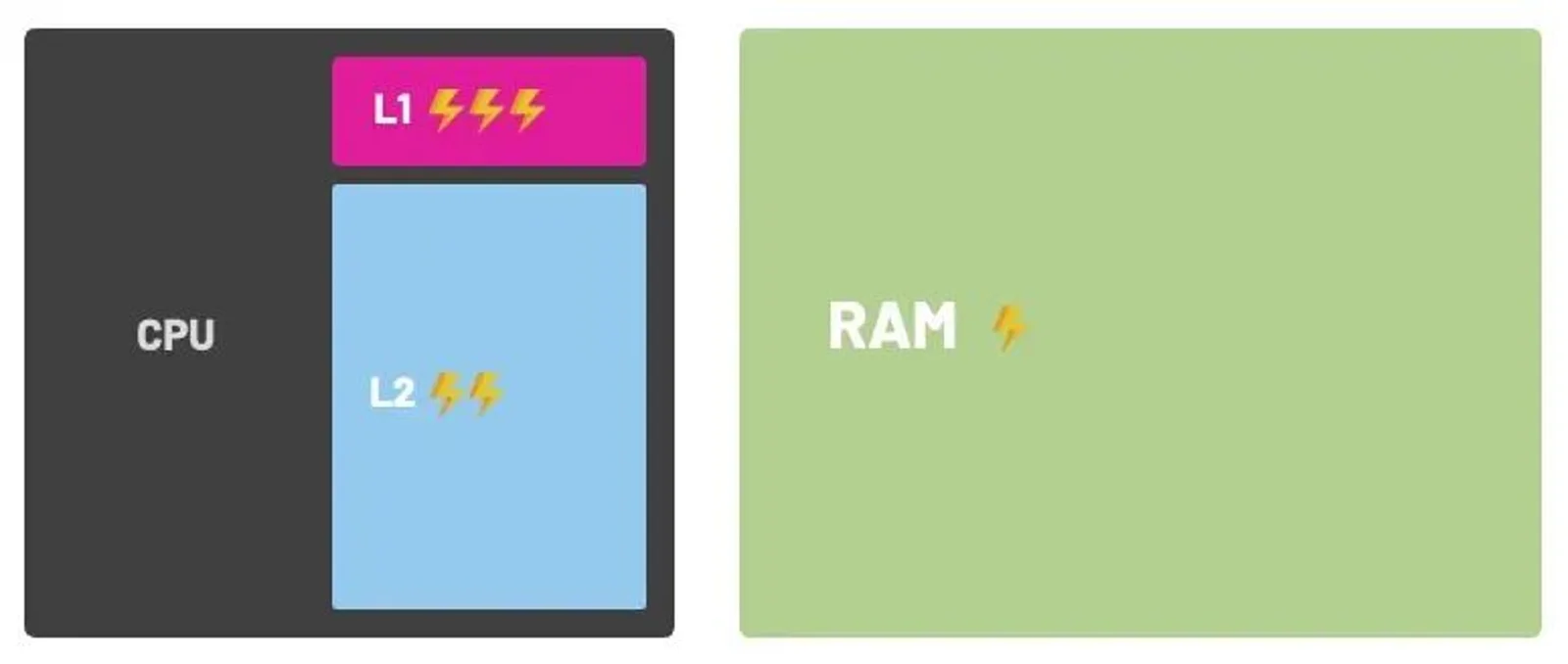
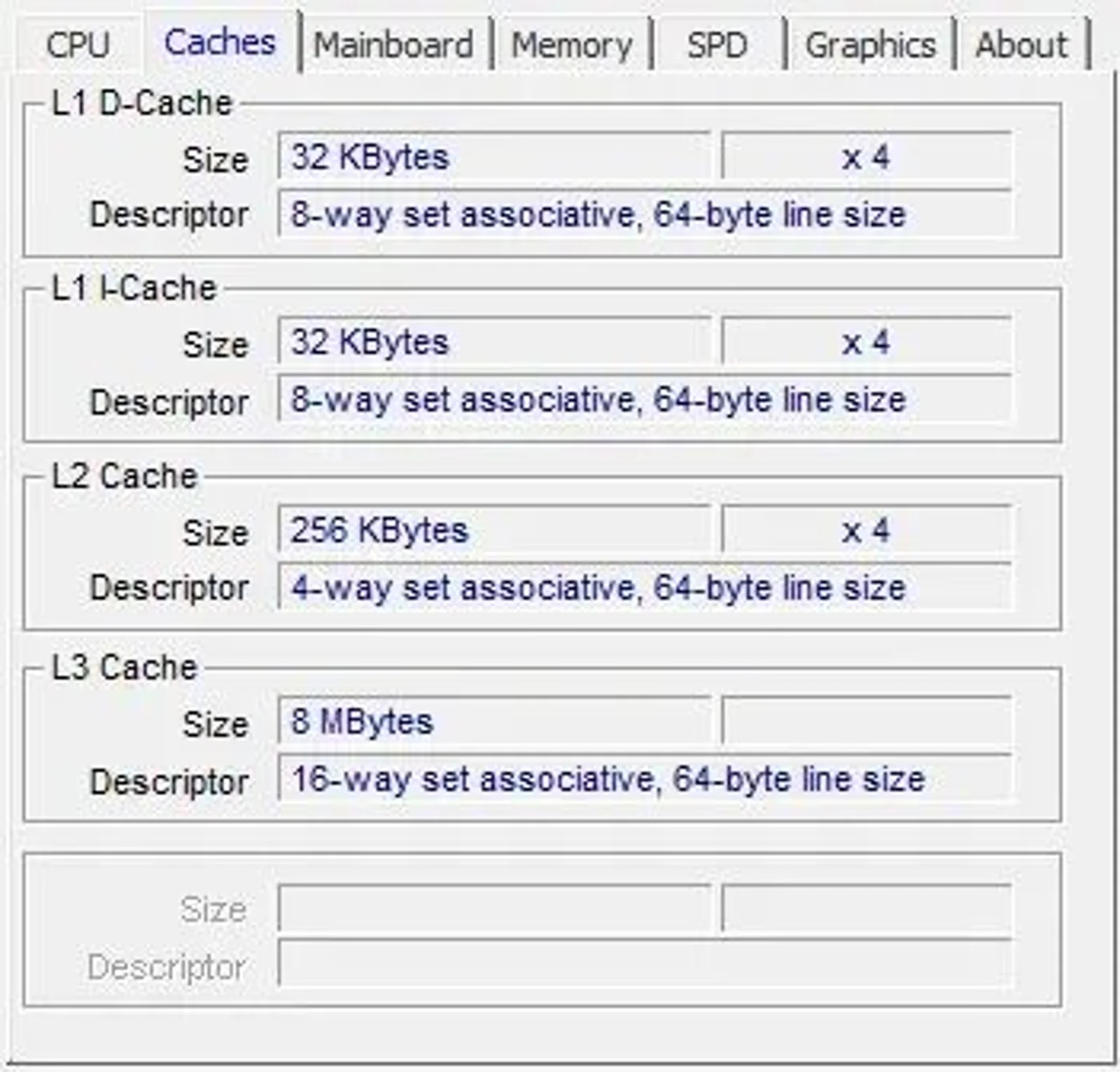
Cache Location Evolution
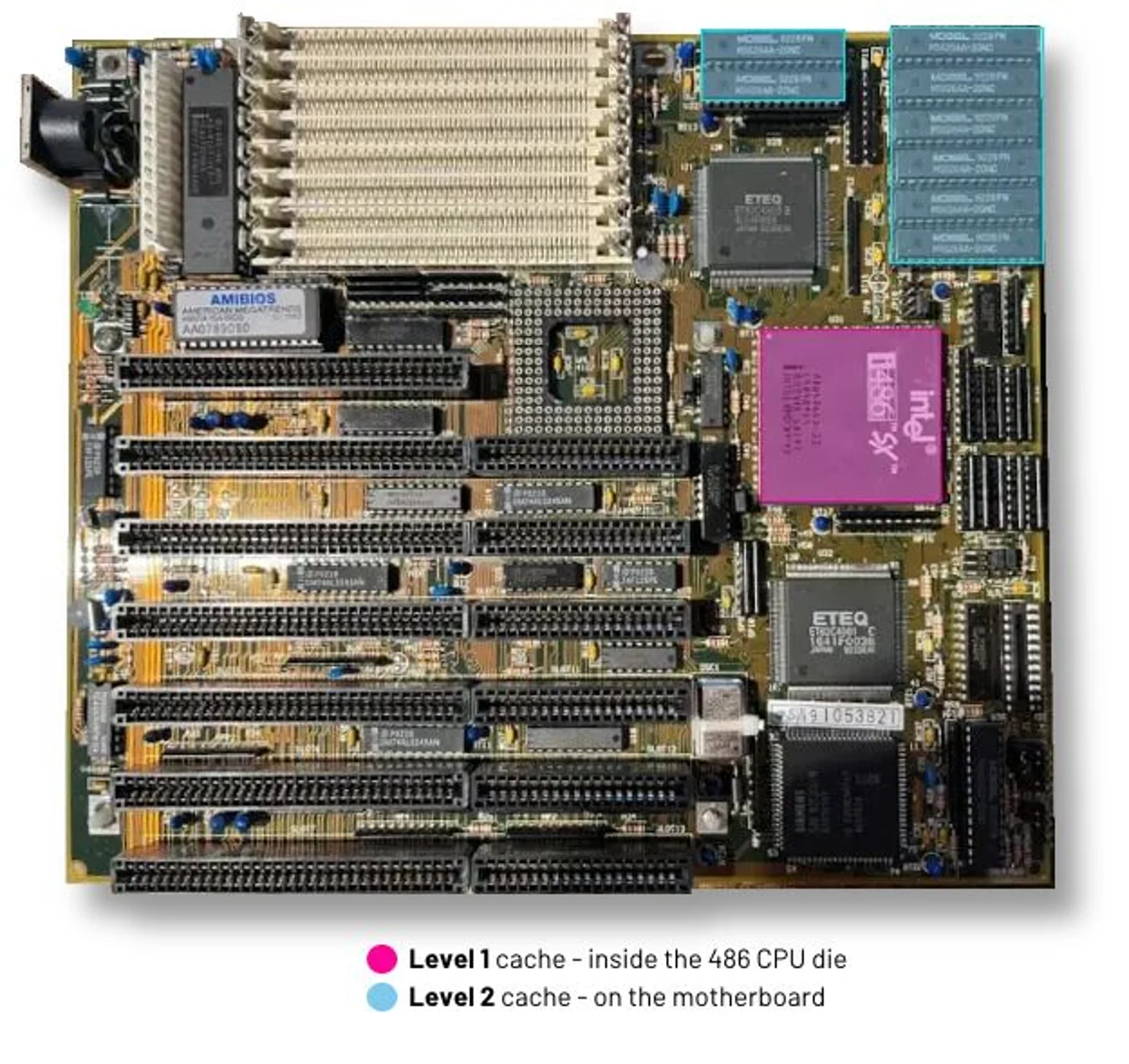
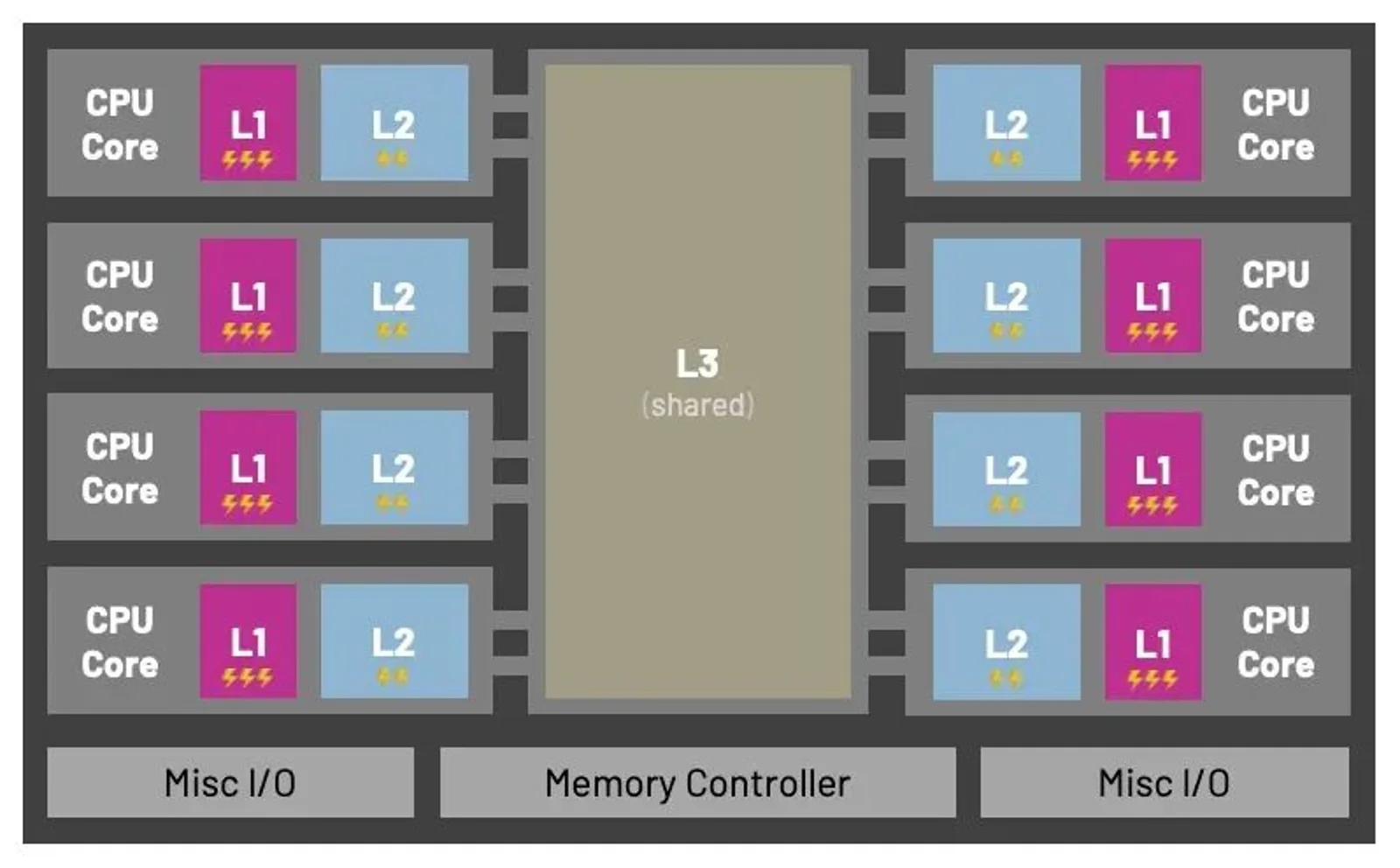
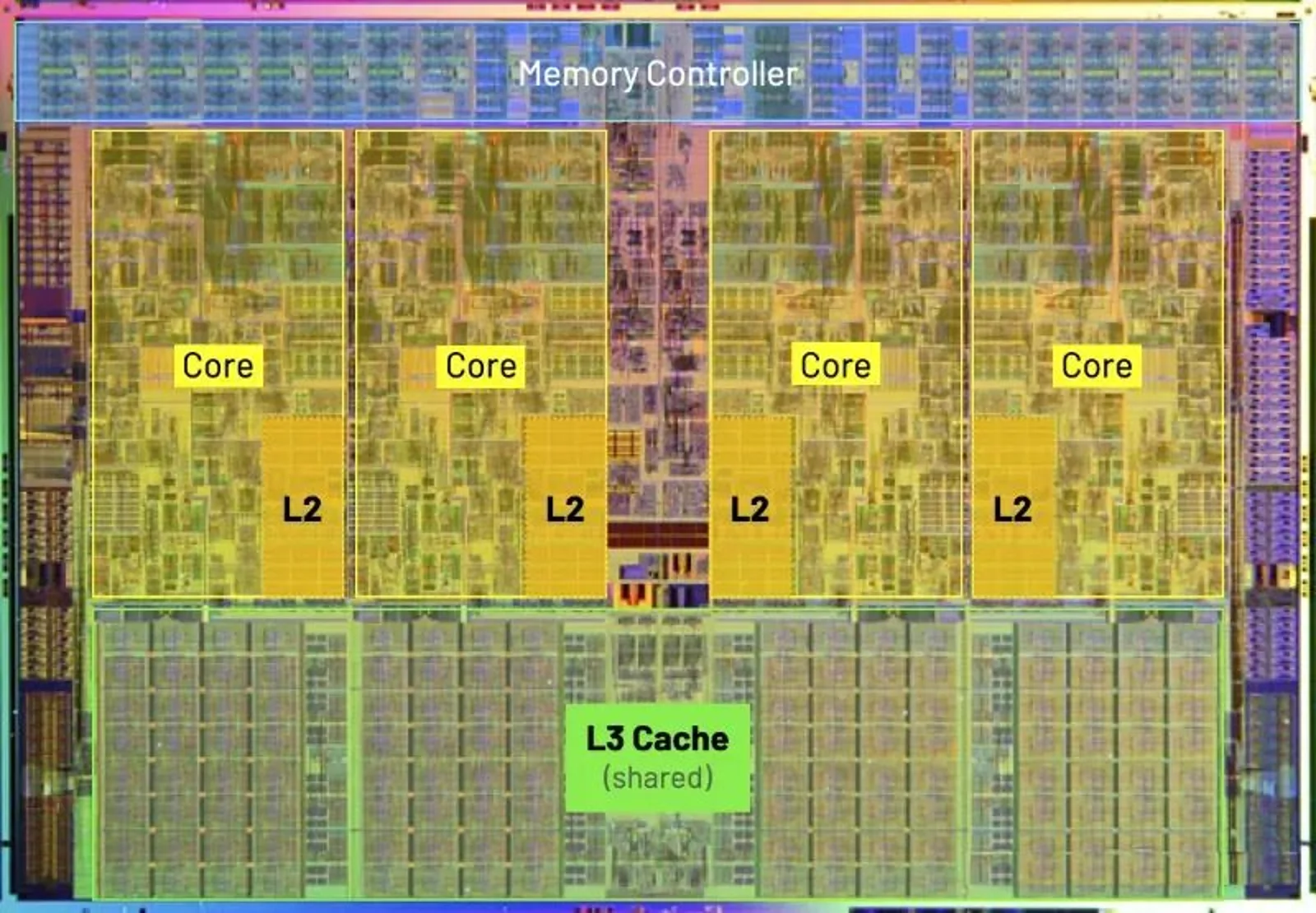
Intel 486DX (1989) integrated an 8 KB L1 cache on-chip. L2 cache initially resided on the motherboard (SRAM, 15-20 ns vs RAM 70 ns). Pentium split L1 into 8 KB instruction cache and 8 KB data cache. Pentium Pro (1995) introduced on-board L2 cache (256 KB–1 MB). Modern multi-core CPUs share L3 across cores.
Instruction Cache vs Data Cache
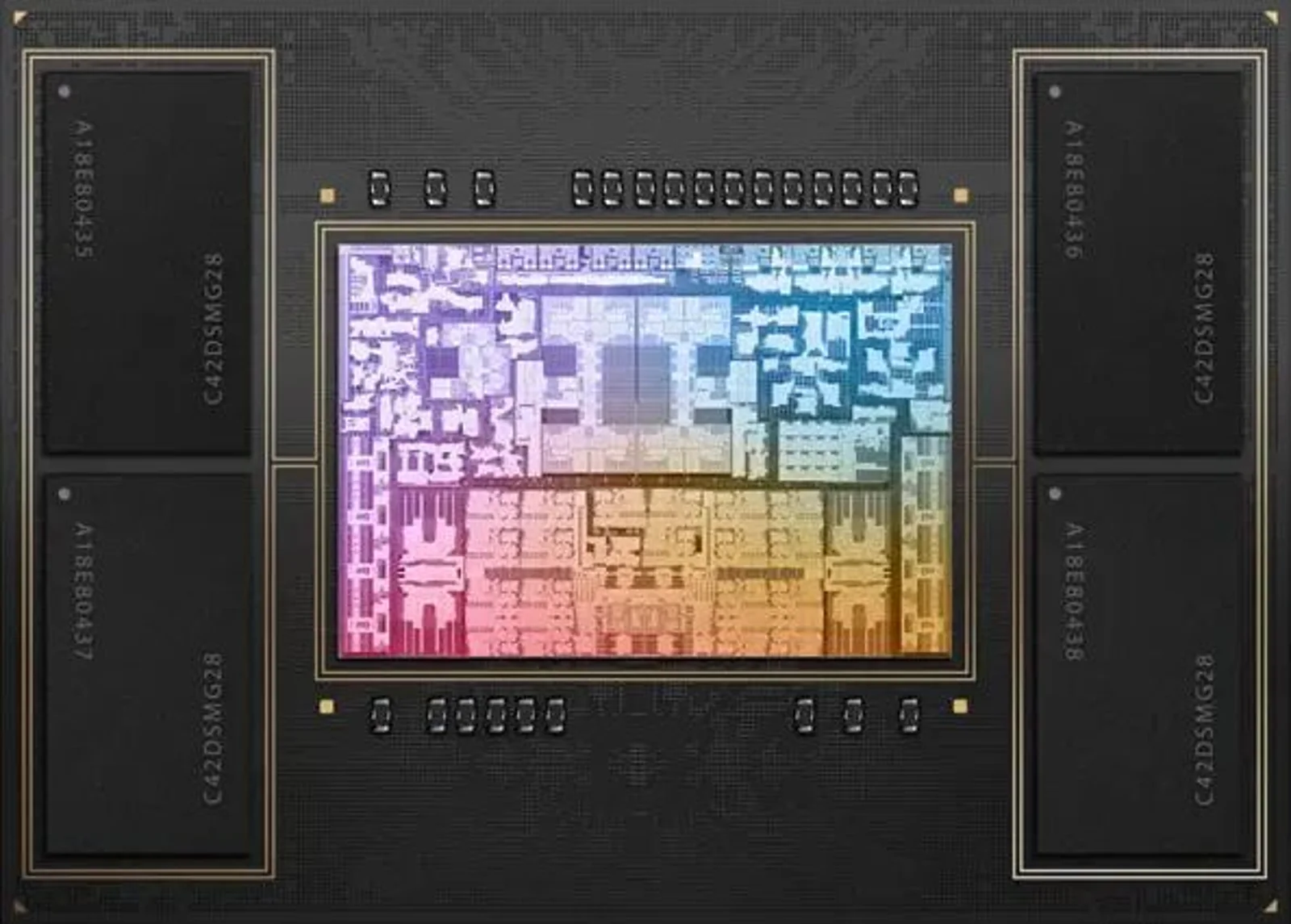
Most CPUs separate instruction cache (I-cache, read-only) and data cache (D-cache, read-write). This separation reflects different access patterns: instructions are read sequentially, data may be random. Modern ARM and Apple Silicon (M1/M2) keep split L1 caches; L2 is often unified. For example, Apple M2 performance cores have 192 KB L1 I-cache + 128 KB L1 D-cache, sharing 16 MB L2; efficiency cores have 128 KB I-cache + 64 KB D-cache, sharing 4 MB L2.

Cache Placement: Direct-Mapped Cache
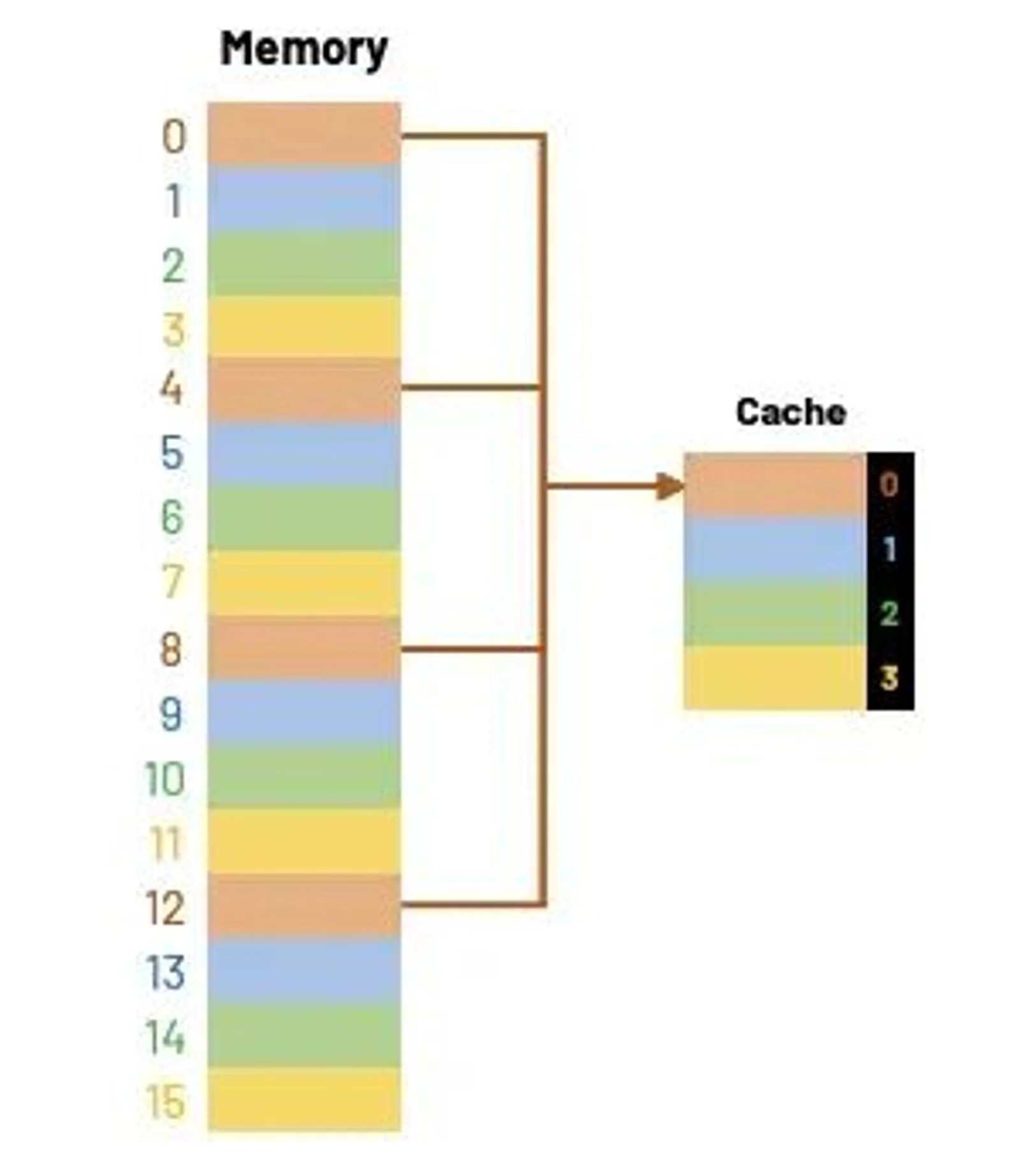
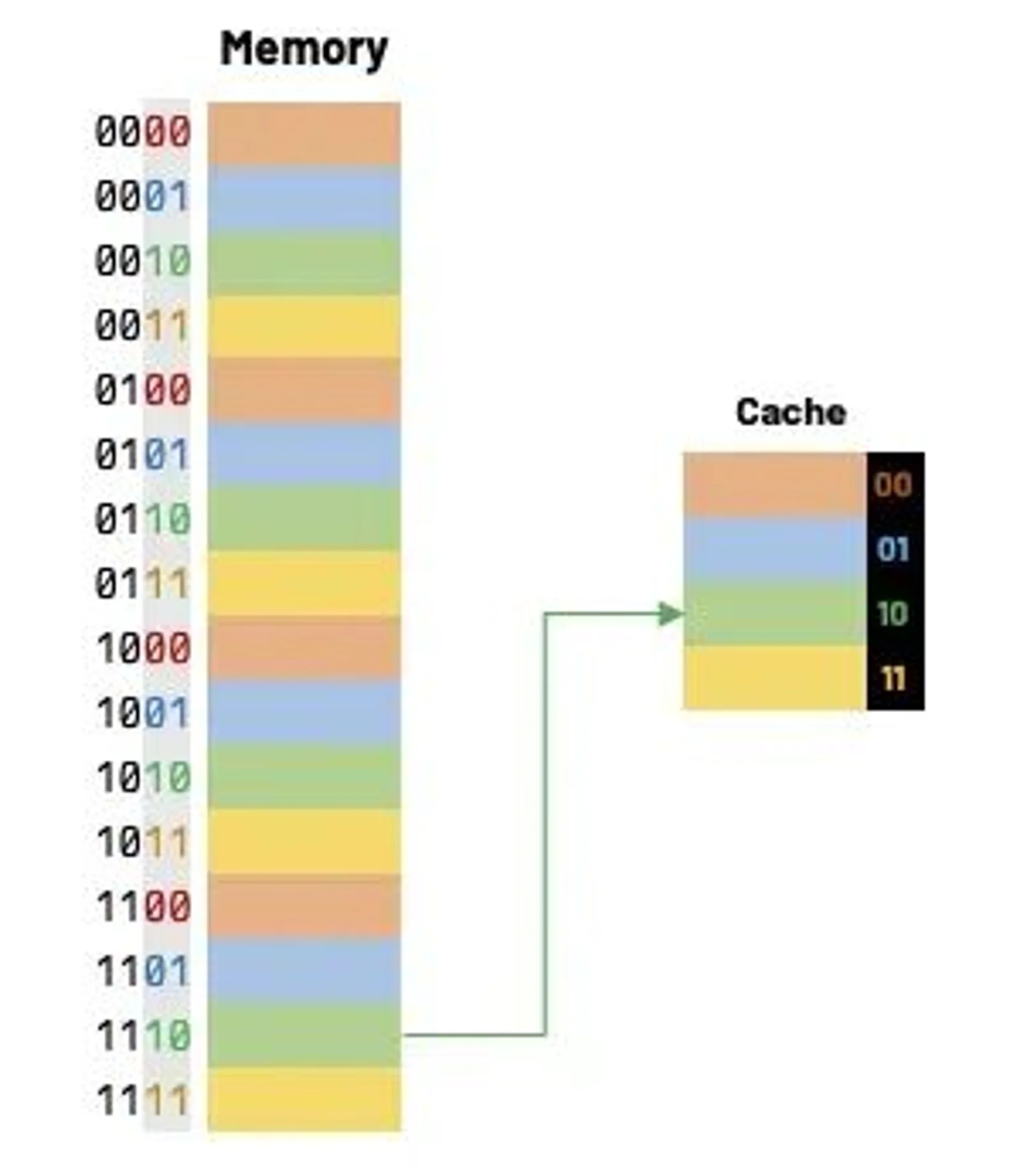
Cache placement strategies include direct-mapped, fully associative, set-associative, etc. For beginners, direct-mapped is simplest: each memory address maps to exactly one cache block via modulo arithmetic. Example: 16-byte memory, 4-byte cache with four 1-byte blocks. Memory addresses 0,4,8,12 map to block 0; 1,5,9,13 to block 1; etc. Mapping uses index = address % N (equivalently masking low bits).
Finding Data: Tags and Valid Bits
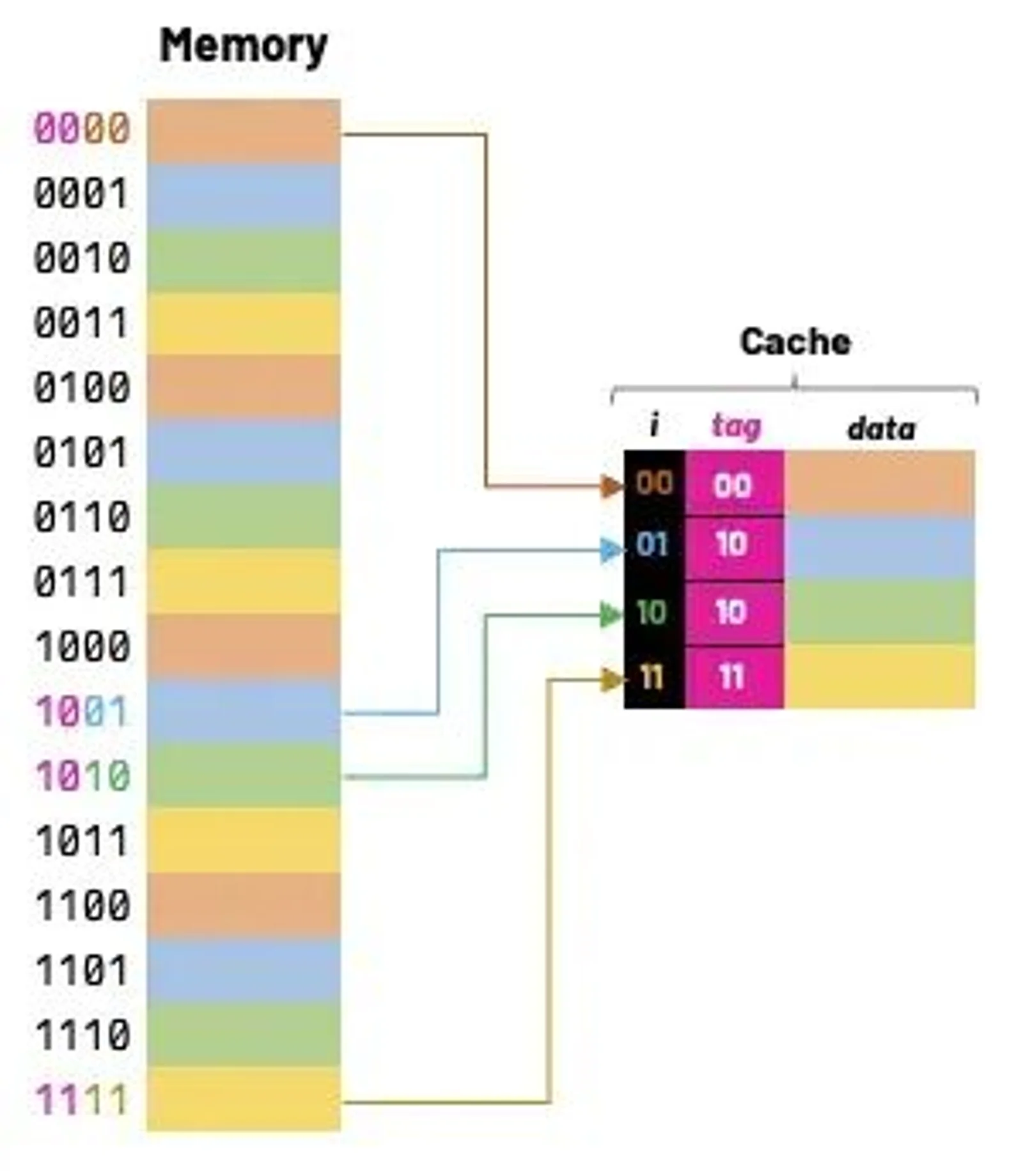
Since multiple addresses map to the same block, a tag stores the remaining address bits to distinguish them. A valid bit indicates whether the block holds valid data (initially 0). Cache metadata includes data, tag, and valid bit.
Writing Cache-Friendly Code: Four Examples
Example 1: Cache Locality
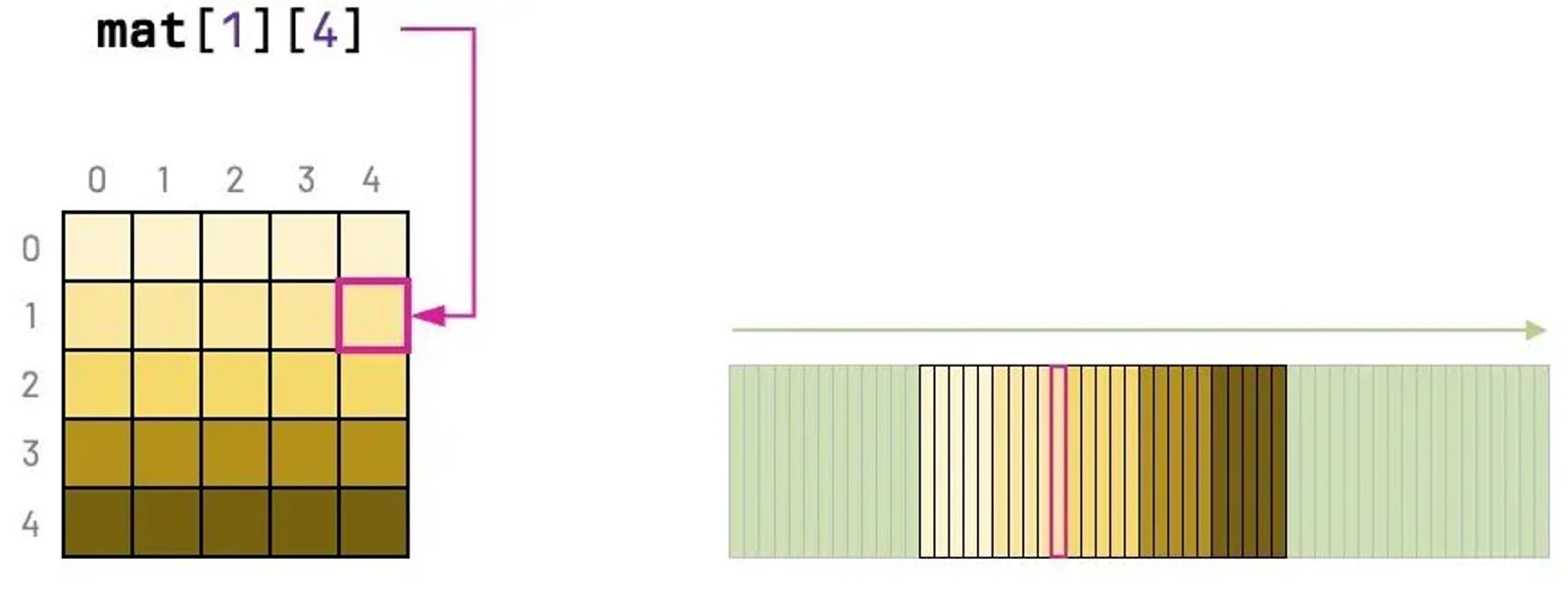
Prefer contiguous memory layout to exploit spatial locality. Choose data structures that enable temporal locality (reuse recently accessed data) and spatial locality (stride-1 access). In C, arrays are row-major: elements in a row are contiguous. Traversing row-by-row (inner loop over columns) yields more cache hits than column-by-column.
int sum_matrix_rows(int mat[M][N]) {
    int sum = 0;
    for (int i = 0; i < M; i++) {
        for (int j = 0; j < N; j++) {
            sum += mat[i][j];
        }
    }
    return sum;
}
versus
int sum_matrix_cols(int mat[M][N]) {
    int sum = 0;
    for (int j = 0; j < N; j++) {
        for (int i = 0; i < M; i++) {
            sum += mat[i][j];
        }
    }
    return sum;
}
Example 2: Avoid Large Loops
Large loops may evict data needed at the next iteration. Split a big loop into smaller loops to keep working set in cache.
Example 3: Struct Alignment and Padding
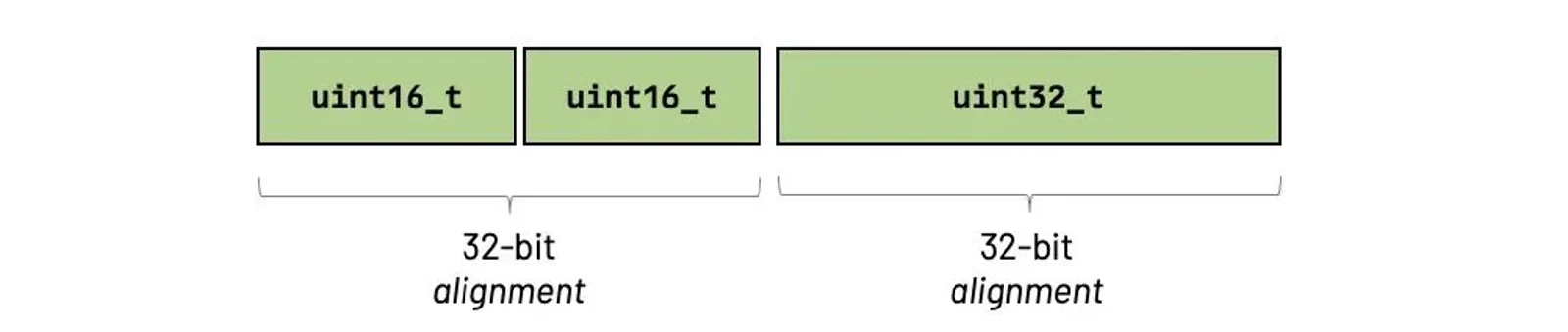
C/C++ structs align to the largest member size, inserting padding. A struct with uint32_t a; uint8_t b; occupies 8 bytes (4 bytes a, 1 byte b, 3 bytes padding). Reordering members ( uint16_t a; uint16_t b; uint32_t c;) can reduce size. Smaller structs fit more per cache line, reducing misses. Alternatively, split structs into separate arrays (Structure of Arrays).
struct { uint16_t a; uint32_t b; uint16_t c; }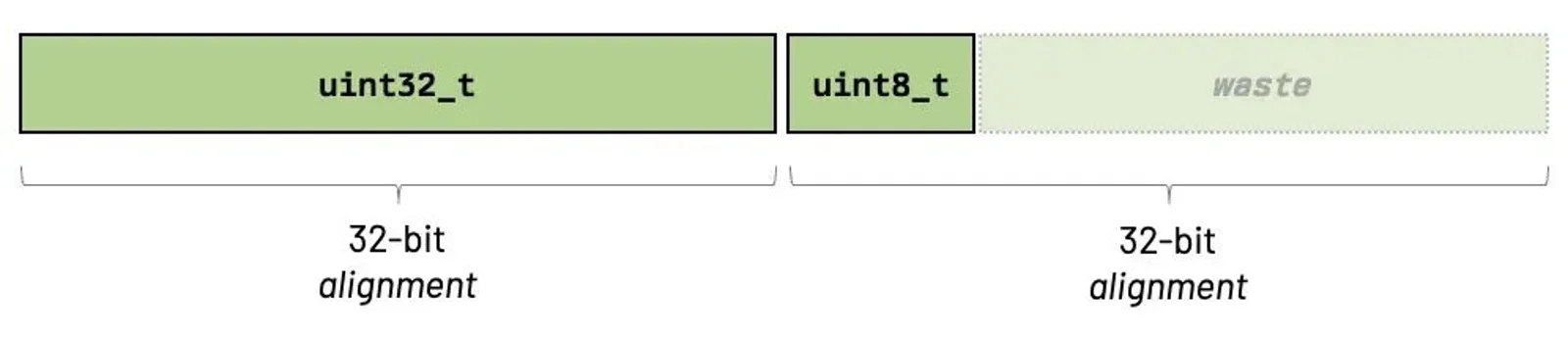

int size = 100;
uint8_t *a = malloc(size * sizeof(uint8_t));
uint8_t *b = malloc(size * sizeof(uint8_t));
Example 4: Compiler Optimization Options
Modern compilers (with flags like -O2, -O3) perform loop unrolling, function inlining, vectorization, and structure padding automatically, further improving cache utilization.
These foundational examples illustrate the principles behind CPU cache operation and optimization. Mastering them enables deeper exploration of cache-efficient programming.
For questions about attribution, corrections or content rights, please contactand we will review it promptly.