

DeepSeek Harness Source Code Deep Dive: Inside the Composable Agent Harness Architecture
This article analyzes DeepSeek Harness's source code, revealing its core architecture as a Cordis-based Agent Harness with Context, Service, Event, and Plugin Fiber, and traces the complete message processing pipeline from frontend input through Agent Loop, LLM streaming, and tool execution pipelines.
Reading font
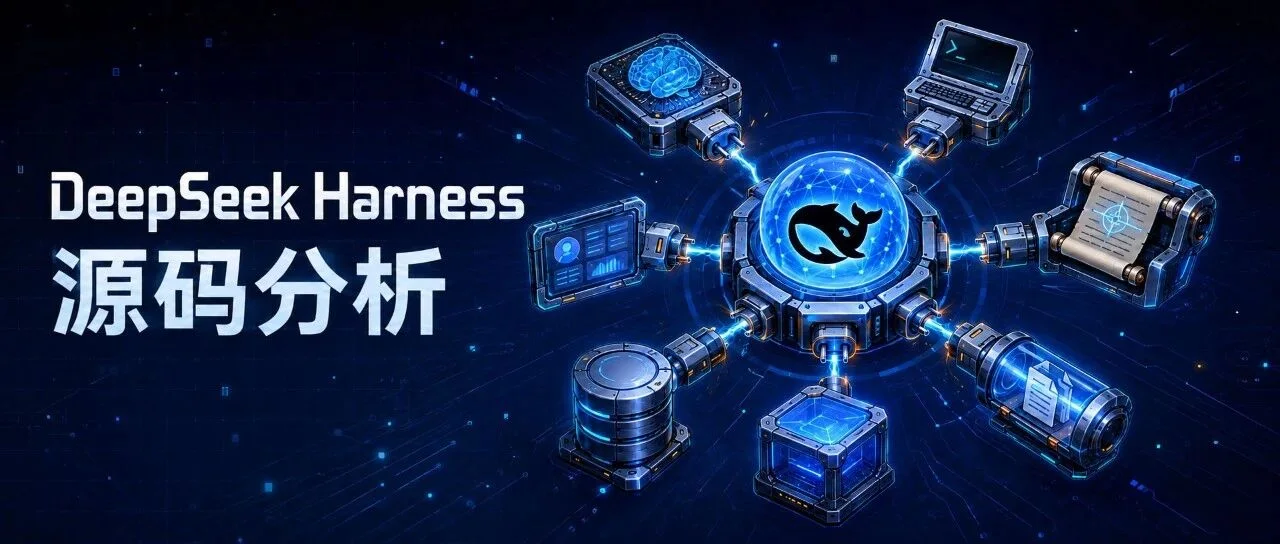
DeepSeek Harness is an open-source Agent framework whose core is not a chat component but an Agent Harness built on Cordis Context + Service + Event + Plugin Fiber. The framework solves how to build a composable, extensible Agent runtime rather than merely wiring a model into a chat window.
Project Structure
The repository ( https://github.com/deepseek-ai/deepseek-harness) is a pnpm monorepo with workspaces in vendor/*, packages/*/*, native/landlock-run, apps/*, and website. Functional packages live under packages/<capability-domain>/<specific-package> rather than flat under packages/. For example, file-system capability splits into fs (service definition), fs-local (local implementation), fs-sandbox (sandbox wrapper), tool-fs (model-facing tool consumer), and tool-fs-search (search tool consumer) — illustrating the Service Definition / Provider / Consumer pattern.
From dsh web to Plugin Tree
Running npx @deepseek-ai/dsh web triggers the boot layer ( apps/cli/src/bin.ts → packages/boot/app-boot/src/index.ts) which creates a Cordis Context and installs plugins via cordis.patch.yml files. Two base bundles are loaded:
base bundle ( packages/bundle/base/cordis.patch.yml): core Agent spine — @cordisjs/core, @cordisjs/plugin-http, @cordisjs/plugin-ws, session, agent-loop, system-prompt, tools, llm, llm-deepseek, fs, fs-local, tool-fs, tool-fs-search, etc.
web-app bundle ( packages/bundle/web-app/cordis.patch.yml): adds Web UI plugins — client/connection, host/webserver, host/apiproxy, client/ui-conversation, client/runtime, and disables many base tools so they can be scoped per Agent preset.
User profile patches and home/command-line patches layer on top, enabling product-shape composition via bundle/profile.
Message Processing Pipeline
When a user sends "帮我分析一下这个项目" (Help me analyze this project), the request traverses:
4.1 InputBar (Frontend Input)
Entry:
packages/client/ui-conversation/src/client/skeleton/InputBar.tsx. Handles textarea, buttons, keyboard events, IME, menu state, stop button. Core actions: inputActions.submit() on send click; keyboard.submit(...) on Enter (guarded by IME, menu, lock state). InputBar is a UI shell — it delegates to the input state machine and facade.
4.2 InputMachine (Input State Machine)
Entry: packages/client/ui-conversation/src/client/input/machine.ts and facade.ts. Pure per-session state machine receiving events, emitting effects, no React/DOM/Cordis dependency. Handles: slash-command detection, empty input, inline references, draft clear/restore on submit success/failure, routing to popup/slash/normal text. Normal text emits a default-sink effect; facade.ts executes it by serializing inline references and calling deps.defaultSink(draft.trim(), imageIds, mode, signal).
4.3 InputHub (Connect Input to Conversation)
Entry: packages/client/ui-conversation/src/client/input/hub.ts. Manages per-session input shell, pipes normal text sink to
conversation().sendSession(session, text, imageIds, mode, signal). Input layer knows only "this is a session prompt", not RPC details.
4.4 ConversationController (Prompt Assembly)
Entry: packages/client/ui-conversation/src/client/service.ts. ConversationController on ctx.conversation. sendSession() builds content blocks: const content = [{ type: 'text', text }, ...images] then calls session.prompt(content, mode, signal).
4.5 Session.prompt (Frontend RPC)
Entry: packages/client/runtime/src/client/sessions/session.ts. Calls generated remote
this.api.sessions.prompt({ sessionId, mode, content, clientTimeZone })via packages/api/gateway and packages/client/connection. WebApiClient routes ordinary RPC over HTTP /api and session/host events over WebSocket.
4.6 Host Side /api (Client Connection + API Proxy)
Entries: packages/client/connection/src/index.ts, packages/host/webserver/src/index.ts, packages/client/connection/src/http-bridge.ts, packages/host/apiproxy/src/api-proxy.ts. Host plugin registers /api route; HTTP requests pass through http-bridge to ApiProxy.prompt(request). ApiProxy.prompt() validates clientTimeZone, finds session's Agent, checks model availability, handles image admission/persistence, creates UserMessage, then dispatches by mode: queue /normal → agent.followup(message); steer → agent.steer(message). Returns { accepted: true } — message accepted, not completed; results stream back via session events.
4.7 Agent Loop (Turn/Step Loop)
Core entry: packages/core/agent-loop/src/agent.ts. ReactLoopAgent maintains an inbox. followup() enqueues user message as next-turn and calls wakeDriver(); steer() enqueues as next-step. Driver runs kick() → turn() → step(). A turn may contain multiple steps because model may call tools, receive results, and continue until no tool calls or policy termination. Typical event sequence:
turn/start → step/start → user/message → assistant/chunk* → assistant/message → tool/call* → tool/result* → step/end → turn/end. Events write to session log; frontend renders from these events.
4.8 Prompt Assembly (systemPrompt + tools)
Entries: packages/core/system-prompt/src/index.ts, packages/core/tools/src/index.ts, packages/core/agent-loop/src/agent.ts. Before each step, preStep() claims user input, assembles system prompt (ordered sections, dynamic runtime context, tool schemas, prompt variables), fires agent/pre-step extension point. system-prompt manages sections; tools registry adds visible tool schemas to model request — any tool plugin calling ctx.tools.register() automatically participates.
4.9 LLM Request (ctx.llm to DeepSeekAdapter)
Entries: packages/llm/llm/src/index.ts, packages/llm/llm-deepseek/src/index.ts, packages/llm/llm-deepseek/src/adapter.ts. ctx.llm is the model service; providers register via adapter: ctx.llm.registerAdapter(['deepseek-official'], adapter). Agent Loop calls ctx.llm.prepareCall(...) and ctx.llm.stream(...). For deepseek-official, DeepSeekAdapter.stream() builds OpenAI-compatible chat completions request to ${baseURL}/chat/completions, parses SSE response into Harness StreamChunk, which Agent Loop emits as assistant/chunk and assistant/message events.
4.10 Tool Calling Pipeline
Entries: packages/core/agent-loop/src/tool-calls.ts, packages/core/tools/src/index.ts, docs/tool-execution-pipeline.zh.md. On tool calls, executeToolCalls() runs a waterfall pipeline:
tool/call → tools/pre-execute → tools/execute → tools/post-execute → tools/result → tool/result. tools/pre-execute: allow/deny/ask; tools/execute: actual execution, wrappable by timeout/retry/metrics plugins; tools/post-execute: transform result or inject context; tools/result: final observation; tool/result: persisted session event. This lets permissions, sandbox, timeouts, logging, UI rendering, result trimming be plugins, not baked into each tool.
Design Philosophy
5.1 Session Event Sourcing
All user messages, assistant chunks, tool calls/results, turn/step boundaries enter session log. Benefits: UI replays state from events; crash recovery; test replay; model requests derived from session history, not opaque memory objects. packages/core/session provides base; packages/session/session-persistence-* handle persistence; packages/session/session-projection-* fold events into frontend views.
5.2 Agent Loop as Reactor
ReactLoopAgentis a reactive scheduler, not a simple Q&A wrapper. User messages enter inbox; Agent decides new turn vs. next step based on phase; tool results influence next step; policy plugins intervene via events.
5.3 Waterfall Event Middleware
Key events are waterfall: agent/pre-step, agent/request, llm/stream, tools/pre-execute, tools/execute, tools/post-execute. Listeners must call next() to pass control — like Koa/Express middleware. Example tool execution chain:
permission policy → timeout policy → actual tool executor → result policy, each a plugin.
5.4 Capability Seam: Definition / Provider / Consumer Separation
Many capabilities follow: Service Definition (defines ctx.xxx interface), Service Provider (implements), Consumer (exposes to model/UI/other plugins). File system example: fs defines ctx.fs; fs-local local provider; fs-sandbox sandbox provider; tool-fs model tool consumer. Same model tool swaps underlying implementation.
5.5 Frontend Input Also Uses State Machine
InputMachine(pure state machine) + SessionInputShell (effect executor) decouples input logic from React components, improving testability and stability — exemplifying the project's style: core logic separated from edge implementations.
"Everything Is a Plugin"
No privileged kernel: model adapters, tool registry, session log, Agent Loop are all plugins.
6.1 Cordis Plugin
Plugin can be function, class, or object with apply. Declares name, inject (dependencies), apply(ctx, config). inject lists required services; plugin stays PENDING until dependencies ready, then LOADING → ACTIVE; if dependency unloads, plugin auto-unloads ( ACTIVE → UNLOADING → DISPOSED).
6.2 Services as Named Capabilities on ctx
Servicemounts capability at ctx.<name>: ctx.tools, ctx.llm, ctx.sessions, ctx.agents, ctx.systemPrompt, ctx.agentLoop. Plugins depend on service keys, not concrete implementations. Tool plugin declares inject: ['tools'] then calls ctx.tools.register(...) in apply().
6.3 Registrations Are Disposable Effects
Event listeners, tool registrations, model adapters, prompt sections are effects; unloading a plugin auto-cleans its registrations. Enables HMR, profile/bundle recombination, per-preset tool sets, clean replacement, minimal test fixtures.
6.4 Why This Design?
Agent products evolve fast — model providers, tools, permissions, UI, protocols, sandboxes change; monolithic kernel becomes rigid.
Security policies must be pluggable — file/shell/network/subprocess/confirmation strategies vary by deployment; extension points tools/pre-execute, tools/execute isolate policy.
Multiple runtimes — Web, headless, SDK, ACP, MCP, sub-agent, Workflow need different entry compositions; bundles/profiles compose product shapes.
Model tools and UI presentation decoupled — tools return canonical JSON; model sees output.render(); UI sees presentation intent; protocol, frontend, persistence stay independent.
Local replacement and testing — mock LLM adapter, fixture tools, swap JSONL/SQLite persistence, unit-test Agent Loop in isolation.
Source Code Reading Guide
Key paths highlighted in article's diagram (section 7) for repeated study.
Summary
DeepSeek Harness's core architecture decomposes into:
Cordis Context — hosts services
Plugin — declares dependencies and lifecycle
Service — provides capabilities
Event — provides extension points
Effect — ensures registrations are disposable
Bundle/Profile — determines final product shape
"Everything is a plugin" is a realized composition model: model, tools, UI, permissions, persistence, Agent Loop — all plugins. This enables switching across Web, headless, SDK, ACP, MCP, sub-agent, Workflow forms and gives clear extension points for business integration.
For questions about attribution, corrections or content rights, please contactand we will review it promptly.