

Inside Dify: Architecture, Workflow Engine, Knowledge Base & Agent Internals
This article provides a comprehensive source-code-level analysis of Dify, an open-source LLM application development platform, covering its core concepts, project structure, workflow engine (Graphon integration), knowledge base RAG pipeline, Agent tool calling, model management, context handling, and observability.
Reading font
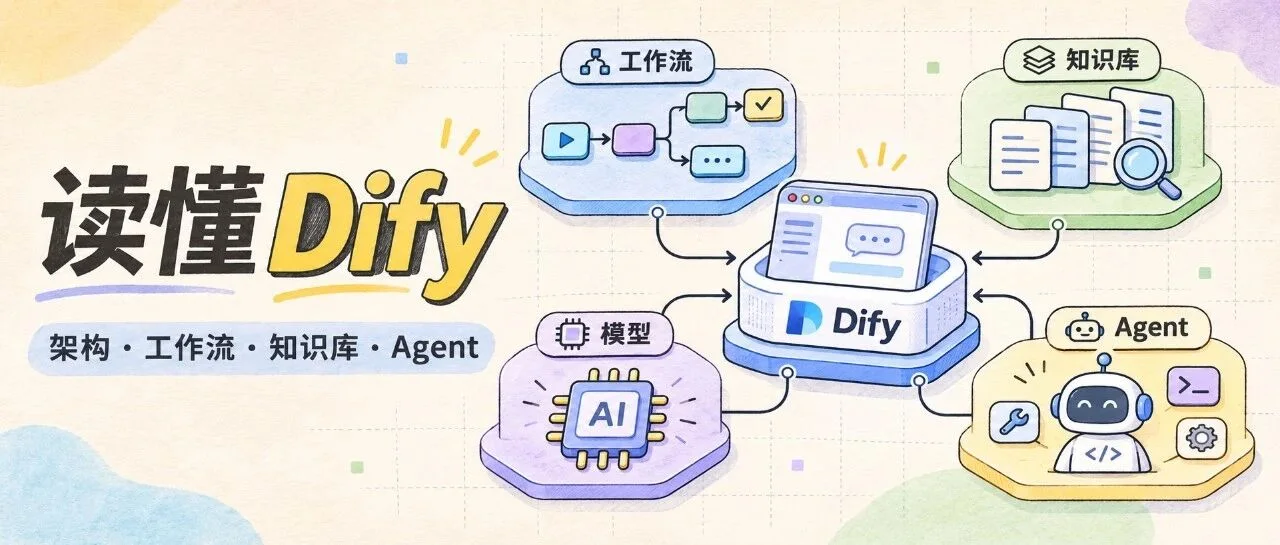
What Is Dify?
Dify is an open-source platform for building LLM applications. It acts as an "assembly workshop" where models generate content, knowledge bases supply external data, tools connect to external systems, and workflows orchestrate steps. Dify manages configuration, execution, and monitoring of these capabilities.
Core Concepts
Models & Providers : Model providers (e.g., OpenAI, Azure) offer services; models handle tasks like text generation, embedding, reranking, speech. Core code: api/core/model_manager.py, api/core/provider_manager.py.
Workspace & App : Workspace organizes apps, knowledge bases, members, configs. An app is the delivery vehicle (chat, text generation, workflow, Chatflow, Agent). AppMode defined in packages/contracts/generated/api/console/apps/types.gen.ts.
Prompt, Variables & Context : Prompts are instructions sent to the model; variables inject runtime data (user query, retrieval results, API responses). Context is the actual information set a model call receives — system instruction, current query, selected history, retrieved chunks, tool results — constrained by window size and app config.
Knowledge Base, Document & Segment : Documents undergo parsing, cleaning, splitting, indexing. Retrieval hits segments, not whole files. Uploading ≠ training; final quality depends on doc quality, splitting, permissions, retrieval, prompt, model.
Workflow, Node & Edge : Workflow is a graph of nodes (steps) and edges (dependencies/branches). Nodes pass data via variables; supports conditional branches, iteration, loops, parallel, human-in-the-loop.
Agent, Tool, Plugin & MCP : Agent decides next action (e.g., call tool to query order). Tools are callable capabilities (HTTP, search). Plugins deliver extensible capabilities (models, tools). MCP connects tools and context services.
Project Structure
Key directories after cloning https://github.com/langgenius/dify (commit 29dd2f41071): web – frontend (console, app UI) api – backend API, services, workflow, knowledge base, model, tools docker – Docker Compose, env templates, deployment dify-agent – Agent implementation (based on Pydantic AI) dify-agent-runtime – Agent runtime sdks, cli – SDKs & CLI packages – shared frontend/engineering packages docs, api/tests – docs & tests
Backend Architecture Entry Points
api/controllers/– HTTP request entry api/services/ – business use cases api/core/ – core capabilities: app runtime, workflow integration, model, knowledge base, Agent, tools, plugins api/models/, api/repositories/ – data models & persistence api/tasks/, api/celery_entrypoint.py – background tasks & workers api/configs/ – configuration api/migrations/ – DB migrations
Deployment view: frontend/Nginx, API, Worker/Beat, DB/Redis/file storage/vector store, plugin service, sandbox, Agent services. Compose profiles determine which services start.
How to Analyze Source Code
3.1 Request Entry
Requests come from console debug, published web app, or service API. Each entry handles auth, param validation, permissions before entering app runtime. Key entry: AppGenerateService ( api/services/app_generate_service.py) wraps app-level concurrency limits and dispatches to mode-specific generators.
3.2 Multiple Generator Entrypoints
Different app modes (chat, text generation, Workflow, Chatflow, Agent) have distinct I/O and lifecycles. Generators/runners are separated under api/core/app/apps/. Execution mechanism (thread, Celery, etc.) varies by config; a request may not run in a single Celery task.
3.3 Blocking vs Streaming
Blocking waits for full result; streaming returns events incrementally for progress display. Streaming doesn't guarantee per-token generation or that all intermediates should be shown. Frontend must handle event types (completion, error, interrupt); reverse proxies must consider buffering/timeouts.
3.4 Task States
Run can succeed, fail, stop, or pause for human input. Client disconnect ≠ downstream rollback; external side-effects persist. For billing/orders, design idempotency keys, status queries, compensation.
Workflow Engine
4.1 Canvas to Graph
Canvas config becomes node/edge descriptions. Before execution, Dify initializes graph, node factory, run state. Node factory maps config to node implementations and injects required capabilities. Core files: api/core/app/apps/workflow/app_runner.py, api/core/workflow/node_factory.py, api/core/workflow/workflow_entry.py.
4.2 Graphon & Dify Division
Dify depends on the independent Graphon project (pinned Git commit in pyproject.toml). workflow_entry.py imports graphon.engine.Engine; Dify assembles graph, run state, command channel, execution limits, container handlers, extensions, then runs engine and processes events. Analyzing Dify requires reading both Dify integration and Graphon internals.
4.3 Variable Pool
WorkflowAppRunner.preparecreates/restores run state. On new run, it places system variables, environment variables, inputs into the variable pool, then initializes the graph. Think of the pool as a "shared data board" for the run — upstream node outputs can be referenced by downstream nodes per config. Not all variables are globally visible; pool is not cross-run persistent memory.
4.4 Branching, Loops & Execution Boundaries
Conditional branches choose path; iteration processes collection elements; loops repeat per config; parallel paths handle independent work. Concurrency, scheduling, branch merge, exception behavior depend on engine version and node config. WorkflowEntry enforces step count, time, call depth limits, and iteration/loop handlers. These limits control resource use but don't replace business quotas, third-party API limits, or security policies.
4.5 Pause, Resume & Human-in-the-Loop
Source includes human-input nodes, form event filtering, run-state handling on resume. Typical scenario: model drafts contract → human confirms → flow continues. Pause/resume involves run state, input submission, permissions, file access — not a simple sleep. Recoverable scope/behavior must be validated per version, node, deployment config.
Knowledge Base (RAG)
5.1 Ingestion: Data → Searchable Content
Common pipeline: parse → clean → split → embed → index. PDF/table/image/scan parsing quality depends on parser component and config. Lists common embedding models used.
5.2 Retrieval: Query → Relevant Segments
App can trigger keyword, semantic, or hybrid search. Configurable reranking, score threshold, Top-K. RetrievalService ( api/core/rag/datasource/retrieval_service.py) exposes retrieval method, Top-K, threshold, rerank params, processes results. Workflow knowledge retrieval node at api/core/workflow/nodes/knowledge_retrieval/.
5.3 Generation: Retrieved Segments → Answer
Hits are combined with user query into model input, instructing model to answer based on provided context. Example: user asks "travel accommodation reimbursement", system retrieves handbook segment, passes both to model. If no reliable hit, model should say insufficient data rather than hallucinate.
Why KB has docs but answers wrong? Possible causes: parse failure, index failure, splitting breaks context, query-doc phrasing mismatch, too few recalls, wrong filters, permission misconfig, model ignores context. Debug: verify raw text ingested, test retrieval alone, check model input/answer. Swapping model rarely fixes bad retrieval.
Agent, Tools, Plugins & MCP
6.1 Agent Tool Calling
Two implementations: traditional Function Calling ( api/core/agent/fc_agent_runner.py) and Workflow Agent node ( api/core/workflow/nodes/agent/agent_node.py). Diagram shows Agent tool call flow.
6.2 Tools & Plugin Service
Tools expose search, HTTP, custom business APIs. Plugin system provides extension mechanism for model providers, tools, etc. Plugin service is independent; production must vet plugin source, version, permissions, network, resource use. Core: api/core/tools/tool_engine.py, api/core/tools/plugin_tool/tool.py, api/core/plugin/plugin_service.py.
Security note : When giving business APIs to Agent, use least privilege; separate read vs write auth; add business validation & human confirmation for high-risk actions; never put secrets in prompts or frontend code.
6.3 MCP & Skills
MCP connects external tool services; Skills provide task-oriented guidance or capability organization for Agents. Core: api/core/mcp/, dify-agent/src/dify_agent/layers/config/, dify-agent/src/dify_agent/.
Note : Traditional Agent app/strategy, Workflow Agent node, and newer standalone Dify Agent runtime may coexist. Don't assume one implementation covers all Agent features.
6.4 Sandbox
Sandbox restricts code/command execution environment. Not inherently zero-risk; must control network egress, file access, execution time, resources, credentials; update images promptly. Compose includes sandbox, plus local_sandbox and agent_backend for new Agent. Responsibilities & network config must be verified separately. Core: api/core/helper/code_executor/code_executor.py, docker/docker-compose.yaml, dify-agent-runtime/.
Model, Context & Memory
7.1 Single Model Call Contents
A call typically includes model identifier, prompt/messages, generation parameters, tool definitions (if supported). Provider interfaces differ — tool calling, multimodal, streaming, param ranges — verify per model/plugin. Core: api/core/model_manager.py, api/core/provider_manager.py, api/core/plugin/.
7.2 Conversation History & Model Context
Session/message records manage dialogue. How much history enters a call depends on app mode, node config, model window, implementation. DB stores messages ≠ full send each time. Core: history loading api/core/memory/token_buffer_memory.py; workflow integration api/core/workflow/node_factory.py.
Long context increases cost, latency, window limits. Mitigations: limit history, summarization, retrieve relevant history, maintain state in business system. Mechanism determined by app config & implementation; not all modes auto-compress.
7.3 Prompt Safety
Retrieved docs, web pages, tool results may contain untrusted instructions. Treat as data; limit tool permissions, validate I/O, log key ops. Core: api/core/prompt, api/services/errors/knowledge_retrieval.py.
Data, Events & Security
8.1 Data Storage
Relational DB: apps, users, sessions, configs, run records
Redis: cache, coordination, queues, event bus (usage depends on config/code path)
File/Object storage: uploaded files
Vector store: semantic search
8.2 Run Records & Events
Workflow run contains run-level and node-level info. Events emitted during execution used for status display, streaming, observability. Events are not a reliable business message queue; client receiving event ≠ external business op completed.
8.3 Security Checkpoints
Permissions, enterprise features, security capabilities vary by version/deployment. Pre-launch checklist includes: RBAC, data encryption, audit logs, network isolation, secret management, vulnerability scanning, compliance.
8.4 Observability
Monitor: request volume, latency, error rate, model calls & token usage, workflow node duration, KB hit quality, worker queue backlog, infra resources. Combine run logs & tracing for debugging; avoid uncontrolled logging of PII, secrets, full sensitive docs.
Closing
Article summarizes with a diagram. Aim: help readers grasp Dify's overall architecture, follow provided source-code entry points to explore modules of interest, and build their own AI applications.
For questions about attribution, corrections or content rights, please contactand we will review it promptly.