

Kafka Producer Deep Dive: Serialization, Partitioning, Compression & Idempotency
This article explains Kafka Producer's workflow including serialization, partitioning strategies, compression, message batching, and idempotent delivery using Producer IDs and sequence numbers, covering key configurations like batch.size, linger.ms, acks, and bootstrap.servers.
Reading font
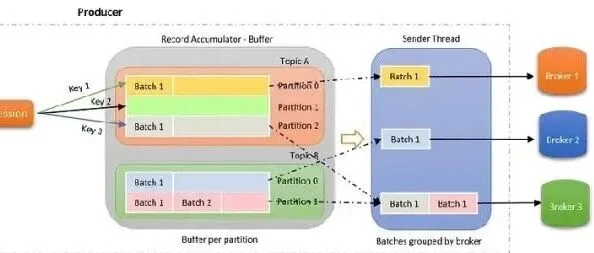
Producer Role
The Kafka Producer receives configuration and messages, then sends them to the appropriate Kafka Broker. During sending, it serializes messages, selects partitions, compresses data, and uses load balancing to distribute messages across partitions for efficiency.
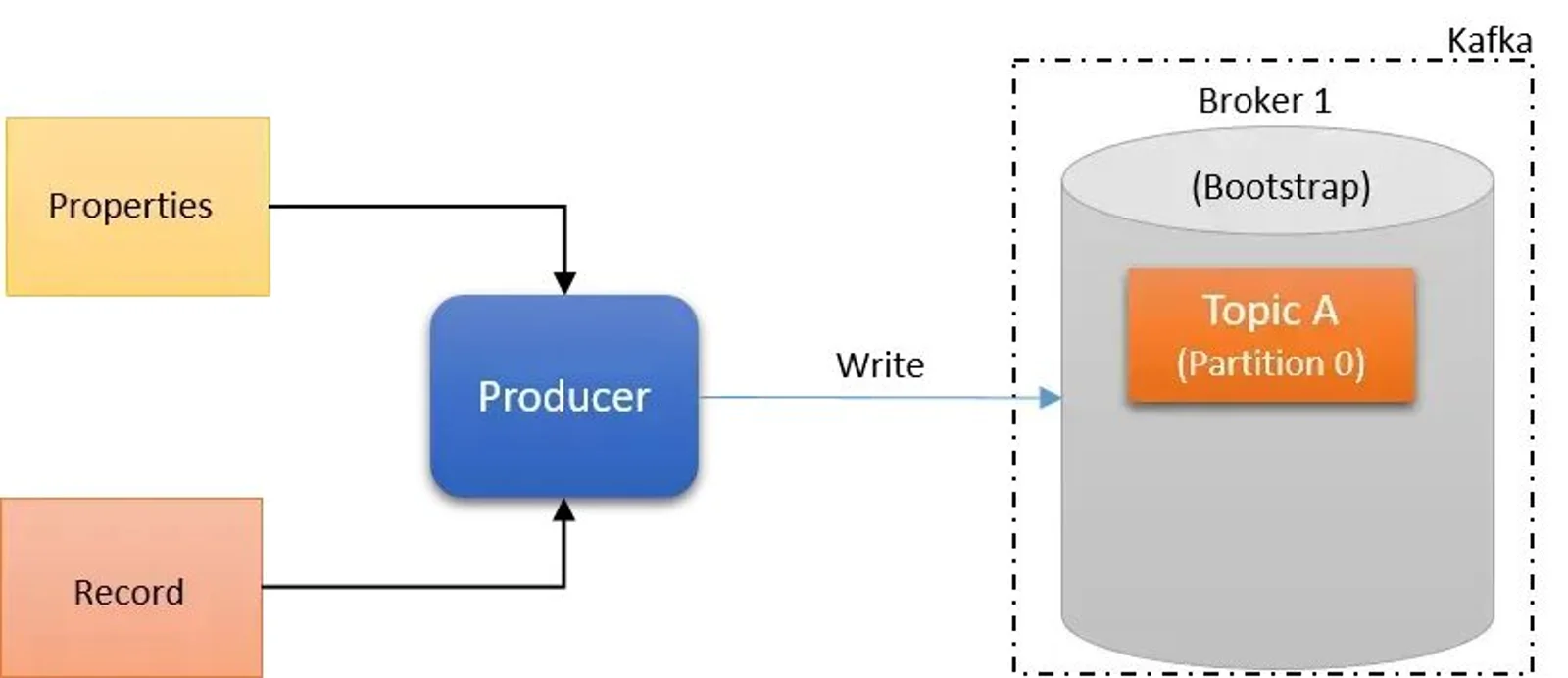
Configuration Properties
Key producer configurations include: bootstrap.servers: Initial connection addresses for the Kafka cluster. acks: Acknowledgment level required for a successful write. batch.size: Maximum bytes per message batch. linger.ms: Maximum time to wait before sending a batch. key.serializer: Serializer for message keys. value.serializer: Serializer for message values.
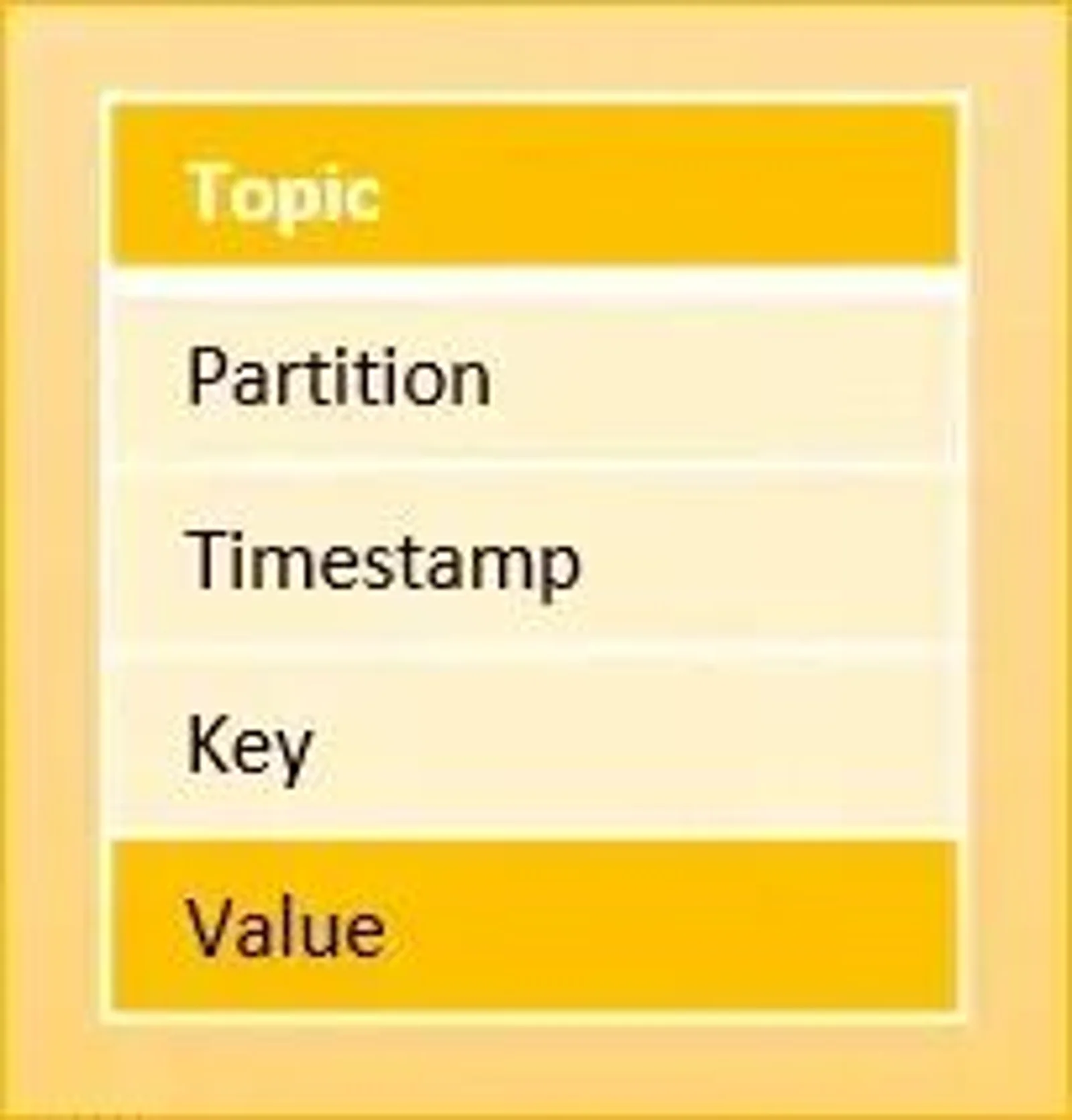
Producer Records
Each record must contain a target topic name and message value. Partition, timestamp, and key are optional.
Broker & Metadata Discovery
Bootstrap Server
Any broker can act as a bootstrap server. Configuring at least two bootstrap servers improves connection reliability.
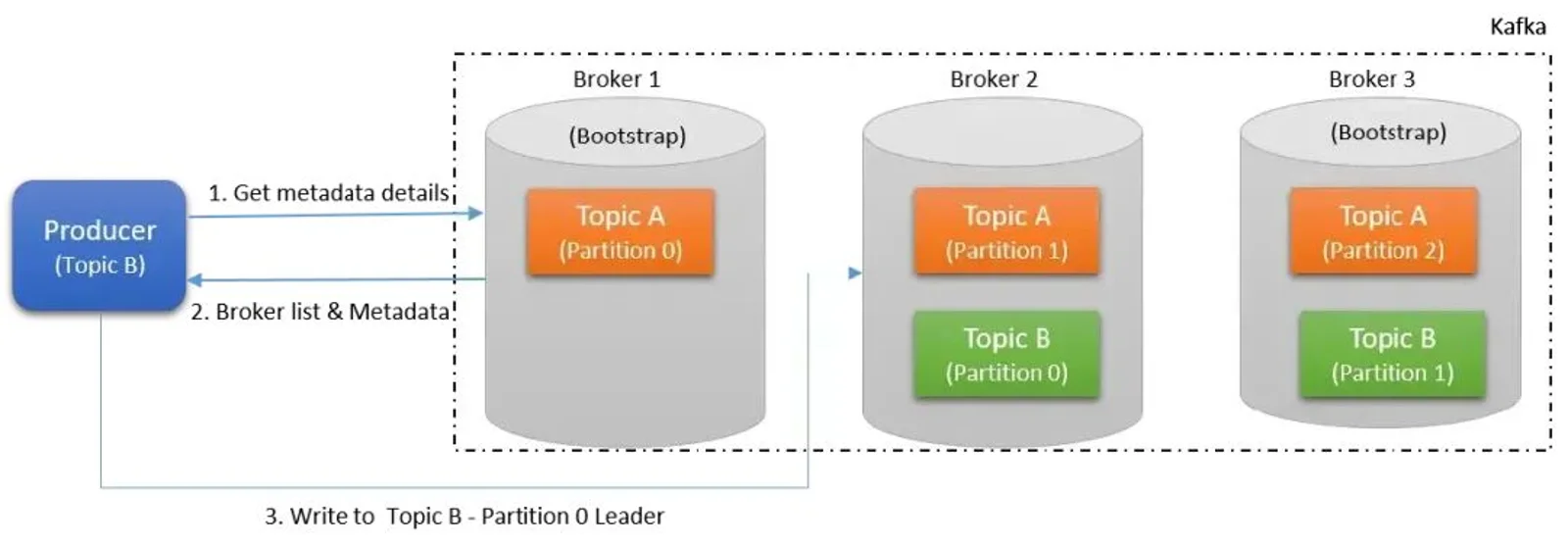
The producer connects to a bootstrap server to fetch cluster metadata: available brokers, topics, partitions, and replicas. It then locates the leader replica for the target partition and sends records directly to that broker.
Workflow
The producer workflow consists of five steps:
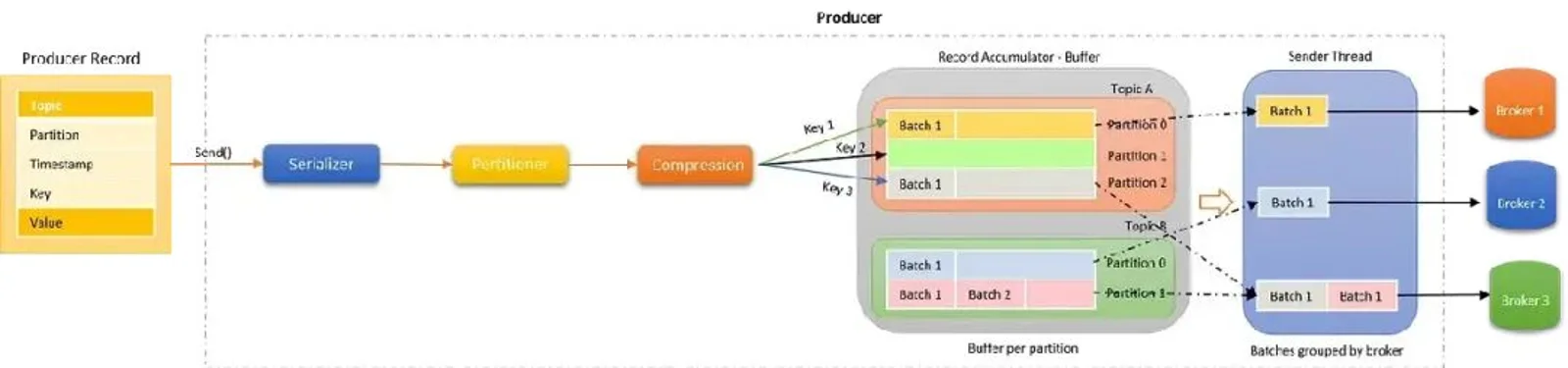
Serialization
Partitioning
Compression
Message Accumulation
Group by Broker and Send
Serialization
The producer converts keys and values to byte arrays using configured serializers (e.g., StringSerializer, ByteArraySerializer, ByteBufferSerializer).
Partitioning
Default partitioner uses the Murmur2 hash algorithm. If a key is provided, its hash determines the partition, ensuring same-key messages go to the same partition. Without a key, a round-robin approach distributes messages evenly. Custom partitioners are supported for flexible routing.
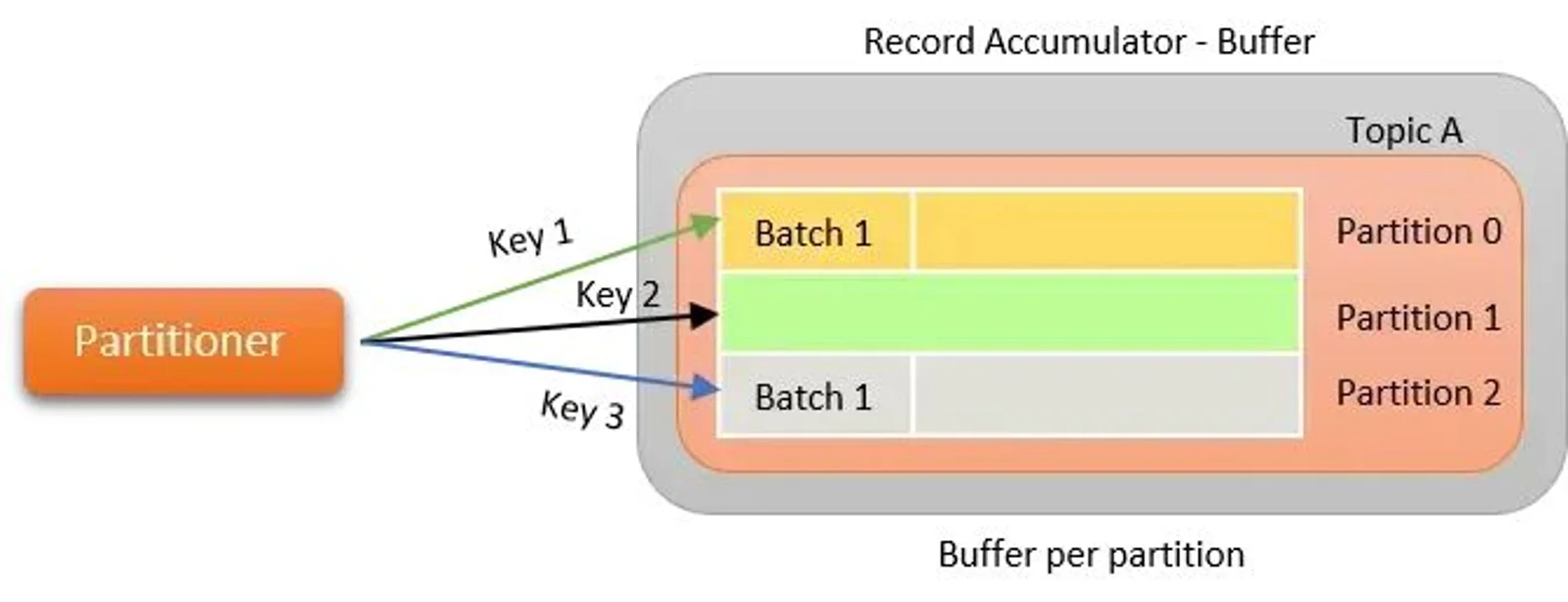
Messages with the same key are stored in arrival order within the partition, enabling ordered consumption for same-key messages.
Compression
Compression reduces network transfer and storage overhead. Supported types are shown below. Compression also lowers replica synchronization traffic, improves throughput, reduces latency, and saves disk space.

Message Accumulation
Messages are buffered per partition in a Record Accumulator. When accumulated bytes reach batch.size, a batch is formed and queued for sending.
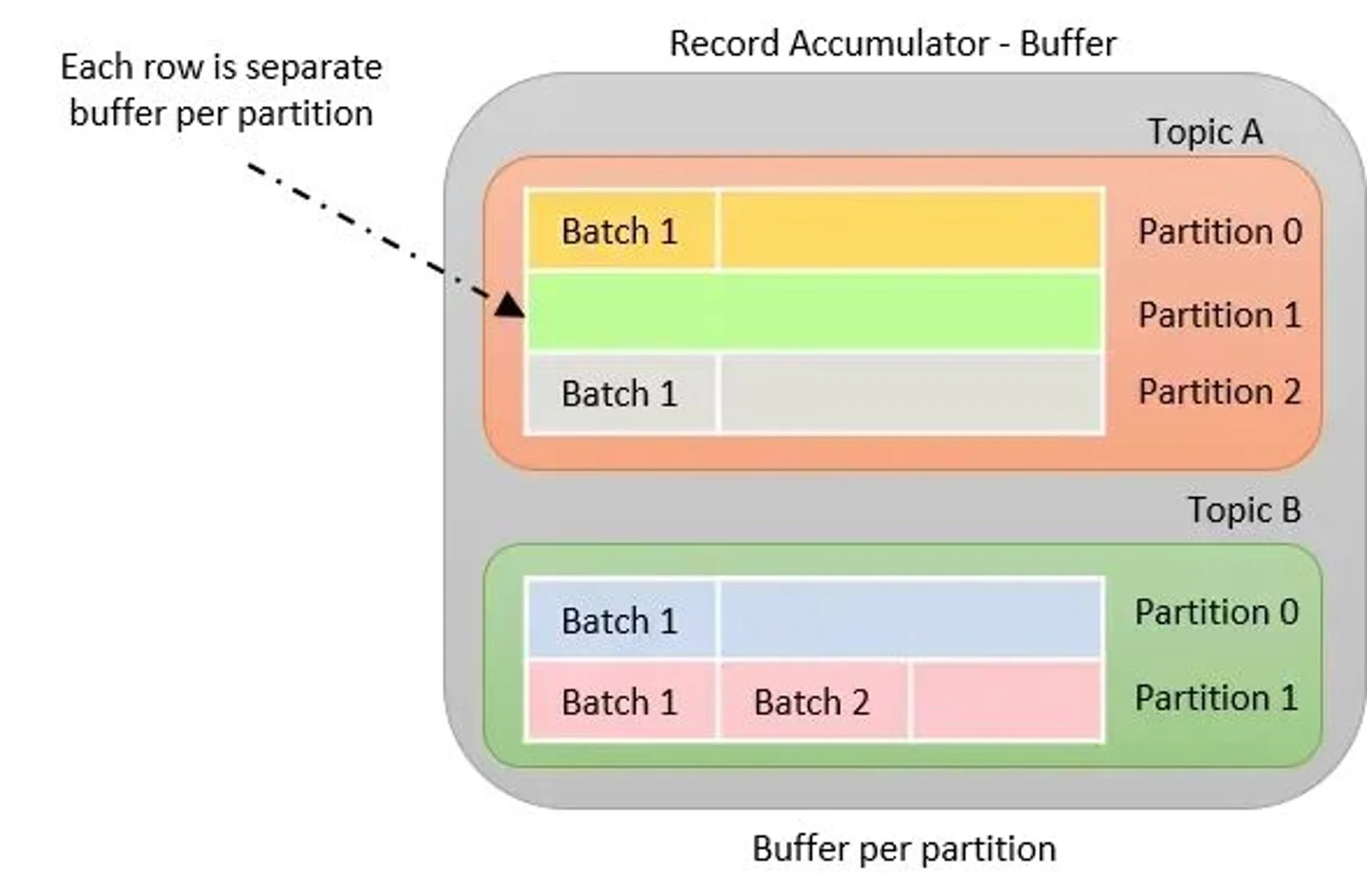
Send Thread & Batching
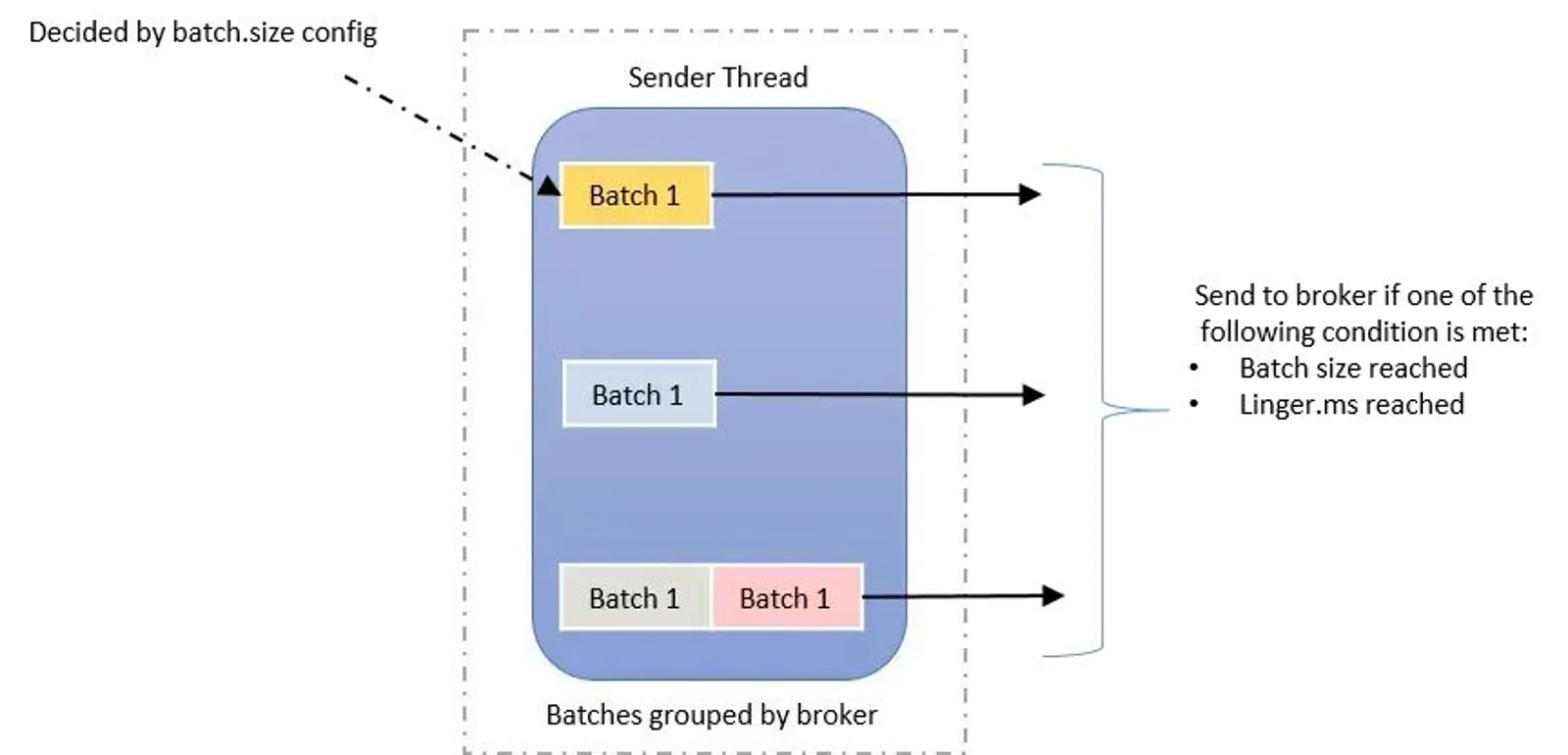
The sender thread groups batches by destination broker and transmits them. A batch is sent when either:
Accumulated size reaches batch.size (immediate send).
Time in buffer reaches linger.ms (send even if batch not full).
Idempotent Producer (Duplicate Detection)
Network failures may cause the producer to retry a message already written by the broker, creating duplicates. Since Kafka 0.11, idempotent producers use a Producer ID (PID) and a monotonically increasing Sequence Number per partition to uniquely identify each message.
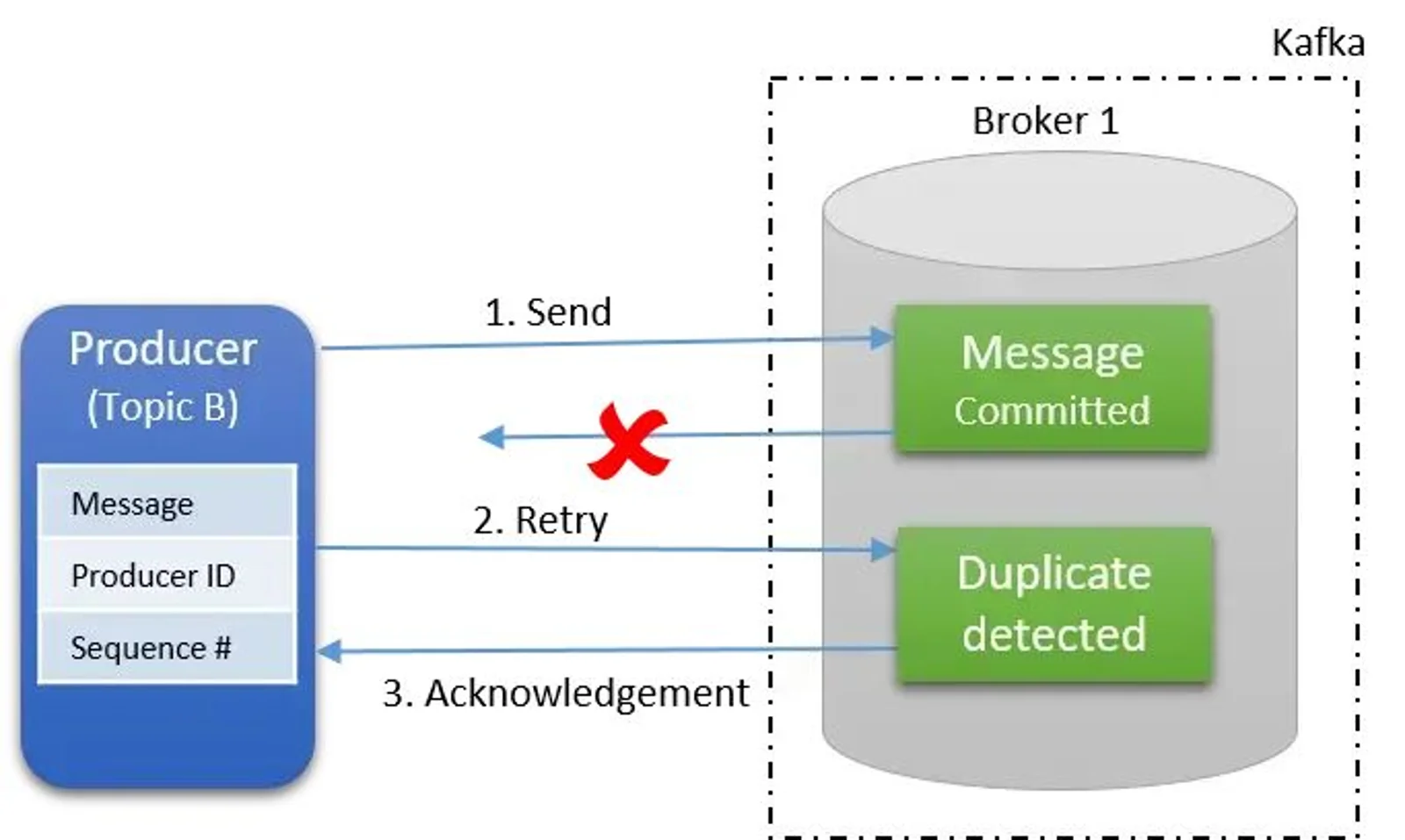
On retry, if the broker sees the same PID and sequence number, it treats the message as a duplicate, skips writing, and returns an acknowledgment. This guarantees exactly-once semantics per partition.
Other Important Properties
buffer.memory: Total memory for buffering unsent messages. retries: Maximum retry attempts on send failure (default 0). Retries may reorder messages. max.in.flight.requests.per.connection: Max unacknowledged requests per connection (default 5). Setting to 1 prevents reordering but reduces throughput. max.request.size: Maximum bytes per request (default 1 MB).
For questions about attribution, corrections or content rights, please contactand we will review it promptly.