

MCP vs Skill: When to Connect Data vs Teach Processes for AI Agents
The article explains the difference between MCP (Model Context Protocol) and Skills for AI agents, using a weekly report automation scenario to show MCP handles external data connections while Skills define processing workflows, and provides a decision matrix for choosing between them.
Reading font
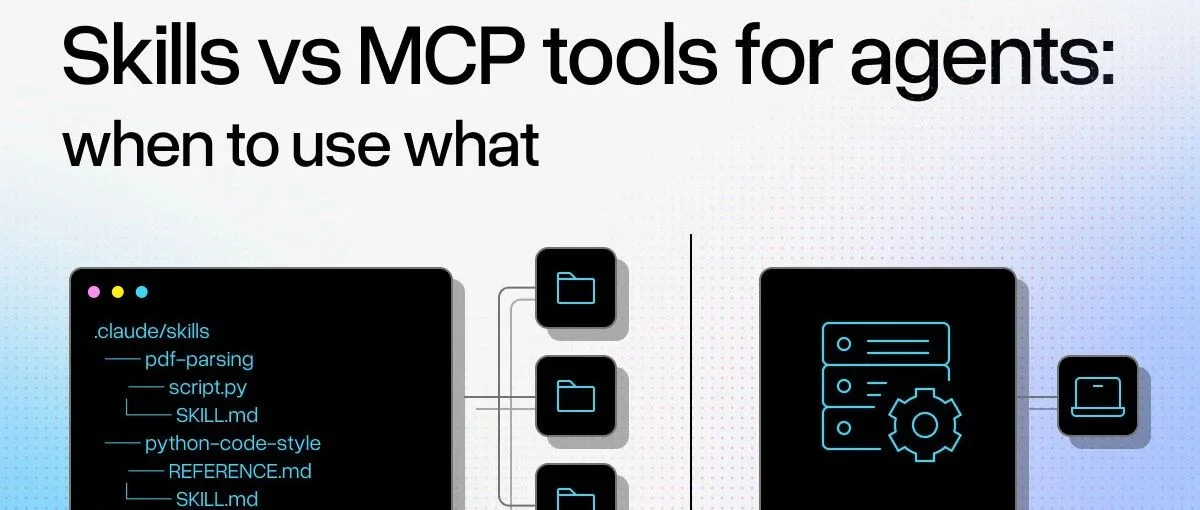
One-Sentence Summary from Official Example
MCP connects AI to data; Skills teach AI what to do with that data.
Scenario: Automating Weekly Report Generation with AI
As a team lead, you need to generate a weekly report every Friday by:
Pulling merged PRs from GitHub for the week.
Querying bug fix counts from a company database or Jira.
Organizing data into a fixed template.
Filtering by date range first, then summarizing by functional module.
To automate this with a Copilot Agent, you need both MCP and Skill.
Breakdown: What Each Does
MCP Handles "Connection"
MCP (Model Context Protocol) is an open standard protocol that enables AI to access external systems. It only establishes connection channels, not "how to use" the data.
Example MCP configuration ( .vscode/mcp.json):
// .vscode/mcp.json — Configure MCP connections
{
  "servers": {
    "github": {
      "type": "http",
      "url": "https://api.githubcopilot.com/mcp"
    },
    "company-db": {
      "command": "npx",
      "args": ["-y", "@company/mcp-server-postgres"],
      "env": {
        "DB_CONNECTION": "${input:dbConnection}"
      }
    }
  }
}
With MCP configured, the agent can connect to GitHub and execute SQL queries, but still does not know the rules for writing the weekly report or the template style.
Skill Handles "Process Knowledge"
A Skill is a packaged directory of instructions, scripts, and templates that teaches the agent step-by-step how to perform a task.
Example Skill structure ( .github/skills/weekly-report/):
.github/skills/weekly-report/
├── SKILL.md          # Operation manual (core)
├── templates/
│   └── report-template.md  # Weekly report template
└── examples/
    └── sample-report.md    # Sample weekly report
Example SKILL.md content:
<!-- SKILL.md -->
---
name: weekly-report
description: "Generate team weekly report. Use when: generate weekly report, weekly report, weekly summary"
---
# Weekly Report Generation Process

## Steps
1. Get date range from Monday to today
2. Query merged PRs within that date range via GitHub MCP
3. Query closed bugs within that date range via Database MCP
4. Group PRs by module, sort bugs by severity
5. Apply [weekly report template](./templates/report-template.md) to fill data
6. Output file to `./reports/YYYY-MM-DD-weekly.md`

## Rules
- **Must filter by date first**, then group and aggregate
- Bug severity order: Critical > High > Medium > Low
- Modules with no data should not appear in the report
The Skill defines the workflow and rules but does not provide connections to GitHub or the database (requires MCP).
MCP + Skill = Complete Solution
Both are needed: MCP for data access, Skill for processing logic.
Quick Decision Guide
Ask yourself two questions:
Does the AI need to access an external system? → Yes → Use MCP.
Does the AI need to process data following a specific process/rule ? → Yes → Use Skill.
Both needed? → Use MCP + Skill.
Concrete Examples
Query database for order data : MCP only (connection only, no special process).
Teach AI to generate Excel report with fixed formula : Skill only (process knowledge, data already local).
Pull data from Jira and write daily report per template : Both MCP and Skill (need Jira connection and template processing).
Run integration tests per team standards : Skill only (test process/standard is knowledge, no external connection).
Use Playwright to crawl webpage and screenshot : MCP only (only need browser operation capability via MCP).
Comparison Overview
What is it? MCP: Open protocol (Model Context Protocol). Skill: Packaged directory of instructions + resources.
Problem solved MCP: Can AI access external data/services? Skill: Does AI know how to process data?
Configuration MCP: .vscode/mcp.json. Skill: .github/skills/xxx/SKILL.md.
Runtime location MCP: Outside VS Code (local or remote process). Skill: Inside VS Code (injected into agent context).
Contents MCP: Service endpoints, launch commands, environment variables. Skill: Markdown instructions, scripts, templates, examples.
Standard MCP: modelcontextprotocol.io. Skill: agentskills.io.
Cross-platform MCP: Reusable by any MCP client. Skill: VS Code / Copilot CLI / Coding Agent, etc.
Loading timing MCP: Connect at startup, always available. Skill: Load on demand, injected when matched.
Summary
Do not view MCP and Skill as opposing—they solve different layers of problems:
MCP is infrastructure : Responsible for "connectivity".
Skill is the manual : Responsible for "how to do it".
For questions about attribution, corrections or content rights, please contactand we will review it promptly.