

Implementing HITL with Deep Agents: Control & Audit Autonomous Agent Actions
This tutorial demonstrates how to implement Human-in-the-Loop (HITL) using Deep Agents on LangGraph, covering interrupt_on configuration, checkpointer requirements, approve/edit/reject decision types, and a complete runnable demo with qwen3.6-plus that pauses agent execution for human review before sensitive actions like sending emails.
Reading font
Technical verification environment: deepagents 0.6.7, langchain 1.3.x, langgraph (including GraphOutput). Model uses qwen3.6-plus on Alibaba Cloud Bailian platform via OpenAI-compatible endpoint. The code has been tested to run the full "interrupt → approve → resume" loop.
1. Why Autonomous Agents Need Human-in-the-Loop
Giving tools to LLMs for autonomous invocation increases capability but also risk. An agent that can send emails, modify databases, or initiate transfers can cause damage before humans notice. Human-in-the-Loop (HITL) solves this by forcing the agent to pause before executing sensitive actions, returning decision authority to humans for approval, modification, or rejection, then resuming from the pause point.
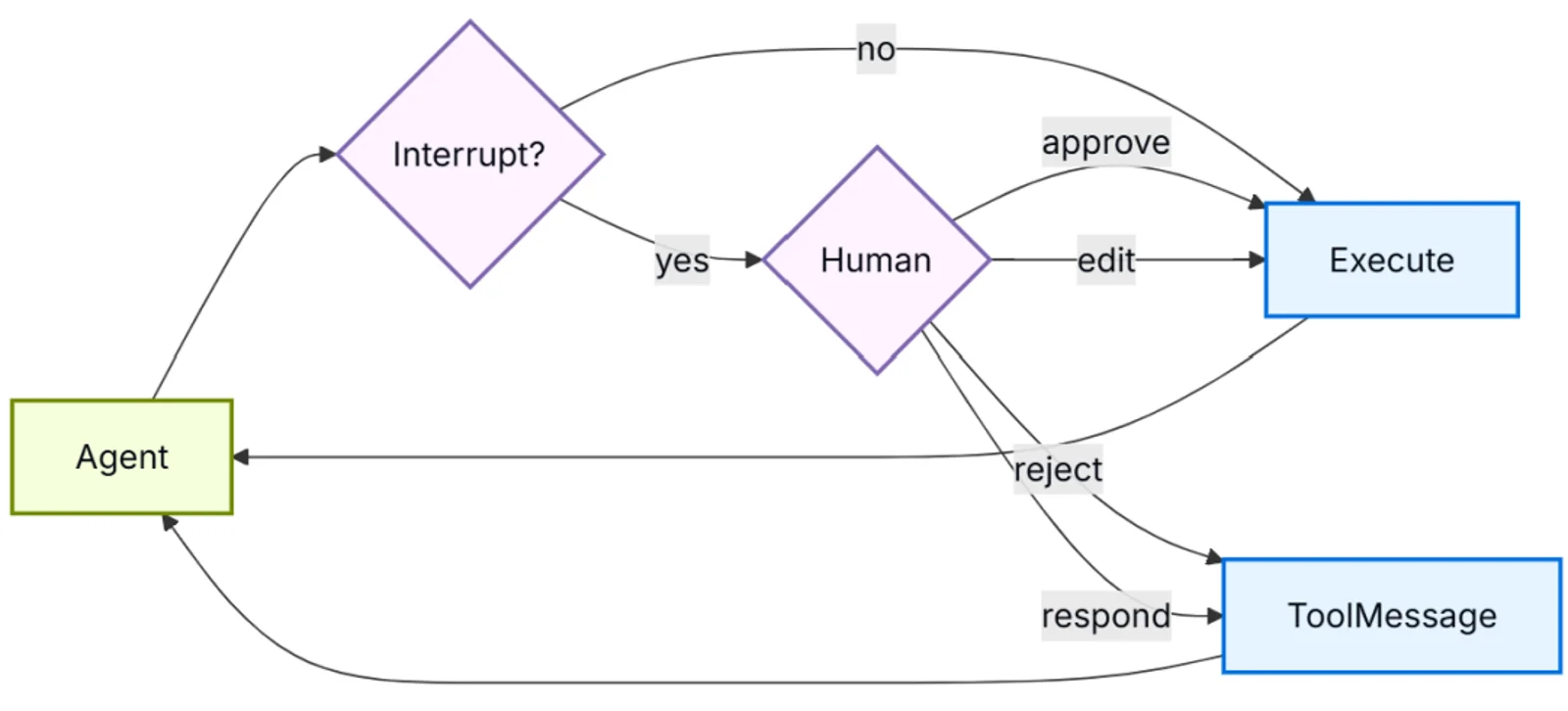
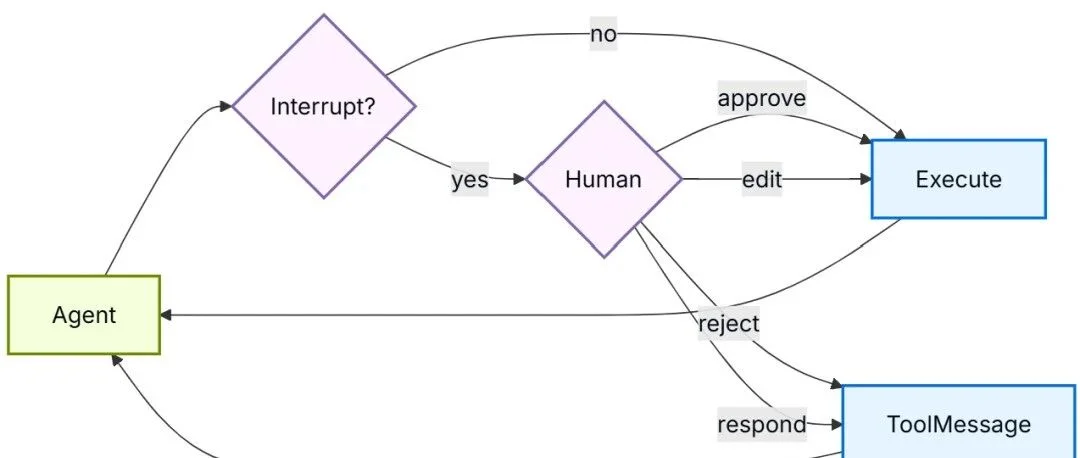
Deep Agents is an "agent harness" built on LangGraph; HITL is a built-in capability requiring no custom interrupt or state-recovery logic. Its core idea: intercept before tool execution, freeze the entire agent state, present the pending action for human review, then resume in place after the decision.
2. Design Principles
Deep Agents' HITL rests on three mechanisms:
1. interrupt_on — Declare Which Tools Require Approval
When creating the agent, use the interrupt_on parameter to specify tools to intercept. It is a dictionary mapping tool names to configurations, with three forms: True: enable interception, default allows "approve / edit / reject" decisions. False: no interception, tool executes automatically. {"allowed_decisions": [...]}: custom, precisely control which decisions are allowed for that tool.
2. checkpointer — Prerequisite for HITL
Human review is not instantaneous; the gap between interrupt and decision may be long. To let the agent resume exactly from the interrupt point, a checkpointer must snapshot state at the interrupt. Without a checkpointer, HITL cannot work. Development can use the in-memory MemorySaver; production should swap in a persistent backend (e.g., Postgres).
3. Interrupt / Resume Model
Calling agent.invoke(..., version="v2") returns an object whose interrupts field is non-empty when interception triggers. From it you can read: action_requests: list of actions the agent intends to execute (each contains tool name and args). review_configs: allowed decision types for each action.
After a human provides decisions, use Command(resume={"decisions": [...]}) with the same config (same thread_id ) and invoke again; the agent continues from the pause point.
3. Three Decision Types
allowed_decisionscontrols what a human can do during review:
approve : execute with the agent's original parameters. Resume payload: {"type": "approve"}.
edit : modify parameters then execute. Resume payload:
{"type": "edit", "edited_action": {"name": ..., "args": {...}}}.
reject : skip this tool call entirely. Resume payload: {"type": "reject"}.
Observed behavior: approve runs with original args; edit runs with new args; reject does not execute the tool and instead sends a "user rejected this tool call" message back to the agent, which then continues reasoning.
A practical pattern is risk-tiered configuration : high-risk ops (delete, transfer) allow all three decisions; medium-risk (file write) allow only approve/reject; low-risk (read, query) set to False (no intercept).
4. Complete Runnable Demo (qwen3.6-plus)
The example builds an "office assistant" agent that can send emails, with email sending marked as sensitive requiring human approval.
Install Dependencies
pip install deepagents langchain-openai
export DASHSCOPE_API_KEY="your Bailian API Key"
hitl_demo.py
import os
from langchain_openai import ChatOpenAI
from langchain.tools import tool
from deepagents import create_deep_agent
from langgraph.checkpoint.memory import MemorySaver
from langgraph.types import Command
from langchain_core.utils.uuid import uuid7

# 1. Connect to Qwen on Alibaba Cloud Bailian via OpenAI-compatible endpoint
#     Mainland China accounts use dashscope.aliyuncs.com
#     International accounts use dashscope-intl.aliyuncs.com
model = ChatOpenAI(
    model="qwen3.6-plus",
    base_url="https://dashscope.aliyuncs.com/compatible-mode/v1",
    api_key=os.environ["DASHSCOPE_API_KEY"],
    temperature=0,
)

# 2. Define a "sensitive" tool: in reality it would actually send an email
@tool
def send_email(to: str, subject: str, body: str) -> str:
    """Send an email to the specified recipient."""
    # Real implementation would call an email service here; we just print to simulate
    return f"Email sent -> Recipient: {to} Subject: {subject}"

# 3. checkpointer is required for HITL: saves state at interrupt for recovery
checkpointer = MemorySaver()

agent = create_deep_agent(
    model=model,
    tools=[send_email],
    system_prompt="You are an office assistant. When the user asks to send an email, call the send_email tool.",
    interrupt_on={
        # Sending email is sensitive: must be human-reviewed before execution, allow approve/edit/reject
        "send_email": {"allowed_decisions": ["approve", "edit", "reject"]},
    },
    checkpointer=checkpointer,  # required
)


def ask_human(action: dict) -> dict:
    """Present pending action to human, collect decision."""
    print("
========= Pending Approval =========")
    print(f"Tool: {action['name']}")
    print(f"Args: {action['args']}")
    choice = input("Approve(a) / Edit(e) / Reject(r)? ").strip().lower()

    if choice == "a":
        return {"type": "approve"}
    if choice == "r":
        return {"type": "reject"}
    if choice == "e":
        # Demo: let human re-enter recipient, keep other args
        new_args = dict(action["args"])
        new_args["to"] = input("Enter new recipient email: ").strip()
        return {
            "type": "edit",
            "edited_action": {"name": action["name"], "args": new_args},
        }
    return {"type": "reject"}


def main():
    config = {"configurable": {"thread_id": str(uuid7())}}
    user_msg = "Help me send an email to [email protected] with subject Weekly Report and content: This week's progress is normal."

    result = agent.invoke(
        {"messages": [{"role": "user", "content": user_msg}]},
        config=config,
        version="v2",
    )

    # As long as there are interrupts, hand to human for approval then resume (may be multiple rounds)
    while result.interrupts:
        interrupt_value = result.interrupts[0].value
        action_requests = interrupt_value["action_requests"]

        # Critical: decision order must match action_requests order
        decisions = [ask_human(a) for a in action_requests]

        result = agent.invoke(
            Command(resume={"decisions": decisions}),
            config=config,   # Must reuse same config (same thread_id)
            version="v2",
        )

    print("
========= Final Reply =========")
    print(result.value["messages"][-1].content)


if __name__ == "__main__":
    main()
Run python hitl_demo.py; the program pauses before calling send_email, prints recipient, subject, and body awaiting your decision. Input a to approve and send as-is; e to edit recipient then send; r to cancel, after which the agent replies accordingly.

Above is the actual test screenshot.
5. Production Practice Points
Always configure a checkpointer : without it, recovery is impossible and HITL fails. Use a persistent checkpointer in production and bind thread_id to your business session.
Reuse the same config on resume : thread_id must match the interrupt moment, otherwise the state to resume cannot be found.
Align decision order with action order : when the agent proposes multiple pending actions at once, they are merged into a single interrupt; the decisions list must correspond one-to-one with action_requests order.
Tier by risk : don't blanket-intercept all tools; only intercept truly sensitive actions, otherwise approval fatigue will degrade UX.
Sub-agent caveat : in the current version, edit / reject resume for sub-agents has known issues tracked in community issues; if you heavily rely on sub-agent edit/reject paths, consider attaching sensitive tools directly to the main agent as a workaround.
6. Summary
Deep Agents condenses HITL into two steps: use interrupt_on to declare which tools need review, and use a checkpointer to guarantee recovery from the interrupt point. Developers only need to check interrupts in the invoke return, collect approve / edit / reject decisions, then continue with Command(resume=...) — adding a reliable human gate to autonomous agents while preserving automation efficiency and securing the safety baseline for critical actions.
For questions about attribution, corrections or content rights, please contactand we will review it promptly.