This guide shows how to use the jq command‑line tool to elegantly format, query, and extract data from JSON responses across Linux, Windows, and macOS, providing practical examples, syntax basics, and integration with curl for API testing.
The article introduces duf, a Go‑based disk usage and free space viewer for Unix‑like systems, explains its features such as colored, resizable output, sorting and JSON mode, and provides step‑by‑step installation instructions for Debian/Ubuntu, RPM‑based distros, Arch AUR, Termux, macOS, FreeBSD, and Windows, plus usage examples and customization options.
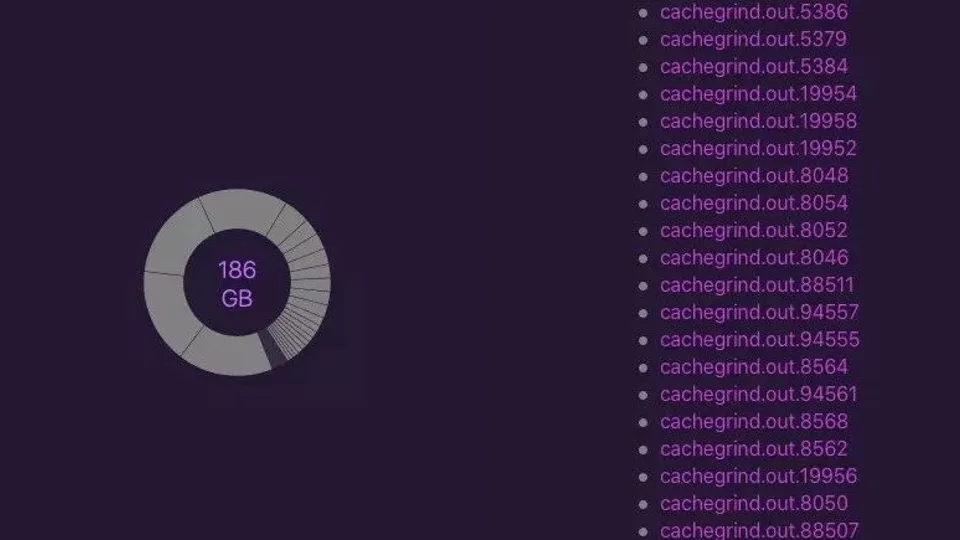
This guide explains how to customize Xdebug's profiler output filename using the xdebug.profiler_output_name setting, shows where the generated cachegrind files are stored on macOS, and provides steps to install Graphviz and qcachegrind for performance analysis, plus cleanup commands to remove old profiles.
This guide explains why office workers need separate personal and work WeChat accounts on macOS, compares three ways to launch multiple WeChat clients—including app duplication, command‑line shortcuts, and the WeChatTweak‑macOS tool—and shows how to use each method effectively.
This guide shows how to configure iTerm2 on macOS with custom Ctrl‑arrow shortcuts, set up a minimalist Bash prompt that displays Kubernetes context via kubectx, and manage secure dotfiles using Makefiles, Ansible Vault, and a Docker‑based decryption container for reproducible environments.
The author explains, from a high‑level perspective, why they abandoned macOS for FreeBSD, detailing the shortcomings of macOS, the benefits of FreeBSD, and a practical review of running FreeBSD on a ThinkPad laptop.
This article provides a step‑by‑step guide for manually building a six‑node Redis cluster on macOS, detailing environment setup, configuration changes, node startup, slot allocation, and converting master nodes to slaves, with screenshots and command examples.
This article explains how Apple Silicon affects Metal applications, outlines migration steps from Intel to Apple Silicon, describes new GPU architectures and API features, and provides practical best‑practice guidelines to achieve optimal performance and correctness on the new platform.
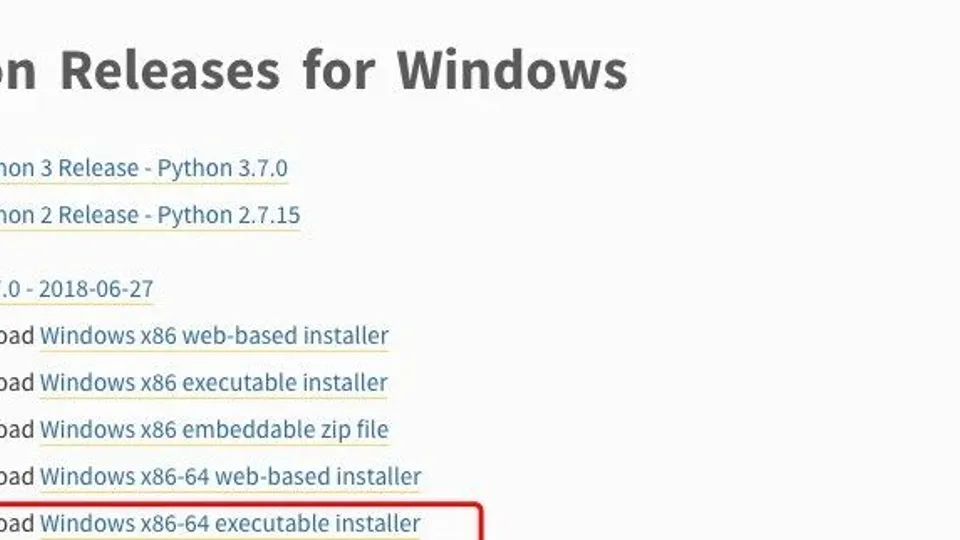
This article provides a comprehensive guide to installing and configuring Python 3 on various platforms—including Windows, Linux, and macOS—covering download sources, installation steps, environment variable setup, and usage of command‑line options and IDEs.
This article explains how to run Podman on macOS by installing HyperKit, creating a lightweight Ubuntu VM, configuring Podman's remote API socket, and connecting the local CLI via SSH, providing a more resource‑efficient alternative to Docker Desktop.
This article documents the step‑by‑step process of fixing missing PHP and OpenSSL header files on macOS, configuring environment variables, and successfully compiling the Swoole extension using phpize, Homebrew, and manual header copying.
This guide explains how to recover a lost MySQL root password by editing the MySQL configuration to skip grant tables, restarting the service, and then setting a new password via SQL commands, with platform-specific steps for Windows, macOS, and Linux.
This article chronicles the evolution of running macOS on non‑Apple hardware—from the early PowerPC‑based “black Apple” experiments, through Intel transitions, legal battles, and the development of bootloaders like Chameleon, Clover, and OpenCore—highlighting technical challenges and milestones.
This article introduces a collection of essential Linux/macOS command‑line tools—such as find, grep, awk, sed, and others—explaining their key options and demonstrating practical examples like log analysis, database URL correction, and bulk file processing to dramatically improve everyday developer productivity.
This guide explains why the Delete (Backspace) key may not work in Vim on macOS, shows how to configure the backspace option in ~/.vimrc, and provides step‑by‑step instructions to install, configure, and theme the vim‑airline status‑line plugin.
This guide explains why testing Internet Explorer on macOS is still necessary and walks through seven viable approaches—including online cross‑browser services, virtual machines, RemoteIE, Microsoft Remote Desktop, Chrome extensions, WineBottler, and Boot Camp—detailing their setup steps, advantages, and limitations.
This guide explains why Charles fails to install its macOS proxy helper, shows the problematic launch daemon plist, and provides step‑by‑step instructions to locate, edit, and restore the correct configuration so the proxy works again.
This article introduces macOS Terminal as the bridge between the kernel and the user interface, explains how to open it, covers fundamental concepts such as commands, paths, and file operations, and provides a collection of practical commands—from simple echoes to disk management and Homebrew installation—while warning about risky operations and offering advanced customization tips.
This step‑by‑step guide shows how to pull a FastDFS Docker image, create tracker and storage containers, adjust their configurations, and verify file upload, providing a fast way to set up the distributed file system on a Mac host.
This tutorial explains how to install Jenkins on macOS using Homebrew, configure it as a launch agent, adjust JVM memory and garbage‑collection settings, set HTTP proxy, customize ports and prefixes, and create a complete launchd plist for a reliable 24/7 CI server.
This article introduces essential terminal commands and practical scenarios for macOS users, covering tools like man, grep, tail, awk, top, lsof, ansible, and nc, and offers efficiency tips such as aliases, plugins, and fuzzy finders to boost productivity.
This article introduces Sequel Pro, a free open‑source MySQL client for macOS, walks through its interface and features, explains how to enable secure SSH connections, and provides step‑by‑step solutions to resolve MySQL 8 crash problems using test builds.
This guide shows how to bypass Vagrant's default box download failures by manually fetching Ubuntu and CentOS box files from Chinese mirror sites, importing them into Vagrant on macOS, and verifying the setup with practical commands and examples.
This guide introduces the open‑source macOS MySQL client Sequel Pro, explains its interface and SSH security options, and provides two practical solutions—including a test‑build download—to resolve the frequent crashes when connecting to MySQL 8, enabling stable database management.
This guide shows macOS developers how to transform iTerm2 into a floating, top‑of‑screen terminal that can be summoned and hidden with a single hotkey, covering profile creation, window appearance, custom shortcuts, cursor styling, color schemes, shell integration and handy utilities.
This guide explains what the Objective‑C runtime is, where to obtain its source code, the required build environment, step‑by‑step compilation instructions, and detailed solutions for the numerous build errors encountered when compiling objc4 on macOS.
This guide records a complete macOS development environment setup, covering system preferences, essential utilities like Homebrew, iTerm2, Oh My Zsh, nvm, VS Code, Jupyter, and a curated list of productivity and beautification apps, all aimed at maximizing efficiency and simplicity.
This article explains the open‑source Thanos.sh utility that randomly selects and displays half of the files in a directory on macOS, provides installation steps for required tools, and shows how to modify it for destructive deletion.
This article explains why WeChat articles may appear with a black background due to macOS dark mode and the CSS prefers‑color‑scheme media feature, and provides two practical solutions—command‑line tweaks for Chrome and a lightweight app—to restore the original light appearance.
The article introduces the open‑source terminal tool navi, explains how to install it on macOS or Linux via Homebrew or manual cloning, shows how to create custom Chinese cheat‑sheet files, and demonstrates its interactive command lookup features.
After upgrading macOS, IntelliJ may lose its Git executable path, causing errors, but you can resolve it by updating the Git path in Preferences → Version Control → Git and testing the configuration.
This guide details the prerequisites, step‑by‑step installation methods (WAR, macOS, Windows, Linux/Docker), and post‑installation configuration of Jenkins, including unlocking, plugin management, user creation, update site configuration, slave node setup, and configuration file locations.
When using UiAutomator on macOS you must prepend the full path to the Android command and adjust slash handling, otherwise you encounter "Cannot run program" errors; this guide shows the errors, the required fixes, and provides a complete Java helper class for automated testing.
This guide walks through installing Plotly via pip, setting up a Plotly account and credentials, configuring privacy options, and provides complete Python 2.7 code examples to generate and display interactive charts on macOS.
Darling is an open‑source project creating a macOS‑to‑Linux translation layer, and its July 2019 Q2 report details rising community activity, licensing debates, framework stubs, and ongoing efforts to run command‑line tools and 32‑bit apps, while full GUI support remains a future goal.
This guide shares practical steps to overcome TIME_WAIT port exhaustion on macOS and optimize Apache HttpClient settings for high‑concurrency load testing, including sysctl tweaks for maximum file descriptors, port range adjustments, connection‑pool parameters, timeout configurations, and a custom connection‑recycling thread, enabling over 20 k concurrent requests without bottlenecks.
This guide explains how to download and install Python on Windows, macOS, and Linux, configure the environment, install VSCode as an editor, and introduces basic Python variable naming rules and a simple script to print personal information.
When rebuilding a Plotly environment on macOS, pip fails to uninstall the system‑installed NumPy, causing pandas installation errors, and the solution involves manually removing NumPy’s egg‑info, using a reliable PyPI mirror, and selecting compatible library versions.
This article explains how a simple macOS application was built to generate iOS app icons and launch images of various sizes, describing its UI layout, resource‑plist configuration, and the Objective‑C code that handles path selection, image processing, and export logic.
This comprehensive guide walks new MacBook users through hardware upgrades, system preferences, essential shortcuts, and a curated list of productivity apps—including window managers, terminal enhancements, and development tools—to create an efficient and customized working environment.
Matrix for iOS/macOS is an open‑source performance probing tool from the WeChat team that monitors crashes, jank, and memory issues on iOS and macOS, offering plugins for detailed stack capture and out‑of‑memory reporting, with future plans for power‑consumption tracking and cloud integration.
This article walks through creating a hierarchical menu using NSOutlineView entirely in code, covering view initialization, data model preparation, custom cell and row views, essential NSOutlineViewDataSource and NSOutlineViewDelegate methods, and handling selection to achieve a fully functional macOS outline interface.
This guide walks you through installing Scala 2.11.7 on macOS/Linux and Windows, covering prerequisite Java setup, downloading the binary, configuring environment variables, and verifying the installation with command‑line checks.
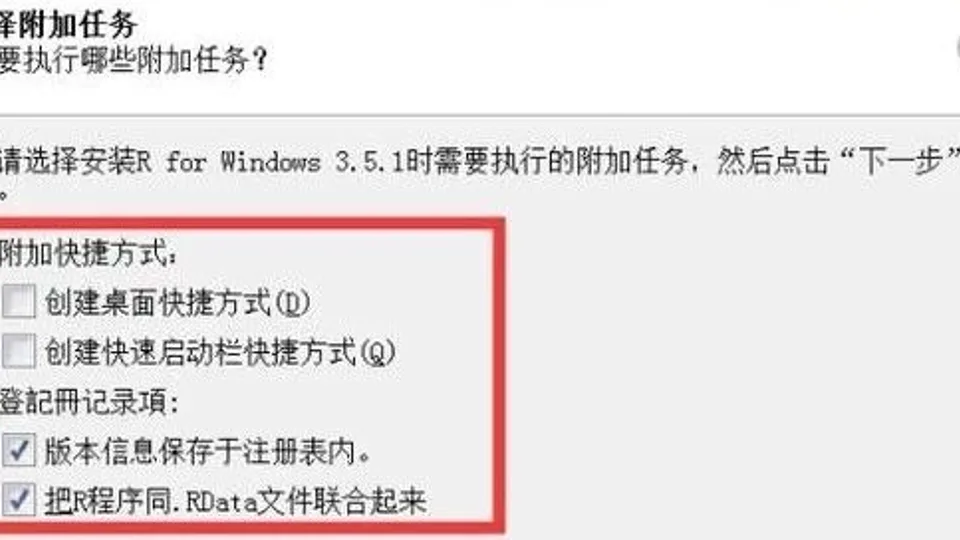
This step‑by‑step guide shows beginners how to download and install the R programming language and its RStudio IDE on both Windows and macOS, covering package selection, installation options, shortcut creation, verification of a successful setup, and common troubleshooting tips.
This article introduces cron on macOS and Linux, explains its purpose as a periodic task scheduler, shows how to check its status, add, list, and remove jobs using crontab commands, demonstrates common syntax, and shares troubleshooting tips for environment variables and log management.
This guide details how to set up an iOS automation environment using Appium, Java, and related tools on macOS, covering system requirements, installation of Xcode, JDK, Node, Appium, WebDriverAgent, and necessary plugins, along with troubleshooting tips for successful device testing.
This guide explains how to overcome Behance access restrictions caused by DNS pollution by manually adding the service's IP addresses to your macOS hosts file, including step‑by‑step instructions, required host entries, and important cautions.
This article examines the shortcomings of macOS's native kernel monitoring subsystems, details the design and implementation of the open‑source Kemon framework with inline hooks and pre/post callbacks, and showcases its practical applications and vulnerability discoveries presented at major security conferences.
Based on interviews with over ten recent interviewees and personal experience, the article argues that developers using Linux or macOS tend to have higher development proficiency than those on Windows, due to open-source access, superior command‑line tools, and more consistent package management.
This guide walks through installing Node.js, configuring npm with a Chinese mirror, and using create‑react‑app to quickly create and run a React project on macOS, including all necessary command‑line steps and code snippets.
The article compares Windows, Linux, and macOS from a developer's perspective, arguing that Linux's open‑source nature and macOS's Unix‑like environment give developers better resources, tooling, and efficiency, which can lead to higher development skill levels than on Windows.
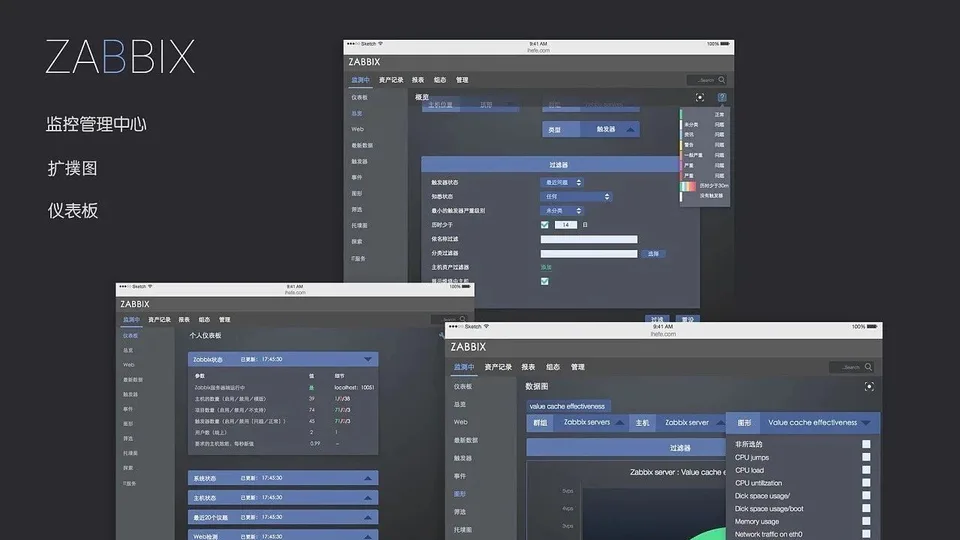
This guide explains how to set up a Linux virtual machine on macOS with VMware Fusion, install Zabbix 3.4 along with its dependencies (MySQL, Redis), and configure the various Zabbix components, monitoring methods, and active/passive modes for comprehensive system monitoring.
This guide explains how to download and install the Android SDK on macOS, set up the required environment variables, install and configure Jenkins plugins—including Git, Gradle, Xcode, and fir.im—and finally configure the ANDROID_HOME global variable for automated builds.
This step‑by‑step tutorial shows how to install Tomcat, add Jenkins inside Tomcat, and set up JDK on macOS, covering environment preparation, required downloads, configuration of environment variables, command‑line startup and shutdown, and port conflict resolution.
This document provides a comprehensive step-by-step guide to installing and configuring Redis on Linux and macOS, covering package download, compilation, service setup, and operational configuration.
This guide explains why a Redis cluster is needed for large data sets, describes the hash‑slot architecture introduced in Redis 3.0, and provides step‑by‑step instructions—including directory creation, configuration changes, instance startup, Ruby gem installation, and cluster creation commands—to build a functional Redis cluster on a Mac.
This article introduces tm-cleanup.sh, a shell script that automates Time Machine backup removal on macOS, now featuring an interactive, dialog‑based interface that lets users browse and delete snapshots without needing command‑line expertise.
This guide explains how to link the Ethereum Wallet client with a local Geth node on both Windows and macOS, covering process inspection, IPC sharing, the attach command, and alternative launch options to avoid duplicate nodes and port conflicts.
Apple surprised developers by publishing the XNU kernel source for macOS and iOS on GitHub, explaining the kernel’s origins, licensing under APSL 2.0, and how this move may help developers understand system internals while aiming to attract more contributors.
This article explains why crontab fails to build iOS apps on macOS due to missing code‑signing credentials, and shows how to replace it with launchctl and a properly configured plist, including keychain access, required plist keys, and the SessionCreate option to ensure the developer certificate is available.
This tutorial explains step‑by‑step how to set up IntelliJ IDEA or Android Studio on macOS/Linux for developing CodeTyphon Pascal projects, including installing the i‑pascal plugin, configuring a Pascal SDK, adjusting compiler options, running the program, and debugging with GDB.
This article introduces three key macOS tools—Dash for documentation, MindNode for mind mapping, and OmniGraffle for diagramming—explaining their core features, usage tips, and how they can boost a developer's productivity, followed by a curated list of additional handy utilities.
This article walks through installing a Mesos‑based distributed scheduling platform on macOS using Docker containers, covering custom image creation, registry configuration, Docker‑VM quirks, environment‑variable setup for Zookeeper, Mesos master and slaves, Marathon deployment, and practical tips for accessing containers via socat, Portainer, chroot, and nsenter.
Learn how to configure SSH on macOS to quickly connect to remote servers using a custom host alias, covering directory setup, config file creation, essential parameters, and a one‑command login workflow.
This guide explains how to download, install, and configure Docker on Windows 10 and macOS, covering prerequisites, enabling Hyper‑V, running the installer, adjusting memory settings, and basic Docker commands such as checking info, running hello‑world, launching Ubuntu and Nginx containers, and viewing running containers.
This tutorial explains how to set up a macOS development environment with Visual Studio Code and .NET Core, create an ASP.NET Core web application, configure a MySQL database using Docker containers, and package the app for production deployment with Docker Compose.
This tutorial explains how to set up a macOS development environment with Visual Studio Code and .NET Core, create an ASP.NET Core web application using Yeoman, configure MySQL via Docker, and package and deploy the app with Docker and docker‑compose.
This guide introduces the tldr tool that simplifies Linux and macOS command usage by providing concise examples, explains how to install its various language clients, and demonstrates practical command snippets for ssh and curl, helping users avoid lengthy man pages.
A recent developer survey reveals JavaScript's overwhelming popularity across languages, the unexpected dominance of lightweight editors like Notepad++ over full‑featured IDEs, macOS overtaking Windows on desktops, and a surprising gap between lucrative technologies and developers' current skill sets.
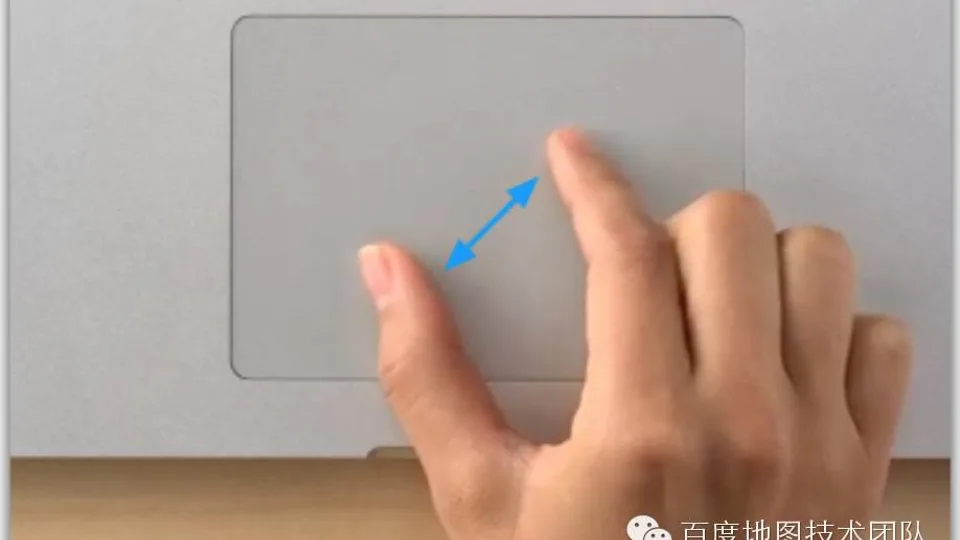
This article explores how Mac touchpads generate the same scroll events as mouse wheels, analyzes the key parameters of mousewheel, wheel, and DOMMouseScroll events, examines inertia and pinch‑to‑zoom behaviors, and offers practical guidance for handling performance issues in web applications.
This guide introduces PhantomJS—a WebKit‑based headless JavaScript engine—covers its key capabilities such as page screenshots, web crawling, and automation, explains a common macOS installation issue with a “Killed: 9” error, and provides step‑by‑step commands to unpack and run the binary, plus a sample script for capturing website screenshots.
This tutorial walks you through setting up a macOS environment, inspecting a web page, and writing a Python script with the requests library to locate and download all images from a target site, complete with code explanations and execution tips.
Choosing the right operating system and command‑line utilities—such as iTerm2, zsh, oh‑my‑zsh, Homebrew, git‑extras, tig, and nvm—can dramatically improve a Node.js developer’s productivity, and this guide reviews each tool, its key features, and practical setup tips for macOS and Windows users.
This guide explains why tmux is essential for developers, outlines its core concepts of sessions, windows, and panes, provides installation steps for macOS, details common shortcuts and commands, and shows how to personalize the environment with popular configurations.
This article provides a comprehensive set of macOS performance optimizations—including disabling local Time Machine backups, turning off hibernation, adding the noatime mount option, configuring RAM‑based temporary and cache directories, and disabling unnecessary SSD features—to improve system responsiveness and battery life.
This guide walks Unix‑oriented developers through configuring macOS with recommended editors, installing Homebrew, switching to Zsh with oh‑my‑zsh, setting up Vim/ivim, and adding useful command‑line utilities, providing step‑by‑step commands and tips for a productive desktop development workflow.