This guide walks through macOS network configuration on a MacBook Pro M1, covering Wi‑Fi advanced settings, TCP/IP fundamentals such as DHCP, IP addressing and subnet masks, NAT translation, routing tables, DNS servers, proxy types, VPN (L2TP) setup, SSH usage, and Ethernet interface details.
This comprehensive tutorial walks users through preparing their system, downloading the appropriate DeepSeek installer, and performing detailed installation steps for Windows, macOS, and Linux, followed by initial launch, configuration, and troubleshooting tips to ensure a successful setup of the data analysis tool.
This article provides a comprehensive tutorial on installing Ollama, downloading and running the DeepSeek‑R1 model on a Mac, explains the benefits of local deployment for stability and privacy, and shows how to integrate the model with the Chatbox AI visual interface.
thefuck is an open‑source command‑line utility that detects common typing and syntax errors in terminal commands, suggests the correct command (e.g., fixing “pathon” to “python”), and can be installed on Linux, macOS, and Windows via package managers or pip, with simple configuration for automatic use.
Learn step-by-step how to install Python on macOS using the official installer or Homebrew, configure your PATH, verify the installation, and set up a full-featured IDE like PyCharm, enabling you to start Python development on your Mac efficiently.
This guide shows how to install PHP (8.0‑8.3) and Composer in a single step on Linux or macOS, explains the features of the static binaries, provides verification commands, and details manual installation for Windows with a full list of supported extensions.
Apple’s macOS 15 Sequoia has become the latest officially certified UNIX® system, joining both Apple Silicon and x86‑64 entries, and the article explains the history of UNIX, POSIX standards, the XNU kernel’s BSD roots, and how these foundations shape modern macOS and iOS development.
This guide provides step‑by‑step instructions for installing the Allure test reporting tool on Windows, macOS, and Linux, covering Java setup, environment variables, verification commands, important considerations, and how to generate and view test reports.
The author details both manual and one‑click migration of roughly 500 GB and 760 000 files from an older Intel‑based MacBook Air to a new M‑chip MacBook Pro, covering setup, SSH key handling, transferred settings, and a useful cursor‑speed command.
This guide explains what ServBay Local CA is, how to locate it using macOS Keychain Access, and provides step‑by‑step instructions for reinstalling or deleting the certificate to resolve HTTPS errors during local development.
This guide explains how to use static-php-cli to compile a self‑contained PHP CLI binary for Linux and macOS, covering supported platforms, required PHP versions, environment preparation, dependency download, build commands, verification, packaging, and multi‑version management.
Upgrading Python from 3.11 to 3.12 introduced an "itms‑services" string in the standard library, causing macOS App Store rejections, which led developers and CPython core contributors to discuss the issue, propose patches, and plan a compliance option for future Python releases.
At WWDC 2024 Apple unveiled visionOS 2 with thousands of native apps, iOS 18’s personalized UI tweaks, iPadOS 18’s Math Memo and M4 chip, macOS Sequoia’s iPhone mirroring, a revamped Siri powered by GPT‑4o, and introduced Apple Intelligence—on‑device AI models that bring context‑aware writing, image generation and third‑party integration across its ecosystem.
Learn how to use macOS’s built-in dmc utility to artificially throttle disk read/write speeds, configure various HDD/SSD profiles, and verify the impact with fio benchmarks, enabling realistic performance testing on low-speed machines without complex cgroup or Docker setups.
This article provides a comprehensive, beginner-friendly walkthrough for configuring a macOS machine with Android Studio, Flutter SDK, Homebrew, Vim, CocoaPods, and iOS simulators, including detailed commands, environment variable tweaks, and troubleshooting tips to get Flutter projects running on iOS devices.
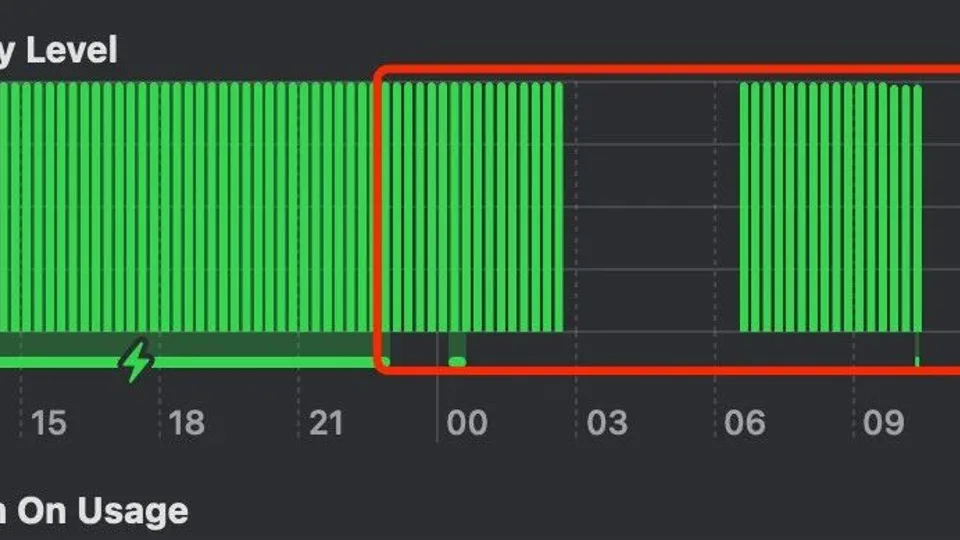
After experiencing up to 50% battery loss overnight when the MacBook lid is closed, the author diagnosed the issue using pmset, identified Bluetooth and Handoff as culprits, and applied three configuration changes—including disabling network wake, turning off Handoff, and using Bluesnooze—to reduce nightly drain to under 5%.
This tutorial walks through installing Laravel 11, creating a sample Laravel project, launching its development server, and configuring the ServBay tool on macOS to manage PHP, databases, and hosts for smooth local backend development.
This guide explains how to measure local network speed on Linux, Windows, and macOS using command‑line tools like speedtest-cli and iPerf, graphical apps, PowerShell, Wireshark, and provides advanced tips for optimization and monitoring.
This guide explains how to measure local network performance on Linux, Windows, and macOS using free command‑line utilities such as speedtest‑cli and iperf, as well as graphical tools like Speedtest, and provides advanced techniques with Wireshark, ping, and network‑optimization tips.
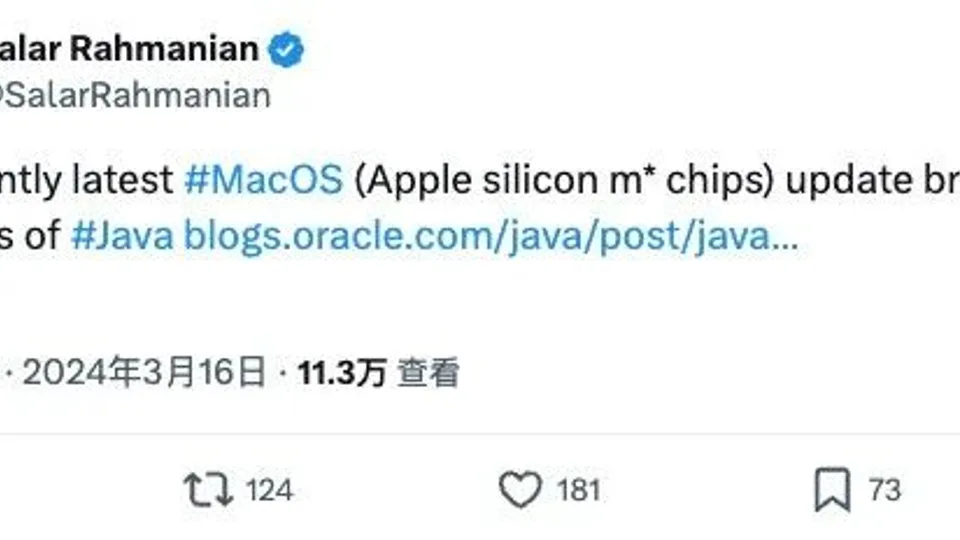
Oracle warns Java developers that upgrading Apple Silicon macOS Sonoma to version 14.4 can crash JetBrains IDEs by sending a SIGKILL signal, and advises postponing the update until a fix is available, highlighting the impact on multiple JDK versions.
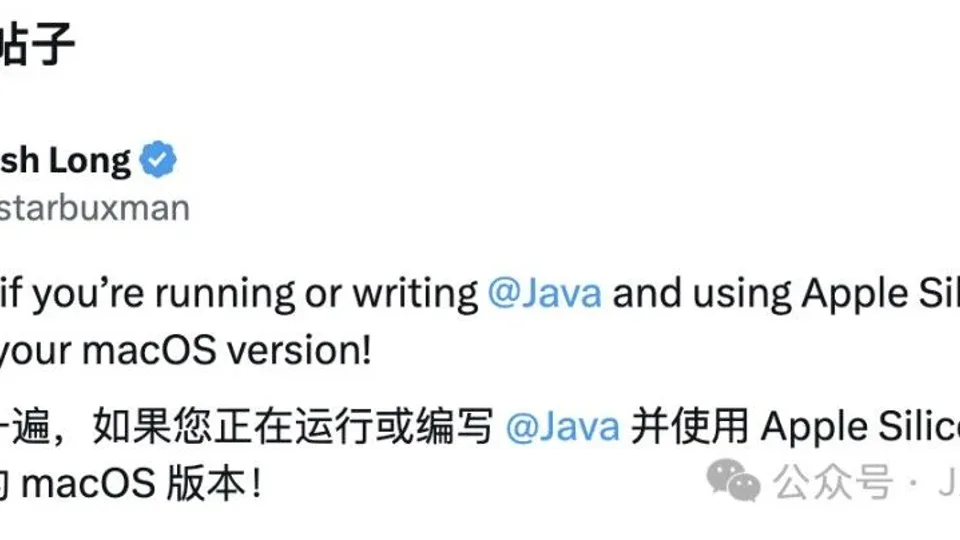
If you’ve received the macOS 14.4 upgrade prompt, Java developers should postpone the update because the new OS sends an uncatchable SIGKILL signal on protected‑memory writes, causing immediate termination of Java processes on Apple Silicon machines.
macOS 14.4 introduces a change that forces the kernel to send SIGKILL when a thread in write mode accesses protected memory, causing Java processes (Java 8‑22) on Apple Silicon (M1, M2, M3) to terminate abruptly, with no rollback option.
Apple’s recent change to macOS’s cURL implementation, which forces the ‑‑cacert option to use the system trust store instead of a user‑supplied certificate bundle, has been criticised by cURL founder Daniel Stenberg as unreliable and potentially insecure, though Apple says the behaviour is intentional and not a bug.
This guide shows how to install Multipass on macOS, create and manage lightweight Ubuntu virtual machines using simple CLI commands, configure resources, mount volumes, transfer files, and automate setup with cloud‑init, providing a fast alternative to heavyweight virtualization tools for local development.
Mach‑O is the macOS and iOS binary format whose header, load commands, and __TEXT/__DATA sections define executable, library, and symbol information, enabling developers to understand loading, linking, and startup performance, and to implement custom initialization hooks or modular launch tasks via custom data sections.
This article explains how to use the macOS Instruments Time Profiler to perform CPU‑time profiling of Rust programs, demonstrates a sample π‑calculation benchmark, shows the required Cargo configuration, walks through recording and inspecting trace files, and applies the method to diagnose performance regressions in the Rspack project.
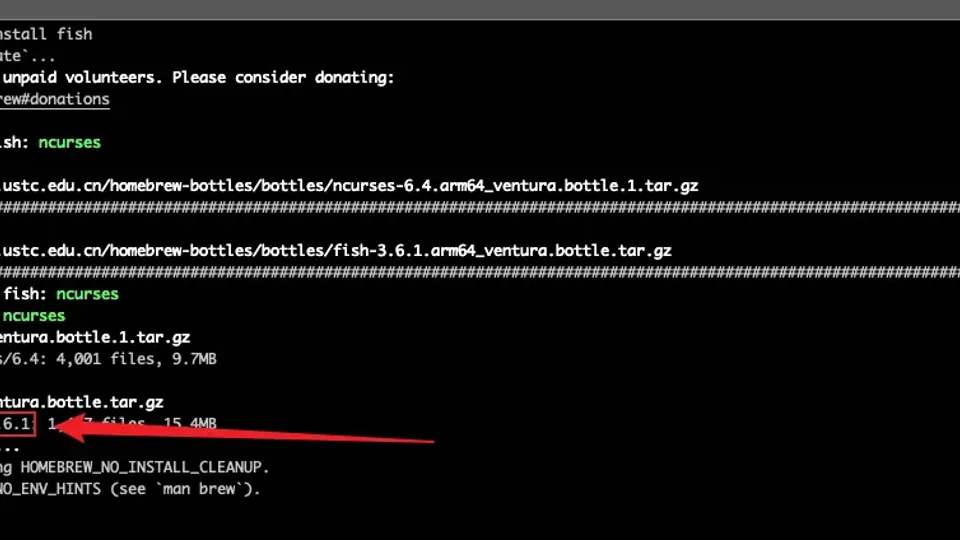
This guide walks you through installing Fish Shell on macOS, switching from Bash or Zsh, configuring it as the default shell, and leveraging its modern features such as syntax highlighting, auto‑suggestions, web‑based configuration, and custom prompts for a more efficient command‑line experience.
This article provides a detailed tutorial on downloading, installing, and legally activating the PyCharm IDE on both Windows and macOS, including prerequisite script execution, activation code entry, and a warning about the risks of using cracked software.
This guide walks you through installing Fish Shell on macOS, switching from Bash or Zsh, exploring its standout features such as syntax highlighting, autosuggestions, tab completion, web‑based configuration, and shows how to customize prompts and greetings with practical code examples.
This guide introduces Fish Shell, covering its installation on macOS, how to switch from Bash or Zsh, key features like syntax highlighting, smart auto‑completion, web‑based configuration, custom prompts, and practical code examples to help both beginners and experienced users boost their terminal productivity.
NetBird is an open‑source, WireGuard‑based network management platform that creates secure, direct encrypted tunnels between computers, devices, and servers without a central VPN, supporting cloud, on‑premise, edge and container environments, and offers quick deployment via simple installation steps on Linux and macOS.
This guide walks you through downloading the latest DataGrip version, installing it on Windows or macOS, and using provided activation scripts to successfully activate the IDE, including step‑by‑step instructions, required command‑line operations, and verification of activation status.
This guide walks through downloading the latest GoLand version, installing it on Windows or macOS, using the provided activation scripts to remove previous keys, running uninstall and install scripts, and finally entering the activation code to achieve a licensed IDE until 2099.
Learn how to install Fish Shell on macOS, switch from Bash or Zsh, set it as the default shell, explore its syntax highlighting, auto‑completion, web‑based configurator, custom prompts, and useful configuration snippets, while avoiding common pitfalls.
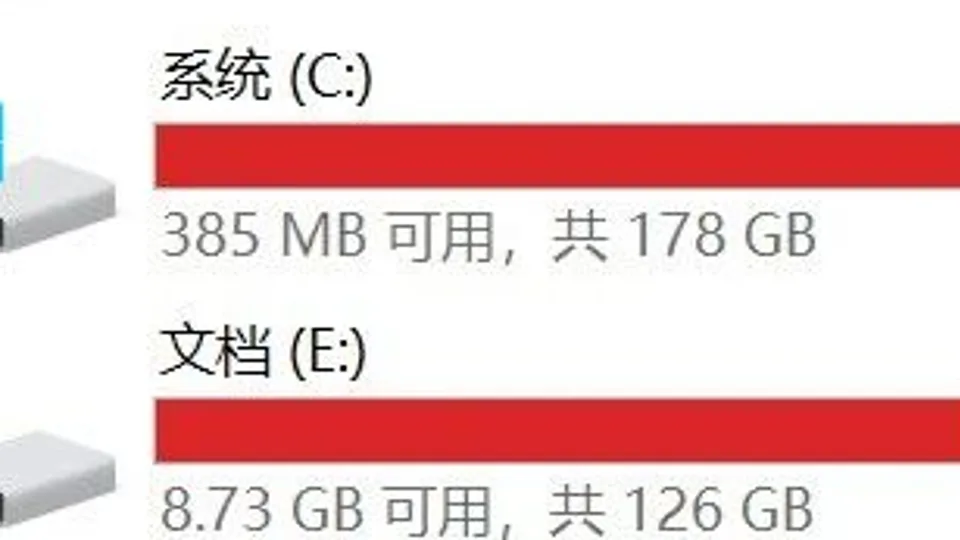
When IntelliJ IDEA warns of low disk space, this guide shows how to identify the massive JetBrains directories consuming up to 65 GB, clean old versions, relocate configuration, plugins, and caches, and permanently free space on Windows and macOS systems.
This step‑by‑step guide explains how to download the latest GoLand IDE, install it on Windows or macOS, run the provided activation scripts to remove previous keys, apply a new activation code, and verify successful activation up to the year 2099.
This guide walks you through downloading DataSpell, obtaining the activation tool, and performing step‑by‑step activation of CLion on both Windows and macOS systems, including script execution and verification of successful activation.
This guide walks you through downloading Rider, obtaining the activation tool, and activating both Rider and CLion on Windows and macOS using provided scripts, with screenshots illustrating each step and confirming successful activation until 2099.
This guide walks you through downloading the latest CLion version, installing it, using the provided activation tool to clear previous activations, running the appropriate scripts on Windows or macOS, and finally entering the activation code to obtain a license valid until 2099.
This article introduces three popular macOS command‑completion utilities—Bash Completion, Zsh with Oh My Zsh, and Fish Shell—explaining their installation, configuration, and practical examples that boost terminal productivity for developers and power users.
This guide shows how to use the powerful Command + Space shortcut for macOS search, configure trackpad gestures for efficient navigation, and recommends several handy macOS utilities to boost daily productivity.
Xcode 15 beta, released on June 5 2023 for macOS 13.3+, introduces a suite of productivity‑boosting enhancements—including smarter code completion, asset‑catalog variables, centralized localization, revamped documentation, Swift macros, live previews, bookmark navigation, integrated source‑control, accelerated testing, OSLog‑based debugging, and refined distribution controls—aimed at making iOS/macOS development faster, smarter, more convenient, and more secure.
Apple is reshaping macOS with a new Game Porting Toolkit and a dedicated Game Mode in macOS Sonoma, enabling easier Windows game migration to Apple Silicon, leveraging DirectX‑to‑Metal translation, while also positioning Macs as future gaming platforms alongside initiatives like Apple Vision Pro.
Autojump is an open‑source command‑line tool that learns your visited directories and lets you jump to them instantly with short aliases; the guide covers installation via Homebrew, APT or source, basic commands for adding, deleting, aliasing, and a Python example, concluding with its productivity benefits.
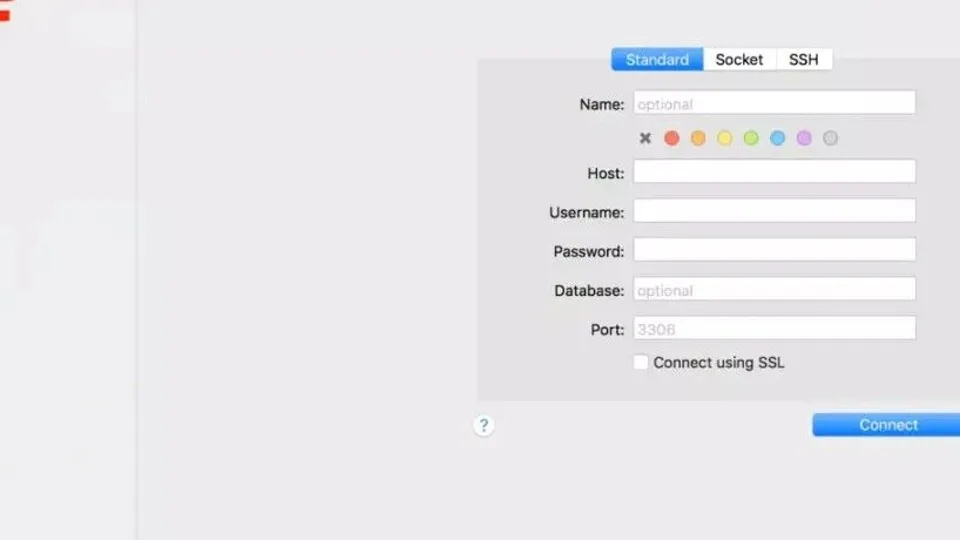
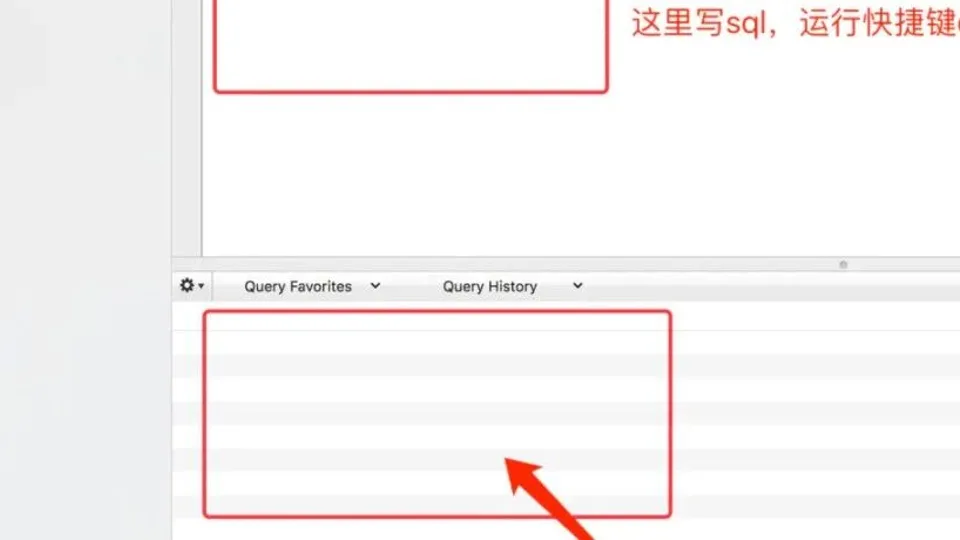
This article introduces Sequel Pro, a macOS GUI client for MySQL and MariaDB, explains how to configure standard connections with required fields, describes the main interface features such as database selection, table structure and content viewing, and highlights additional tools like Query and Table Info.
After six months on macOS, the author returned to Linux, highlighting stability problems, performance quirks, and the benefits of using cross‑platform applications and consistent shortcuts, while sharing useful commands, configuration tips, and a brief look at keyboard‑mapping solutions.
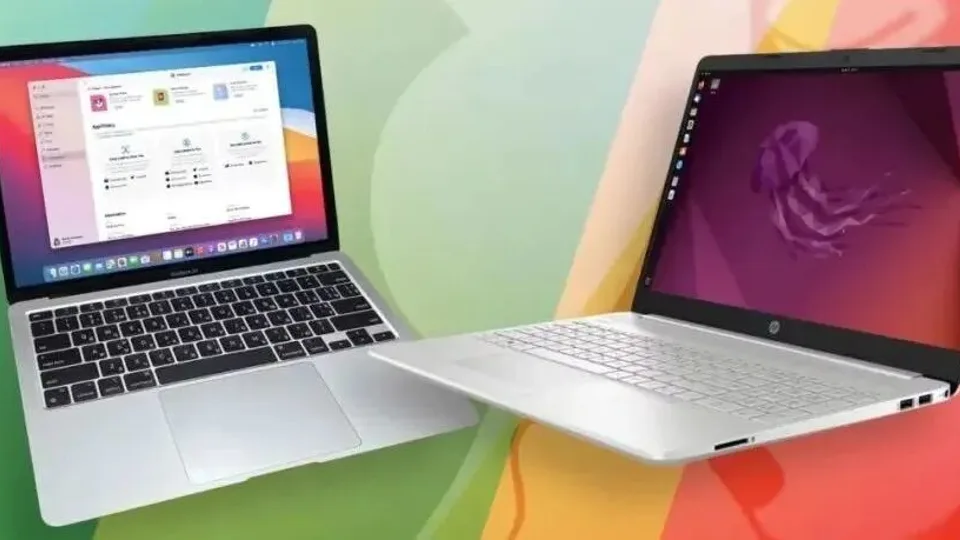
This article compares Windows, macOS, and Linux for programming, weighing their strengths, weaknesses, and suitability based on factors like stability, software ecosystem, customization, cost, and personal workflow to help beginners choose the right operating system.
This guide explains step‑by‑step how to add, change, or remove port mappings for Docker containers by stopping the container, editing hostconfig.json (and optionally config.v2.json), and restarting the container, with commands for both Linux and Docker Desktop for Mac.
Windows' share of the US desktop market has fallen to its lowest level since 2009, dropping to 57.37% as macOS and ChromeOS gain traction, while Microsoft's AI-driven enhancements aim to revive its dominance.
This guide walks you through installing VS Code on macOS, configuring essential C/C++ extensions, setting up the Clang/LLVM toolchain, creating a simple Hello World project, compiling, running, and debugging it using VS Code's tasks and launch configurations.
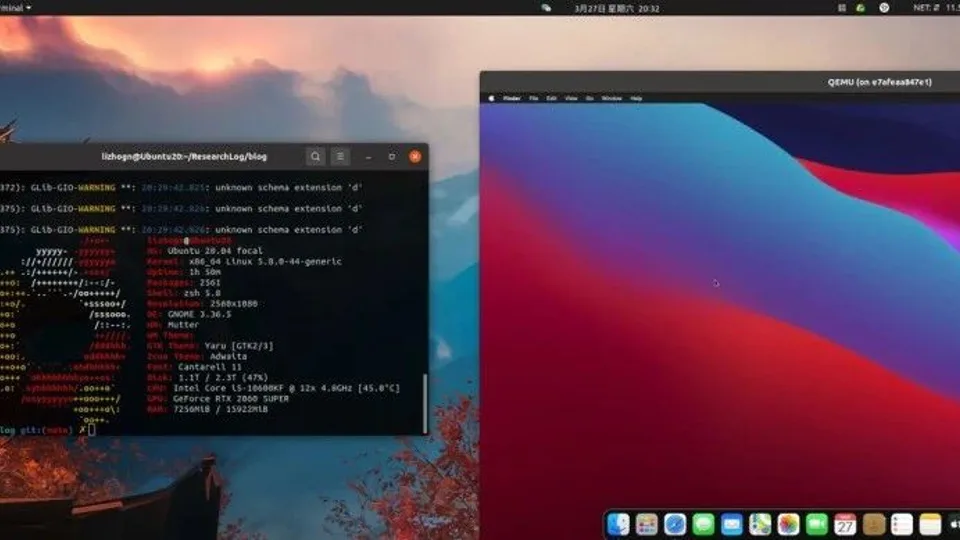
This guide explains how Docker‑OSX lets you launch a fully functional macOS environment inside a Docker container, covering installation, key features, command‑line setup, SSH access, VNC visualization, and tips for building a VNC‑enabled image.
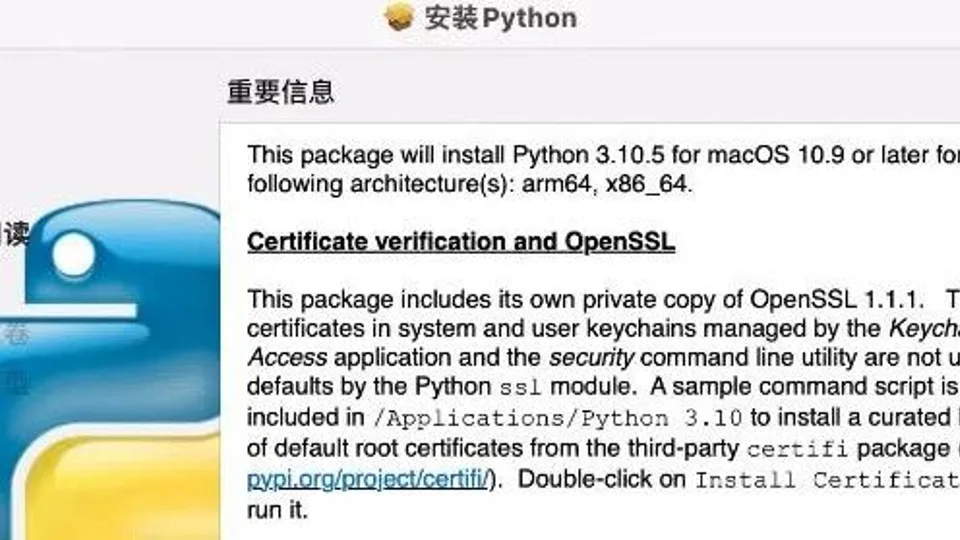
Learn how to verify your macOS system type, download the appropriate Python 3 installer, walk through the installation wizard with screenshots, and confirm a successful setup by launching the Python shell and running a simple 'Hello World' script, all tailored for beginners.
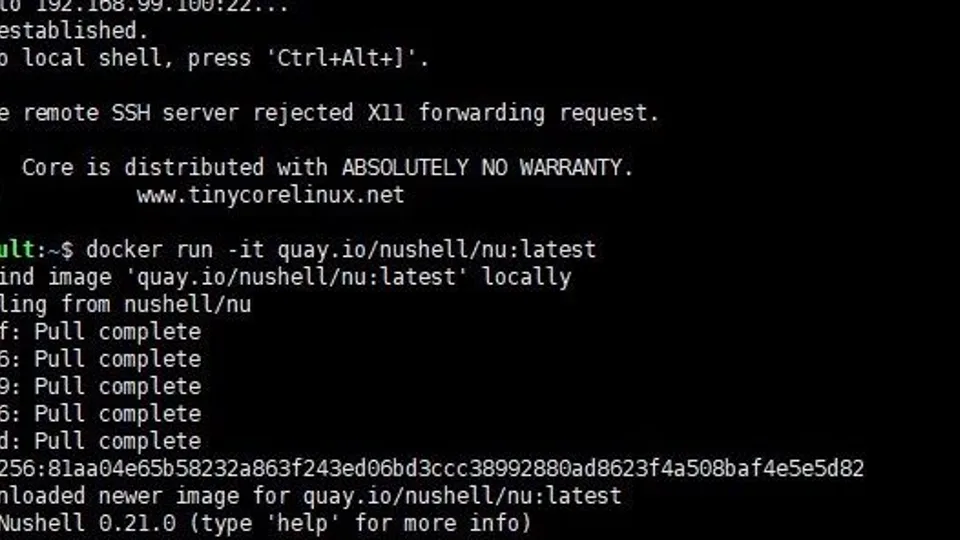
This guide introduces Nushell, a Rust‑written cross‑platform shell, explains its core goals, and provides step‑by‑step installation commands for Ubuntu/Debian, RHEL, macOS, Docker, and how to set it as the default user shell.
Learn step‑by‑step how to expose new ports or modify existing ones for Docker containers on macOS, including using the -p flag during container creation, editing hostconfig.json and config files inside the Docker VM, and restarting Docker to apply changes.
This guide shows how to install several JDK versions on macOS, configure environment variables and aliases for manual switching, and use the jenv tool for precise, per‑directory Java version management, including installation, configuration, and common troubleshooting steps.
This article introduces Notepad Next, an open‑source, cross‑platform Notepad++ replacement built with Qt5, outlines its key features such as folder workspaces, macro support, and language syntax highlighting, and provides Linux installation instructions via Flatpak or AppImage.
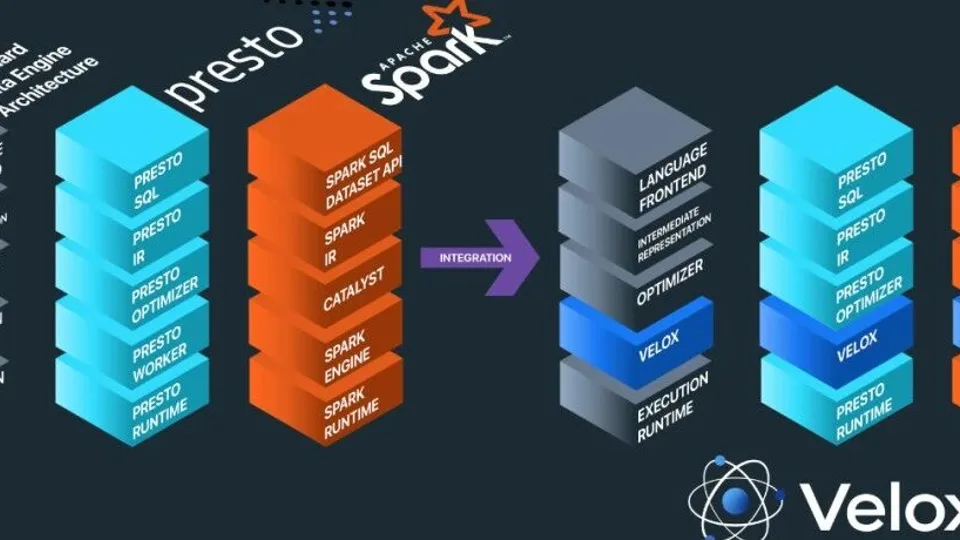
This article walks through the performance bottleneck of CPU in data analytics, introduces the Velox vectorized execution engine, and provides a detailed, zero‑to‑one tutorial for downloading Presto source, syncing Velox, fixing build paths, compiling both Java and C++ components, configuring CLion and IntelliJ, launching the servers, and executing SQL queries while noting stability concerns.
This article compares macOS and Linux by exploring their histories, kernel architectures, openness, hardware requirements, software ecosystems, user experience, customizability, gaming support, package management, and update policies, helping readers decide which operating system best fits their needs.
This article compares macOS and Linux across history, kernel architecture, openness, hardware requirements, software ecosystems, user experience, customizability, gaming support, package management, and update policies, helping readers decide which platform better fits their personal or professional use cases.
Oracle’s VirtualBox 7 beta introduces official support for Windows 11, macOS Big Sur and Monterey, enhances the Windows 11 setup experience with unattended installation, and expands host‑OS compatibility, while keeping the open‑source, XML‑based VM configuration that makes migration easy.
GitLab’s onboarding handbook bans Windows on company devices, mandates macOS or Linux for security, outlines reasons for the restriction, and lists approved Apple and Dell hardware models along with guidelines for personal or rented equipment, emphasizing privacy, compliance, and timely delivery.
This tutorial explains how to programmatically log into a campus network by analyzing HTTP requests, crafting POST data, retrieving the local IP address, automating Wi‑Fi connection on macOS using pywifi, and finally packaging the script into a standalone executable with pyinstaller.
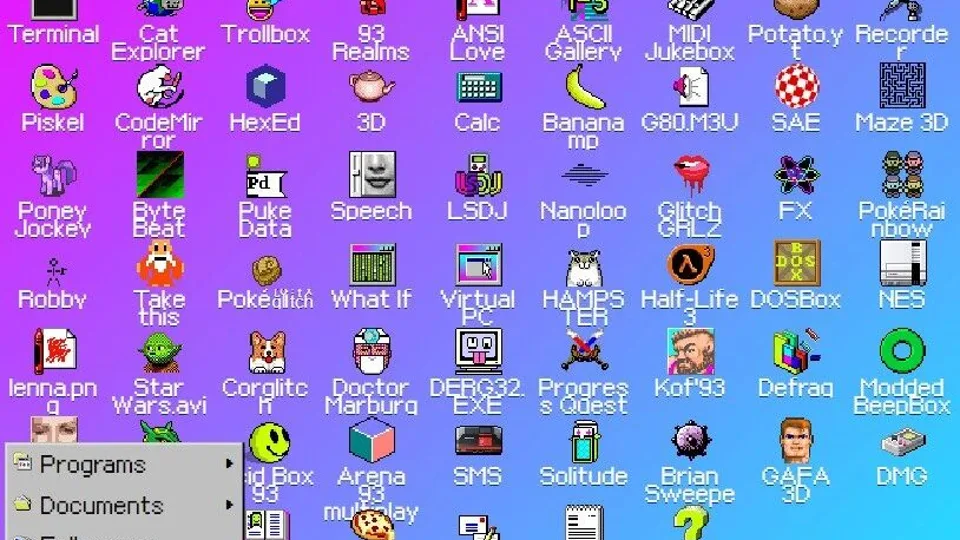
This article introduces several browser-based emulations of classic Windows and macOS systems, providing direct links to experience these nostalgic operating environments online without any installation or heavy resource consumption.
Microsoft's Visual Studio 2022 for Mac v17.0 GA introduces a fully native macOS UI, runs on .NET 6, offers Apple Silicon optimization, and delivers up to 50% performance gains while adding early support for .NET 7 and .NET MAUI cross‑platform development.
The Asahi Linux project now lets M1‑based Macs run a native Linux system, and this article walks through the preparation, installation steps, performance benchmarks, bug‑fix workflow, and practical considerations for users wanting a dual‑boot experience.
This guide shows how to create an Alfred Workflow that quickly searches local Git repositories on macOS, determines their types, caches results, and opens projects with the appropriate editor, terminal, or file explorer, dramatically reducing the time spent navigating directories.
This guide explains step‑by‑step how to use built‑in command‑line tools on Windows, Linux, and macOS to list previously connected Wi‑Fi networks and reveal their stored passwords, allowing you to recover forgotten network credentials across all major operating systems.
After 25 years on macOS, the author explains why the growing restrictions and performance issues prompted a move to a Dell XPS 13 running Ubuntu, detailing the daily workflow, desktop environment, development tools, and step‑by‑step instructions for importing iPhone photos on Linux.
This tutorial demonstrates how to use Python on macOS to extract Chrome browsing history from a target computer, generate a text report, and automatically send it via a QQ email account, while outlining the required environment, code snippets, and practical challenges.
The macOS 12.3 update eliminates the bundled Python 2 interpreter, sparking developer reactions and prompting a discussion of Python’s popularity, its version incompatibilities, and the myriad environment‑management tools like pipenv that aim to tame the language’s historically chaotic setup.
This guide introduces Nginx’s history, core features, reverse‑proxy and load‑balancing concepts, step‑by‑step installation on macOS and Linux, essential commands, configuration structure, and curated learning resources for developers seeking a solid foundation in web server management.
Docker Desktop for Mac 4.6 introduces the experimental virtiofs feature, dramatically cutting file‑operation times by up to 98% and slashing build, import, and startup durations for developers using volumes, with simple steps to enable it on supported macOS versions.
Discover how macOS Universal Control transforms multi‑device setups by letting you seamlessly move the cursor, keyboard, and files across Macs and iPads, eliminating tedious Bluetooth switching and manual file transfers for a smoother, more productive workflow.
This article explains why matplotlib fails on macOS with a pyenv‑managed Python, details the RuntimeError about missing framework and the subsequent _tkinter module error, and provides step‑by‑step solutions using TkAgg, Qt5Agg, and proper installation of PyQt and tkinter.
This guide explains how macOS ships with Python 2, how to install Python 3, run both versions side‑by‑side, use pip and pip3 for package installation, and speed up slow pip installs by specifying a fast mirror.
This article introduces Sequel Pro, a lightweight macOS client for MySQL and MariaDB, explains how to configure standard connections, describes its main interface modules such as database selection, table structure, query editor, and provides visual guidance for common operations.
This guide shares a front‑end developer's practical experience and step‑by‑step tips for moving from Windows to macOS, covering package managers, terminals, file navigation, hidden files, split‑screen, drawing tools, screenshot shortcuts, keyboard shortcuts, and useful resources to ease the transition.
This tutorial provides step‑by‑step instructions for installing Hadoop 3.1.1, Homebrew, Hive, and configuring MySQL as Hive's metastore on macOS, including environment variable setup, hive‑site.xml configuration, MySQL connector placement, schema initialization, and verification commands.
This guide explains why macOS .DS_Store files appear in Git repositories, how to add them to a project .gitignore, and provides a step‑by‑step method to set up a global .gitignore so the files are ignored across all your repositories.
This article provides a comprehensive collection of IntelliJ IDEA keyboard shortcuts for both Windows and macOS, organized by key combinations such as Ctrl, Alt, Shift, and their combinations, includes tables of shortcuts, usage explanations, and a link to a high‑resolution PDF for printing.
This guide explains how to set up Selenium to drive Chrome and Electron applications on macOS, covering ChromeDriver version matching, configuring Electron's binary location, building and packaging the app, and using remote debugging to test already‑running Electron instances.
This guide explains how to use Selenium to automate testing of Electron desktop applications on macOS, covering ChromeDriver selection, Electron project creation, packaging into a DMG, writing Python test scripts, and controlling already‑running apps via remote debugging.
This guide walks you through installing Multipass on macOS, creating and configuring lightweight Ubuntu virtual machines, managing them via the CLI, mounting data volumes, and automating setup with cloud‑init, providing a fast, Docker‑like development environment.
Learn how to install, configure, and use The Fuck tool on macOS, Linux, and FreeBSD to automatically correct common command‑line typos and errors, with practical examples for sudo, git, and Python commands.
This guide walks you through installing Multipass on macOS, creating and managing lightweight Ubuntu virtual machines via the command line, including mounting directories, transferring files, automating setup with cloud‑init, and comparing its simplicity to Docker‑style workflows.
Apple’s WWDC21‑introduced Adaptive‑Sync on macOS and ProMotion on iPad Pro and iPhone 13 Pro enable variable‑refresh‑rate displays, and developers can use Metal and CADisplayLink APIs to dynamically pace frames, query hardware limits, and adjust rates based on GPU load for smoother motion.
This guide demonstrates how to use Python on macOS to scrape love quotes, store them, and automatically launch QQ to send a random quote each day, including code snippets and steps to set up an Automator app for startup execution.
The article dissects Apple’s FairPlay DRM, detailing its kernel‑driver and daemon decryption workflow, the LC_ENCRYPTION_INFO metadata, per‑user licensing files, LLVM‑level obfuscation techniques such as opaque predicates and control‑flow flattening, and the identified weaknesses that enable reverse‑engineering and key extraction.
This guide shows how to resolve Homebrew installation failures on macOS caused by network restrictions by using a domestic Gitee mirror, including step‑by‑step commands, host file tweaks, and verification of the successful setup.
This tutorial shows how to uninstall Docker Desktop on macOS, install Hyperkit, Docker CLI, kubectl and Minikube, configure CPU/memory limits, enable Ingress, MetalLB and other add‑ons, and keep Docker images and volumes while running a local Kubernetes cluster efficiently.
This article introduces a Bash script that automatically downloads unmodified macOS installers from Apple, creates a fully configured macOS virtual machine in VirtualBox within seconds, supports multiple macOS versions, and allows customization of hardware and Apple service parameters across major operating systems.
This article provides a step‑by‑step guide to installing and configuring the ELK stack (Elasticsearch, Logstash, Kibana) on macOS and Linux, explains why ELK is useful for large‑scale log collection and analysis, and shares common pitfalls and troubleshooting tips.
This guide introduces the Rust‑based fd command as a faster, more user‑friendly alternative to find, covering installation on Linux and macOS, basic and advanced usage examples, and key options like pattern matching, extensions, exec, and time‑based filters.
This guide walks you through installing the Rust‑written Nushell on Linux and macOS, covering prerequisite tools, binary download, extraction, PATH configuration, plugin setup, user creation, default shell change, and a quick test of basic commands.
This article explains why the ELK stack is useful for large‑scale log collection and analysis, then provides detailed installation, configuration, and integration steps for Elasticsearch, Logstash, and Kibana on both macOS and Linux, including common pitfalls and memory‑tuning tips.
This guide introduces exa, a Rust‑based, open‑source file‑listing tool that adds Git integration, colorized output, tree views, and parallel scanning to replace the classic ls command, and shows how to install and use it across major Linux distributions and macOS.
This step‑by‑step guide shows how to install iTerm2, set up oh‑my‑zsh, import attractive color schemes, switch to the agnoster theme, configure Powerline fonts, and enable hot‑keys and useful shortcuts for a more powerful and visually appealing terminal experience.
This article explains how an iOS/macOS application is launched, detailing the interaction between dyld and the Objective‑C runtime, the initialization steps performed by _objc_init, and the series of functions such as environ_init, static_init, map_images, read_images, and load_images that together realize classes, selectors, protocols and +load methods before main() is called.
This article introduces QHBinimageMan, a Swift‑based macOS utility that demonstrates the full pipeline from color image to grayscale and finally to binary image generation, covering pixel handling, histogram analysis, thresholding, resolution reduction, and a practical live‑streaming gift animation application.
The article describes a macOS JDK bug where calls to java.net.InetAddress.getLocalHost() cause a 5‑second (or longer) delay during application startup, explains the investigation steps, and provides three practical fixes including hosts file modification, interface aliasing, and JDK upgrade.