This tutorial walks through Uniapp form fundamentals, covering common components, v-model two‑way binding, validation rules, and complete login and registration implementations with code examples and troubleshooting tips for beginners.
This tutorial walks through Uniapp's uni.request API, explaining its purpose, showing the full syntax, and providing step‑by‑step GET and POST examples with loading indicators, error handling, mini‑program domain setup, and common troubleshooting tips for seamless front‑back communication.
This tutorial explains Uniapp’s built‑in UI components, demonstrates how to quickly create and use them, and walks through building a custom goods‑card component with parent‑child communication via props and $emit, enabling reusable code and improved development efficiency.
HTML‑in‑Canvas is a WICG proposal that lets browsers render real DOM output directly onto a canvas, preserving layout, styling and accessibility while enabling GPU‑accelerated rendering, offering a declarative alternative to manual canvas drawing and opening new possibilities for UI, data‑visualization, game and WebGL interfaces.
This tutorial walks through setting up two Uniapp pages and demonstrates four navigation APIs—uni.navigateTo, uni.redirectTo, uni.reLaunch, and uni.switchTab—showing how to pass parameters, handle returns, and avoid common pitfalls.
This tutorial walks you through Uniapp's styling essentials—using rpx units, scoped CSS, and Flex layout—to build common page structures such as centered buttons, vertically centered elements, and evenly spaced navigation icons that automatically adapt across H5, mini‑programs, and other platforms.
This tutorial walks you through Uniapp's essential Vue syntax, covering data binding, event handling, conditional and list rendering, with a complete code example and common pitfalls to help you build a simple personal information page quickly.
This guide walks through Uniapp's core project structure, shows how to add a new page, configure its route in pages.json, reference static images with two methods, provides ready‑to‑copy code snippets, and highlights common pitfalls.
This step‑by‑step guide shows beginners how to install HBuilderX and WeChat Developer Tools, create a Uniapp project, run it on both H5 and WeChat mini‑programs, modify the page title, and avoid common pitfalls.
Rolldown 1.0, a Rust‑rewritten JavaScript bundler that fully mimics Rollup's API, is now the default engine in Vite 8, delivering 10‑30× speed gains, real‑world build‑time reductions of up to 64%, seamless plugin compatibility, and a roadmap of new features while relying heavily on the Vite ecosystem.
This article shows how to combine Playwright with an LLM (Groq) to build a self‑healing test framework that detects broken selectors, extracts a trimmed DOM snapshot, asks the model for a replacement locator, validates confidence, caches results, and integrates the logic via a Playwright fixture.
This guide teaches how to use browser developer tools (F12) to diagnose and resolve common web access anomalies—including page load failures, layout breaks, 404/500 errors, CORS issues, and data display problems—using Network, Console, Elements, and Application panels, enabling non-technical staff to identify root causes without server access.
The article details how Vivo’s front‑end team tackled performance bottlenecks by researching AVIF, designing a graceful degradation strategy with CDN edge caching and asynchronous server transcoding, implementing smart format detection, and validating a 20%+ size reduction over WebP that yielded 15‑25% LCP improvement, 30%+ first‑screen load gains and over 30% bandwidth savings.
Open‑slide is a React and Tailwind powered slide framework designed for AI coding agents such as Claude Code, allowing natural‑language prompts to generate 1920×1080 decks with agent‑native authoring, inspector comments, asset management, presenter mode, static deployment, and a hands‑on evaluation of its strengths and limitations.
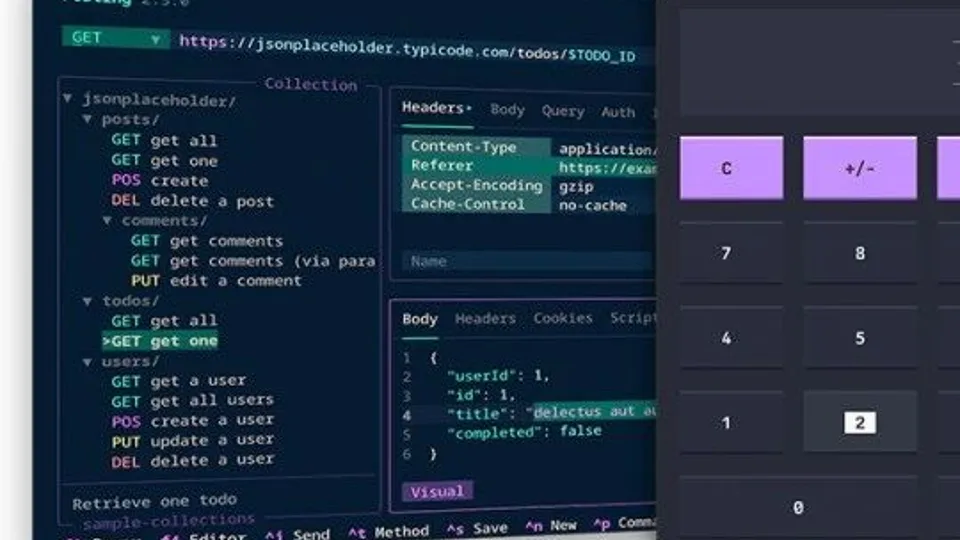
The article introduces Textual, a Python library built on Rich that lets developers create modern, styled terminal user interfaces—including windows, sidebars, buttons, and animated progress bars—using CSS‑like styling, and shows how to install, build a simple counter app, run it in the terminal or browser, and discusses suitable use cases.
The article examines why many React projects become unstable due to misuse of hooks, presenting seven frequent anti‑patterns with concrete bad and good code examples, explaining the underlying problems, and offering practical guidelines and a checklist to write reliable Hook‑based effects.
The article introduces Textual, a Python library built on Rich that lets developers create modern, CSS‑styled terminal user interfaces, shows how to install it, walk through a complete counter example, and explains its ability to run in browsers for lightweight ops dashboards.
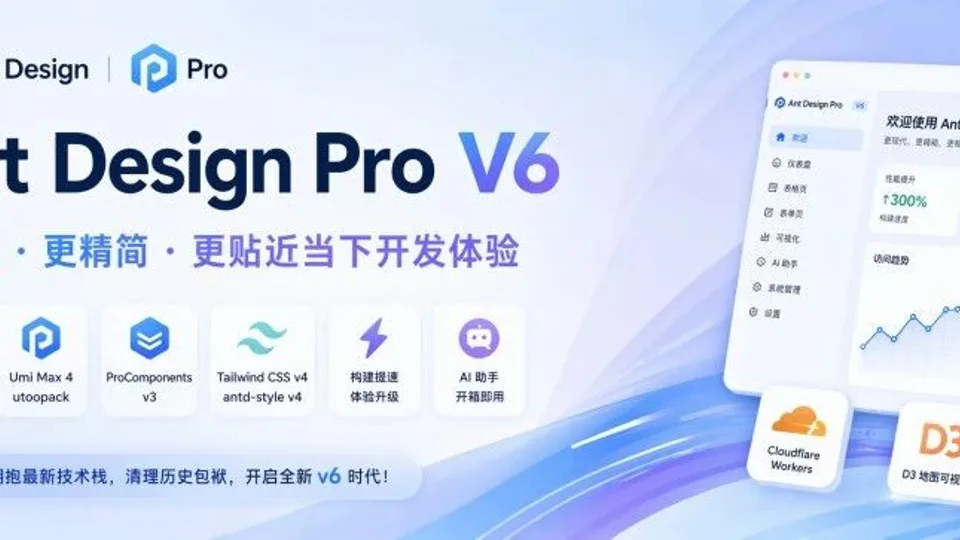
Five years after v5, Ant Design Pro v6.0.0 embraces React 19, antd 6, Turbopack‑based utoopack, Tailwind and CSS‑in‑JS, adds an AI assistant built on Ant Design X, moves demo APIs to Cloudflare Workers, and delivers roughly a 42% reduction in production build time.
SuperDoc is an open‑source DOCX engine that parses and renders real .docx files in the browser with full format fidelity, offers one‑click integration for major front‑end frameworks, real‑time Yjs collaboration, and AI‑driven document automation.
This guide explains what useEffect does, its three core execution rules, how dependency arrays change its behavior, eight practical scenarios, six typical pitfalls with concrete code examples, and best‑practice recommendations for writing clean, leak‑free React functional components.